
Kpa724 - Minecraft Skins & Skin History
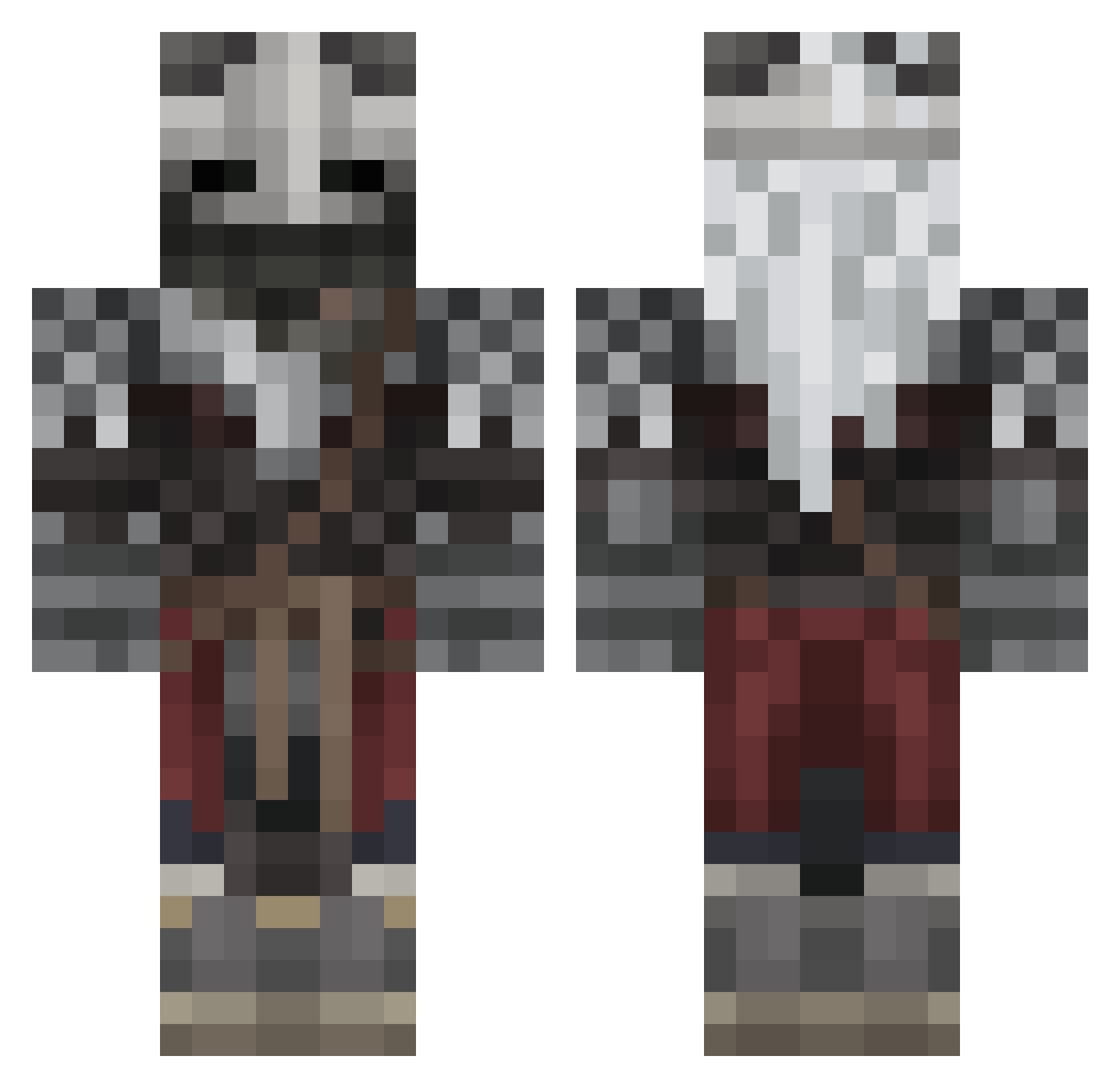
Current Minecraft skin of the player Kpa724, loaded from the official Mojang API. Rotate the 3D model with your mouse or finger, then download the skin as a PNG file and use it in Minecraft: Bedrock Edition or Java Edition for free. When Kpa724 changes their skin, this page updates automatically and the old skin stays in the history below.
Other players with this skin (567)
Kpa724 was the 21st player we have seen with this skin, first spotted on 27.07.2026. The same skin was seen on these players. Open a nickname to see their current skin and skin history.
 McDogo NotLight415 dreadhorizion941 FairMarina SomeDude_IDK AZ3C Mintee34 soholl RickVenom88 Elherman0 m6ame King_Dolphin02
 B4t0n4s Allor_04 Zulu5137 Reinhardt_Main devward_ _tracklist_ Tummieboi SOON34 king_alpacalard squiddy_010 C4ptain_ toonekurk PeaNut181
 Caleb0707 DanyFz et4n856 YaMagix Actusaia IsshoSW PFF_X7 DrPeppering Ijosh2003 AquaWasTaken_ eeNovo mav3R1cK1 Devinity64 Cockers Thisispaul1 K0Dii3 BakedPotato_21 schmext3r X3rcz Kleayt Adept_Solaithe Kimoaster1112 Minexian EJMartin3 SolarrTy ImJovani DeepSeaLord Blose_off Pitagoras2077 WhimiscalRat ZingVlinea Mau5cat BlindShoot JoyBoyOtai FreeWylli
More Warrior Minecraft skins
How to install the Kpa724 skin
- Press the Download button above to save the skin as a PNG file.
- Minecraft: Bedrock Edition (PE): open the Dressing Room from the main menu (or tap your character → Edit Character), go to Classic Skins → Owned, press the + (new skin) button, choose the downloaded PNG and pick the Classic (Steve) model. Works on PC and mobile; consoles cannot import custom skins.
- Minecraft: Java Edition: open the Minecraft Launcher, go to the Skins tab, click New Skin, load the PNG, pick the Classic (Steve) model and press Save & Use. You can also upload it at minecraft.net → Profile → Change Skin.
The skin does not show up after import - what should I do?
Restart Minecraft and open the Dressing Room again - imported skins sometimes appear only after a restart. Also make sure you selected the imported skin and picked the Classic (Steve) model.
Which model should I choose, Classic or Slim?
This skin is designed for the Classic (Steve) model. If you pick the wrong model, the arms of the skin will look stretched or squeezed.
Is the skin of Kpa724 free to download?
Yes. Press Download, save the PNG file and use it in Minecraft: Bedrock Edition or Java Edition - no payment or registration needed. The skin also works on multiplayer servers and Realms.
More skins
Looking for more? Go back to all Minecraft skins and check the top skins of the week, month and all time, or find any player's skin by nickname.