
Kozis - Minecraft Skins & Skin History
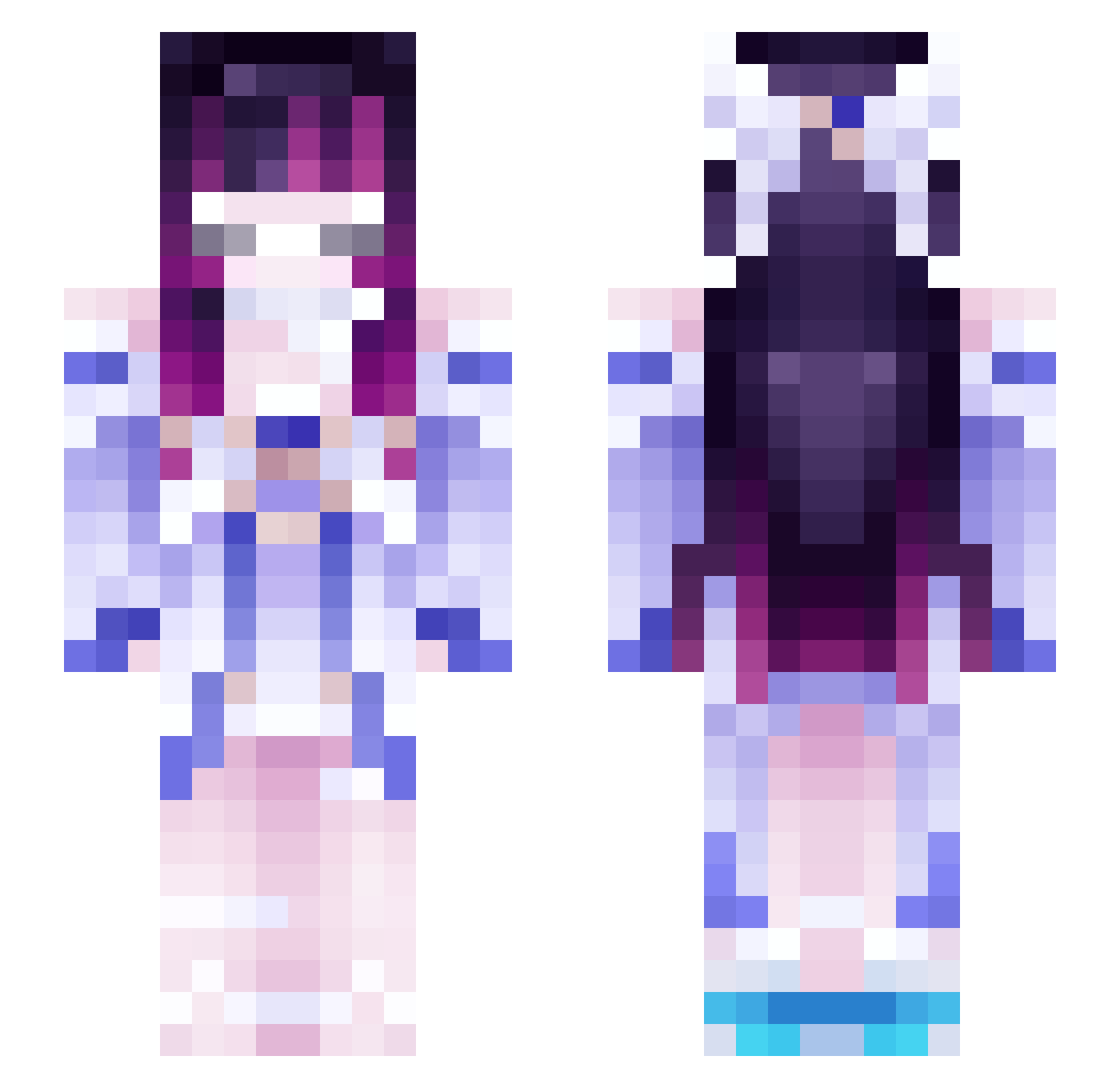
Current Minecraft skin of the player Kozis, loaded from the official Mojang API. Rotate the 3D model with your mouse or finger, then download the skin as a PNG file and use it in Minecraft: Bedrock Edition or Java Edition for free. When Kozis changes their skin, this page updates automatically and the old skin stays in the history below.
Other players with this skin (139)
Kozis was the 76th player we have seen with this skin, first spotted on 08.10.2026. The same skin was seen on these players. Open a nickname to see their current skin and skin history.
 pimpstinator fendspell mishanyaa21 Kaktus252 Levureaxx solaaani allstarcam antitopro Shincv Francisco76 artex85 Recepitispada Shadow_jipinho Qlairee Blockgod1 Serenuxa Rodier02 CapPoison sans47 _Mouyu_ NJ12Ac foxsz05 smoldant relliK251 Cechini MasterX06 JokerPL CXS_145 Lapresence efffy sinqx_ parkdungdung Aethrie Seninleiken xMyst1c_ SoyJude monse1002 Ssum_Ren wayne100616 Dragonspikes74 Hc_1 lilygantt kjinda sakwolf luxzybroo_ Ayukoi Emile107 CaramelPotato Craft_9205 Raftel13 kDaniu ToastiKaos kooliett vaiihatebugs Kufee missingnaur Szeflistek ItzColdFocus ollaiC_ k1_ngg
More Futuristic Minecraft skins
How to install the Kozis skin
- Press the Download button above to save the skin as a PNG file.
- Minecraft: Bedrock Edition (PE): open the Dressing Room from the main menu (or tap your character → Edit Character), go to Classic Skins → Owned, press the + (new skin) button, choose the downloaded PNG and pick the Slim (Alex) model. Works on PC and mobile; consoles cannot import custom skins.
- Minecraft: Java Edition: open the Minecraft Launcher, go to the Skins tab, click New Skin, load the PNG, pick the Slim (Alex) model and press Save & Use. You can also upload it at minecraft.net → Profile → Change Skin.
The skin does not show up after import - what should I do?
Restart Minecraft and open the Dressing Room again - imported skins sometimes appear only after a restart. Also make sure you selected the imported skin and picked the Slim (Alex) model.
Which model should I choose, Classic or Slim?
This skin is designed for the Slim (Alex) model. If you pick the wrong model, the arms of the skin will look stretched or squeezed.
Is the skin of Kozis free to download?
Yes. Press Download, save the PNG file and use it in Minecraft: Bedrock Edition or Java Edition - no payment or registration needed. The skin also works on multiplayer servers and Realms.
More skins
Looking for more? Go back to all Minecraft skins and check the top skins of the week, month and all time, or find any player's skin by nickname.