
KombatBeast24 - Minecraft Skins & Skin History
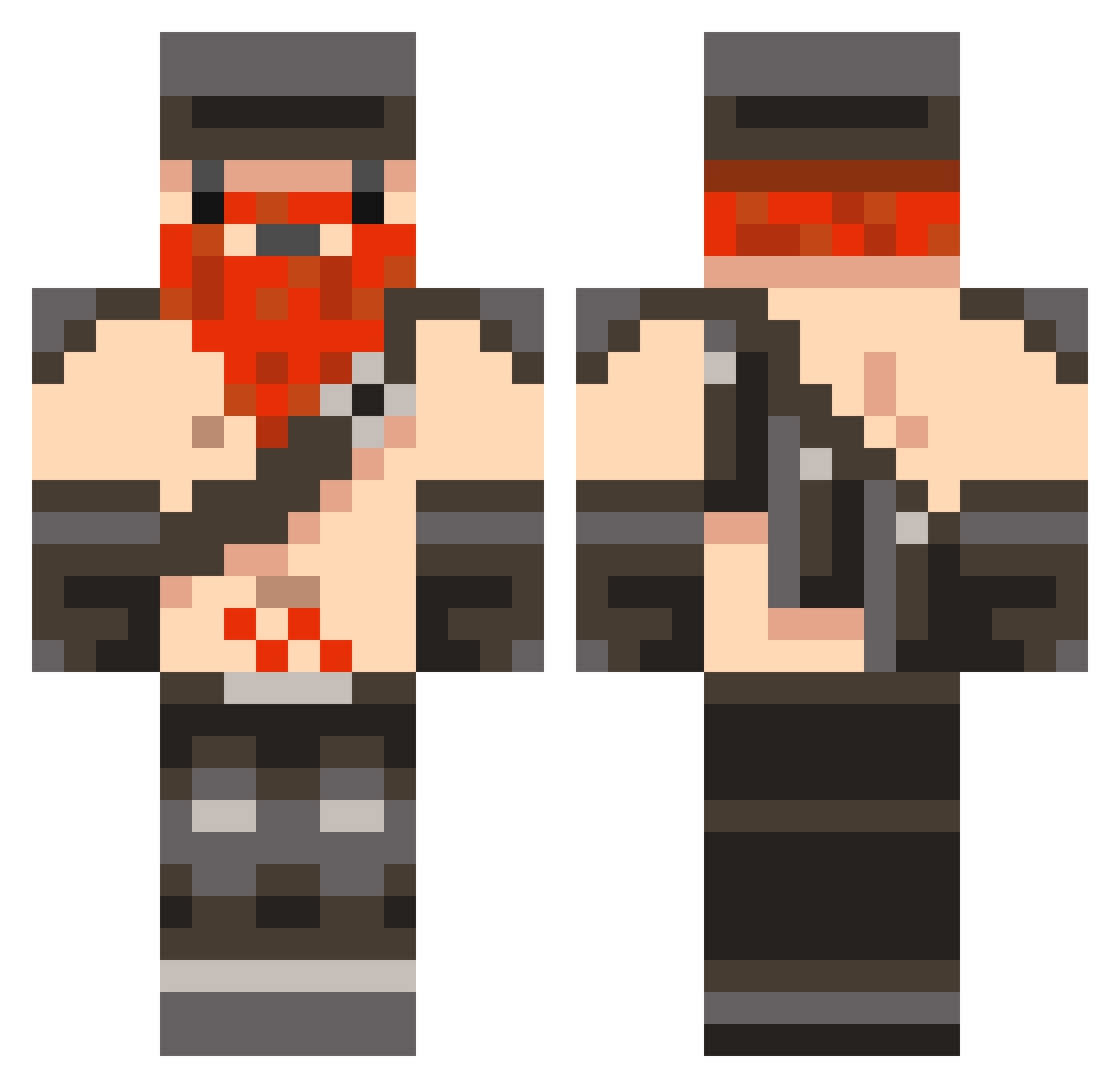
Current Minecraft skin of the player KombatBeast24, loaded from the official Mojang API. Rotate the 3D model with your mouse or finger, then download the skin as a PNG file and use it in Minecraft: Bedrock Edition or Java Edition for free. When KombatBeast24 changes their skin, this page updates automatically and the old skin stays in the history below.
Other players with this skin (106)
KombatBeast24 was the 71st player we have seen with this skin, first spotted on 03.10.2026. The same skin was seen on these players. Open a nickname to see their current skin and skin history.
 davies0987654321 JasperPol Southen Vivianos antonkolyamax AruZwei octave5499 pkli mobutu05 AmylAndTheSniff Messerschmitz Odorix Karmehhhh ElSyzm popbobette Foklul iSchern OwUwUwO GitchyGitchy123 SeasonXMoocraft flagg001 Ebola123 Nick_yellow nectardew HoneyPenetrator P34DY Simpsons703 TheSeekz chaos_paper wazeratul Bradur86 Devil9696 MooCraftPvP loganmk Indigent1108 SeriousLemur samdontmiss793 Fabillis Bradstreet VisibleOtters TheSugarRay GingerThor9969 NebulaCS CoachMcGrown52 naud1467_ iPetertj shadyoakk giguel ntique FictionalOrange JoeUncle37 ma_nel BrotMann5333 Marci363 BladeOfDenial Im_a_S10th jch010 Kindlyxxx BlueXephos23 yungleandoer666
More Dwarf Minecraft skins
How to install the KombatBeast24 skin
- Press the Download button above to save the skin as a PNG file.
- Minecraft: Bedrock Edition (PE): open the Dressing Room from the main menu (or tap your character → Edit Character), go to Classic Skins → Owned, press the + (new skin) button, choose the downloaded PNG and pick the Classic (Steve) model. Works on PC and mobile; consoles cannot import custom skins.
- Minecraft: Java Edition: open the Minecraft Launcher, go to the Skins tab, click New Skin, load the PNG, pick the Classic (Steve) model and press Save & Use. You can also upload it at minecraft.net → Profile → Change Skin.
The skin does not show up after import - what should I do?
Restart Minecraft and open the Dressing Room again - imported skins sometimes appear only after a restart. Also make sure you selected the imported skin and picked the Classic (Steve) model.
Which model should I choose, Classic or Slim?
This skin is designed for the Classic (Steve) model. If you pick the wrong model, the arms of the skin will look stretched or squeezed.
Is the skin of KombatBeast24 free to download?
Yes. Press Download, save the PNG file and use it in Minecraft: Bedrock Edition or Java Edition - no payment or registration needed. The skin also works on multiplayer servers and Realms.
More skins
Looking for more? Go back to all Minecraft skins and check the top skins of the week, month and all time, or find any player's skin by nickname.