
Kiwik228 - Minecraft Skins & Skin History
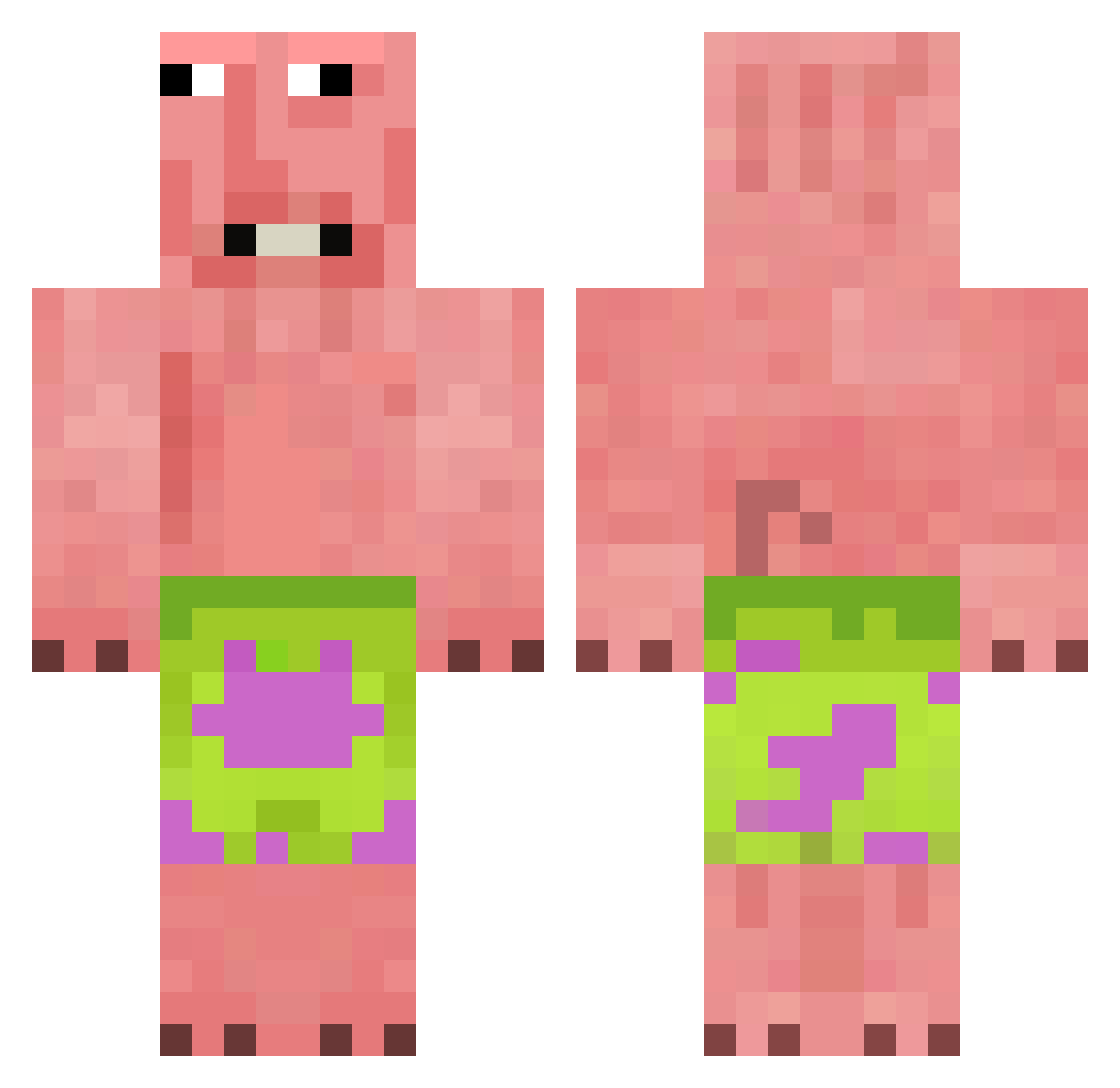
Current Minecraft skin of the player Kiwik228, loaded from the official Mojang API. Rotate the 3D model with your mouse or finger, then download the skin as a PNG file and use it in Minecraft: Bedrock Edition or Java Edition for free. When Kiwik228 changes their skin, this page updates automatically and the old skin stays in the history below.
Other players with this skin (376)
Kiwik228 was the 121st player we have seen with this skin, first spotted on 25.08.2026. The same skin was seen on these players. Open a nickname to see their current skin and skin history.
 FoZac
FoZac TarSquid Miorse briiginity Zeneth67 monfer1324 waterbuffalo33 Jessore
 Risk2k0 Akinara1337 ren_ww V3xba1ter MuthMantri_67 vvone xsanez213 lucifer96669 KrayolaKranz BetonDingDong Lord_ZEZE wischmop6652 khaopunnn_ GrandSlamderson im_Cuteness John1016141 Gonzogamer86 somthing_more Matutegalera TaintedCain elbepii Matto_potatto12 cxykse DavinLei Dravisko zarceh juliuscaesar21 slothdude1234 lauraonionz kalikster Blueprint_060 SeksHaver69
 mistyeeey Gabbehhh Kbamba opkijo jojo10506 CHICKENDOMINATOR ayosussyblud Oliwia_Coco FromAshen_AC AKSIK1 lopoX00 zahando4 Nielss007 TYLER811434 BOBEK_MC123 Bella_Cheesy aureliaaaa iluvcantly crackin_nangs Sk1yLo
More Patrick Star Minecraft skins
See all 612 Patrick Star skins
How to install the Kiwik228 skin
- Press the Download button above to save the skin as a PNG file.
- Minecraft: Bedrock Edition (PE): open the Dressing Room from the main menu (or tap your character → Edit Character), go to Classic Skins → Owned, press the + (new skin) button, choose the downloaded PNG and pick the Classic (Steve) model. Works on PC and mobile; consoles cannot import custom skins.
- Minecraft: Java Edition: open the Minecraft Launcher, go to the Skins tab, click New Skin, load the PNG, pick the Classic (Steve) model and press Save & Use. You can also upload it at minecraft.net → Profile → Change Skin.
The skin does not show up after import - what should I do?
Restart Minecraft and open the Dressing Room again - imported skins sometimes appear only after a restart. Also make sure you selected the imported skin and picked the Classic (Steve) model.
Which model should I choose, Classic or Slim?
This skin is designed for the Classic (Steve) model. If you pick the wrong model, the arms of the skin will look stretched or squeezed.
Is the skin of Kiwik228 free to download?
Yes. Press Download, save the PNG file and use it in Minecraft: Bedrock Edition or Java Edition - no payment or registration needed. The skin also works on multiplayer servers and Realms.
More skins
Looking for more? Go back to all Minecraft skins and check the top skins of the week, month and all time, or find any player's skin by nickname.