
King_Goose609 - Minecraft Skins & Skin History
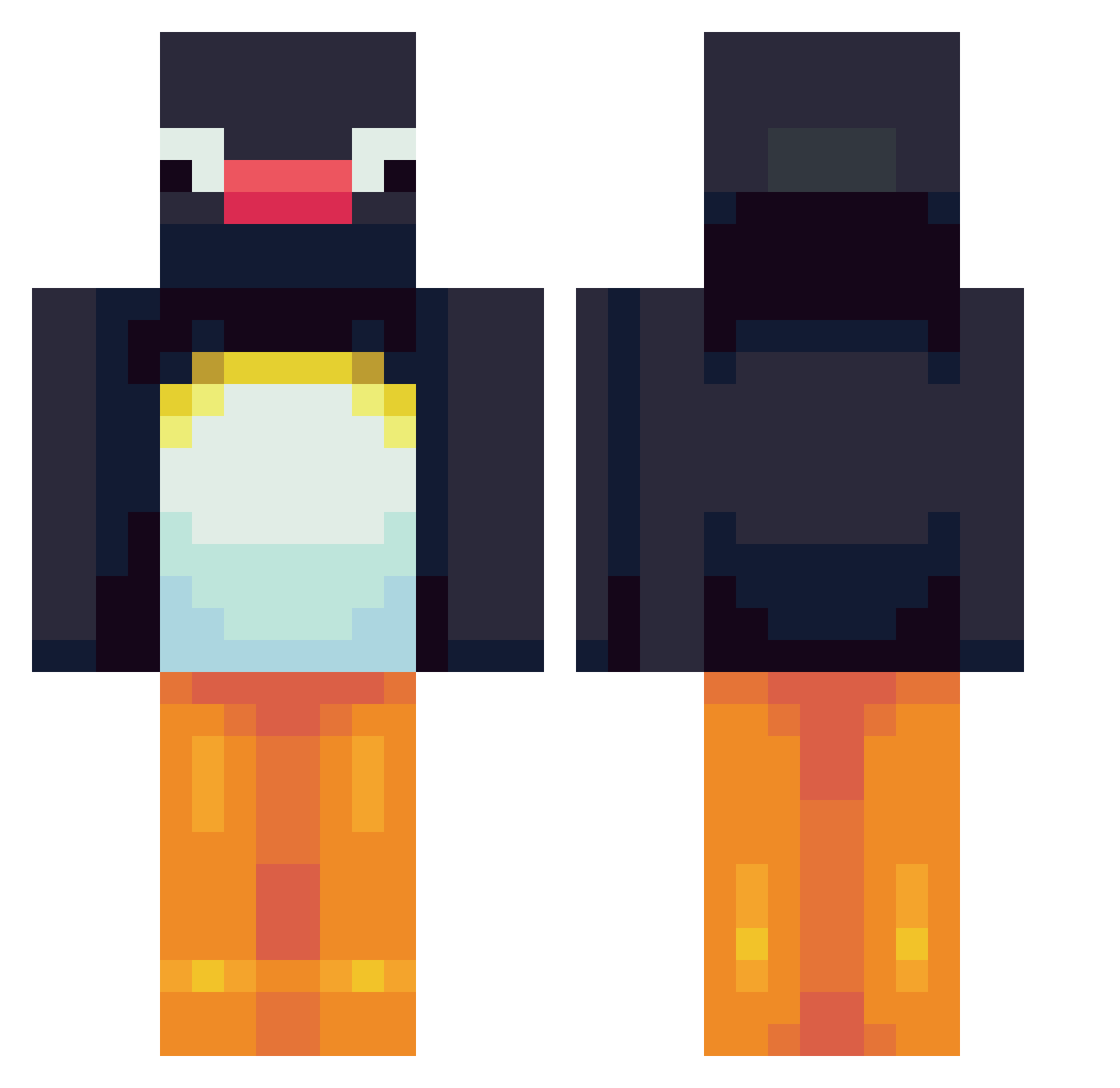
Current Minecraft skin of the player King_Goose609, loaded from the official Mojang API. Rotate the 3D model with your mouse or finger, then download the skin as a PNG file and use it in Minecraft: Bedrock Edition or Java Edition for free. When King_Goose609 changes their skin, this page updates automatically and the old skin stays in the history below.
Other players with this skin (564)
King_Goose609 was the 369th player we have seen with this skin, first spotted on 26.09.2026. The same skin was seen on these players. Open a nickname to see their current skin and skin history.
 Schapenvacht FluXriite Kritzy maqwauak Chunky96 Copemorelmao vilmiz K3ND0YA Daken8815 beachlamps SY826 kimwnstj17 JJ_JOK3R KaiserFatsII FatRobinLover jaekun2 LordPingu_ sidneyizdumb WAP_Lover _MoJaNg_SuPpOrT_ r0ph NoetNoet28 Youx1734 Pasghetti_01 MintyMisa joojoo9898 bletea0308 rbarbosa5 arsxnn GoodGuyGoerkem IchAdoptiereEnte wastedluck1 ExteriorDig katieclouds gusdo d_aik0n Catheranne115 yoursooobadddd69 louisebringehed CheeseCloth Bladerunner11 MagicMelle jojoshadowhunter doodlejump69 BlueWidge IPlayBaseball7 ilsbert HappyPandaCandy Beltran_42 spacetimeout FG1250 keekashoo ItsVipert Ricachon836 mike0_ Dumby_Thicc not_josh11 Kreoboy Cantimplora1 yrrahnor
More Pingu Minecraft skins
How to install the King_Goose609 skin
- Press the Download button above to save the skin as a PNG file.
- Minecraft: Bedrock Edition (PE): open the Dressing Room from the main menu (or tap your character → Edit Character), go to Classic Skins → Owned, press the + (new skin) button, choose the downloaded PNG and pick the Classic (Steve) model. Works on PC and mobile; consoles cannot import custom skins.
- Minecraft: Java Edition: open the Minecraft Launcher, go to the Skins tab, click New Skin, load the PNG, pick the Classic (Steve) model and press Save & Use. You can also upload it at minecraft.net → Profile → Change Skin.
The skin does not show up after import - what should I do?
Restart Minecraft and open the Dressing Room again - imported skins sometimes appear only after a restart. Also make sure you selected the imported skin and picked the Classic (Steve) model.
Which model should I choose, Classic or Slim?
This skin is designed for the Classic (Steve) model. If you pick the wrong model, the arms of the skin will look stretched or squeezed.
Is the skin of King_Goose609 free to download?
Yes. Press Download, save the PNG file and use it in Minecraft: Bedrock Edition or Java Edition - no payment or registration needed. The skin also works on multiplayer servers and Realms.
More skins
Looking for more? Go back to all Minecraft skins and check the top skins of the week, month and all time, or find any player's skin by nickname.