
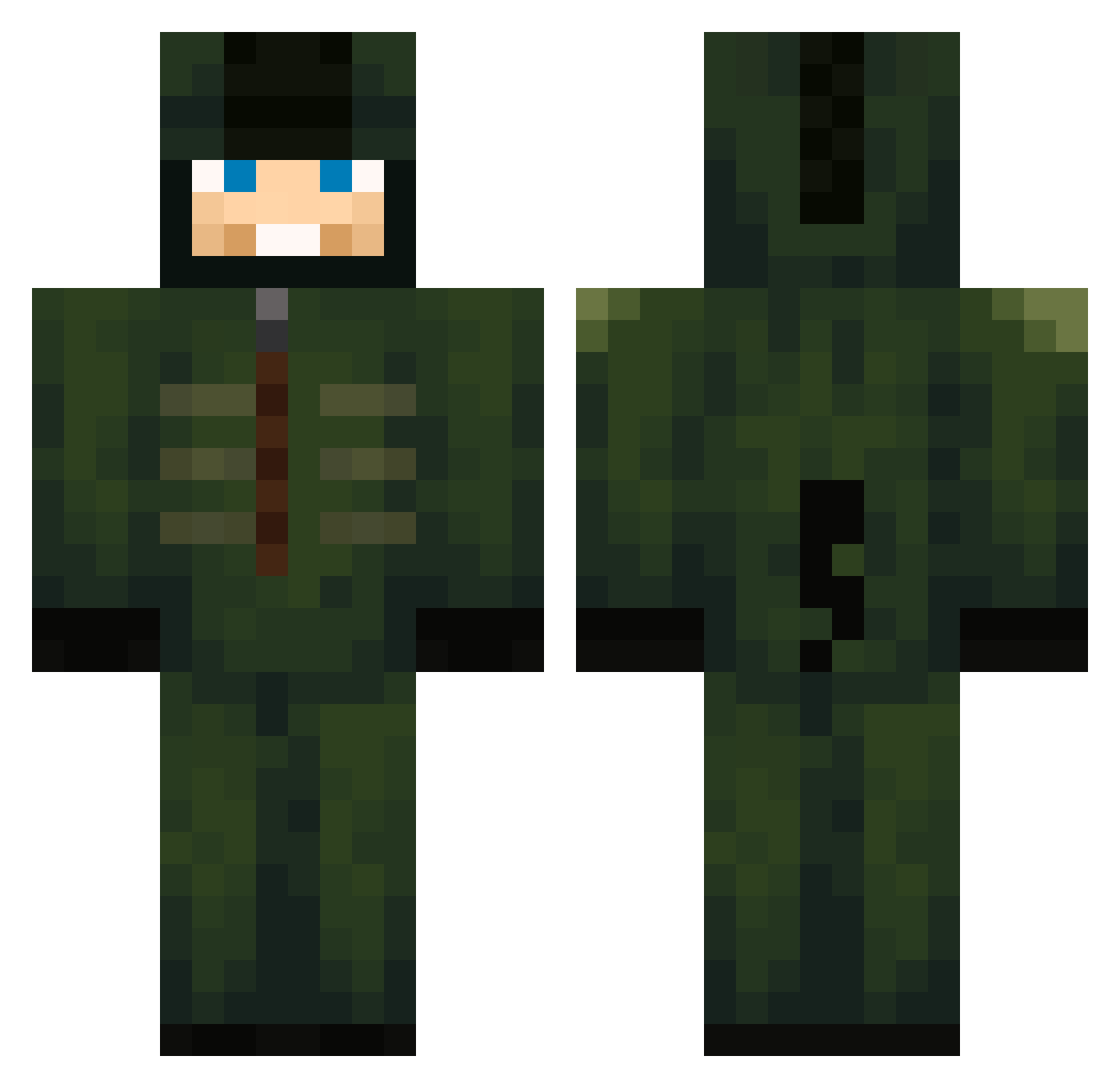
Current Minecraft skin of the player KingRaj598, loaded from the official Mojang API. Rotate the 3D model with your mouse or finger, then download the skin as a PNG file and use it in Minecraft: Bedrock Edition or Java Edition for free. When KingRaj598 changes their skin, this page updates automatically and the old skin stays in the history below.
Other players with this skin (546)
KingRaj598 was the 236th player we have seen with this skin, first spotted on 31.08.2026. The same skin was seen on these players. Open a nickname to see their current skin and skin history.
 Jiramaes103 Rag3_Forex coronelricky Juancho_sin_flow derf1108 NytricZero CreeperGod2016 Maslic _MicrosoftExcel_ FadedPiggott47 Sosuke_Aizen04
 blackblix PimientonPJWCH ExuZe perkoc Kiznoh13 Samgammengood moaz1 Casper241 Bashka123 ____Jude____ _Vulpes_
 strongest52 Alan883 JohanYawns Berakoun Duceni skapalsi IIScaryGhostII DLXRex lstonksl AutisticBakra MeninoThigas ManuLai xxxdeadshotpcxxx fam12345 Normal_MS Reivax1710 BenJammin2015 turtle1738 IceMagpie Mora_II Goldenfps DEEEVV dorukkral3229 BlueFates teuntie101 _PvP_N00B_ aburashed505 Reaperfox21 Zak6767 OBITO707 Erik456 Stuffychip0
 aarxn25 b3xgo DoubleAgent8888 waveyzy WhatarethosE800 Lara_zone2
More Kigurumi Minecraft skins
How to install the KingRaj598 skin
- Press the Download button above to save the skin as a PNG file.
- Minecraft: Bedrock Edition (PE): open the Dressing Room from the main menu (or tap your character → Edit Character), go to Classic Skins → Owned, press the + (new skin) button, choose the downloaded PNG and pick the Classic (Steve) model. Works on PC and mobile; consoles cannot import custom skins.
- Minecraft: Java Edition: open the Minecraft Launcher, go to the Skins tab, click New Skin, load the PNG, pick the Classic (Steve) model and press Save & Use. You can also upload it at minecraft.net → Profile → Change Skin.
The skin does not show up after import - what should I do?
Restart Minecraft and open the Dressing Room again - imported skins sometimes appear only after a restart. Also make sure you selected the imported skin and picked the Classic (Steve) model.
Which model should I choose, Classic or Slim?
This skin is designed for the Classic (Steve) model. If you pick the wrong model, the arms of the skin will look stretched or squeezed.
Is the skin of KingRaj598 free to download?
Yes. Press Download, save the PNG file and use it in Minecraft: Bedrock Edition or Java Edition - no payment or registration needed. The skin also works on multiplayer servers and Realms.
More skins
Looking for more? Go back to all Minecraft skins and check the top skins of the week, month and all time, or find any player's skin by nickname.