
KindVanDeDuivel - Minecraft Skins & Skin History
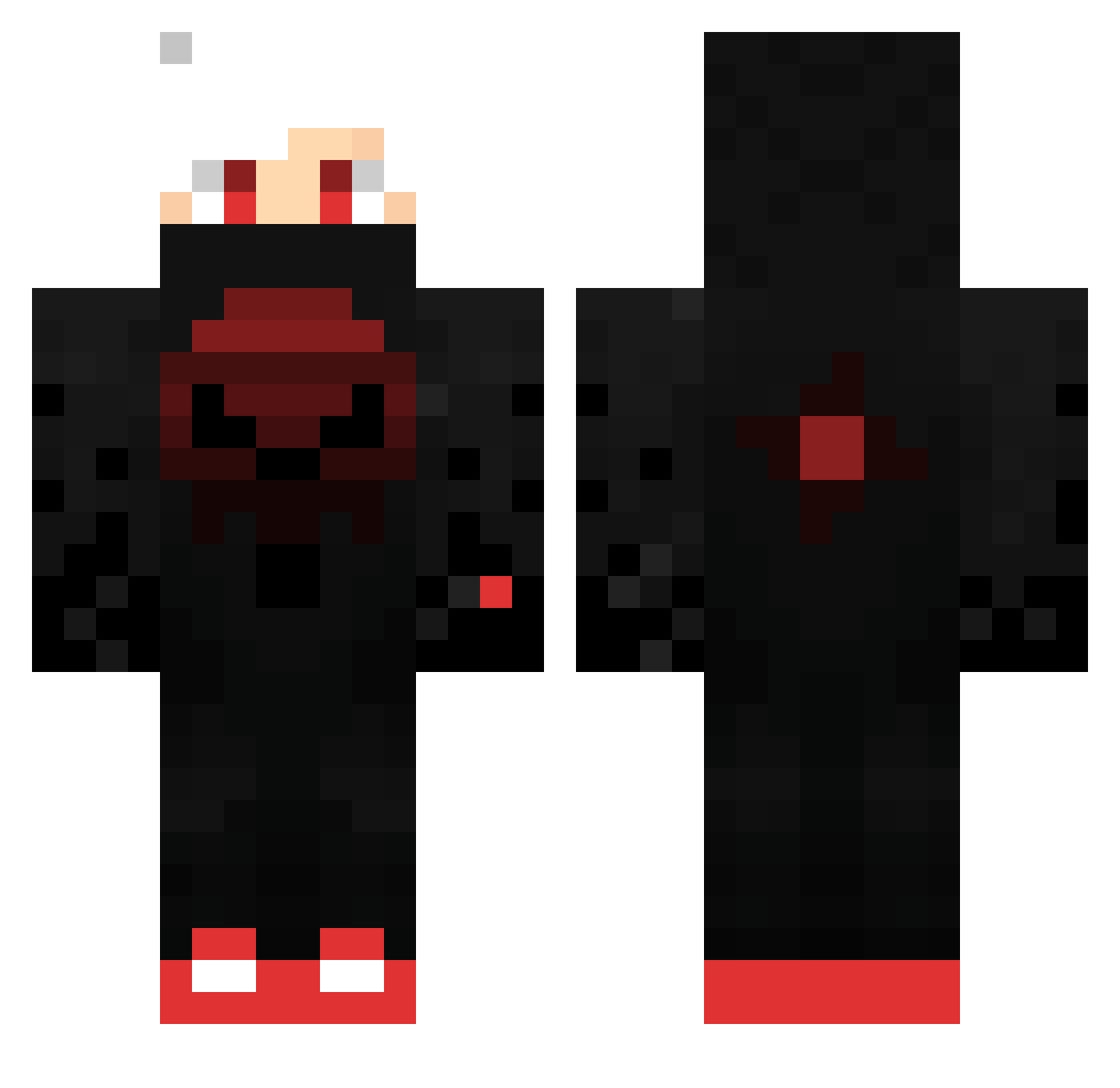
Current Minecraft skin of the player KindVanDeDuivel, loaded from the official Mojang API. Rotate the 3D model with your mouse or finger, then download the skin as a PNG file and use it in Minecraft: Bedrock Edition or Java Edition for free. When KindVanDeDuivel changes their skin, this page updates automatically and the old skin stays in the history below.
Other players with this skin (516)
KindVanDeDuivel was the 463rd player we have seen with this skin, first spotted on 09.11.2026. The same skin was seen on these players. Open a nickname to see their current skin and skin history.
 ChrisTality_Lou kiriyan0620 StaytrY CS_66666 Misterfreeman228 mbvalle17 mew2882 bvelev01 Mochi_Munchies LongShot1357 Aboodkh MotoWyatt06 XXxmolxXX ALI99909 Red_DeathXD Chawoo27 mathis3335 xvasic Cynobeen ToSwift32 nozoemonnn ekkolodd SHEESH_MAN Lennard1512 chihhong jokerzimXz SwifferBJS Valks300 Super_Saad MarousHD hammer46 Valentino_140202 yousif_213 TheSirT Scept1X HiddenRiches123 SuNSeT8222 ShotoKun80 LucienJenzen TheRealBossEJ FSM_991 BOJANGLES19 TeamDonna3136 MOTA_333 YT_Bobbbb Yusuf5319 ninius124 Waloryan redblood953 Shui007 moosemunch624 Maxi4Ever saric23 HockeykingY Timdraco dezzel14 TengisD1203 _X_x_voltik_x_X_ samuelcc2013 DarkBow0758
More Skull Minecraft skins
How to install the KindVanDeDuivel skin
- Press the Download button above to save the skin as a PNG file.
- Minecraft: Bedrock Edition (PE): open the Dressing Room from the main menu (or tap your character → Edit Character), go to Classic Skins → Owned, press the + (new skin) button, choose the downloaded PNG and pick the Classic (Steve) model. Works on PC and mobile; consoles cannot import custom skins.
- Minecraft: Java Edition: open the Minecraft Launcher, go to the Skins tab, click New Skin, load the PNG, pick the Classic (Steve) model and press Save & Use. You can also upload it at minecraft.net → Profile → Change Skin.
The skin does not show up after import - what should I do?
Restart Minecraft and open the Dressing Room again - imported skins sometimes appear only after a restart. Also make sure you selected the imported skin and picked the Classic (Steve) model.
Which model should I choose, Classic or Slim?
This skin is designed for the Classic (Steve) model. If you pick the wrong model, the arms of the skin will look stretched or squeezed.
Is the skin of KindVanDeDuivel free to download?
Yes. Press Download, save the PNG file and use it in Minecraft: Bedrock Edition or Java Edition - no payment or registration needed. The skin also works on multiplayer servers and Realms.
More skins
Looking for more? Go back to all Minecraft skins and check the top skins of the week, month and all time, or find any player's skin by nickname.