
Kiaan0 - Minecraft Skins & Skin History
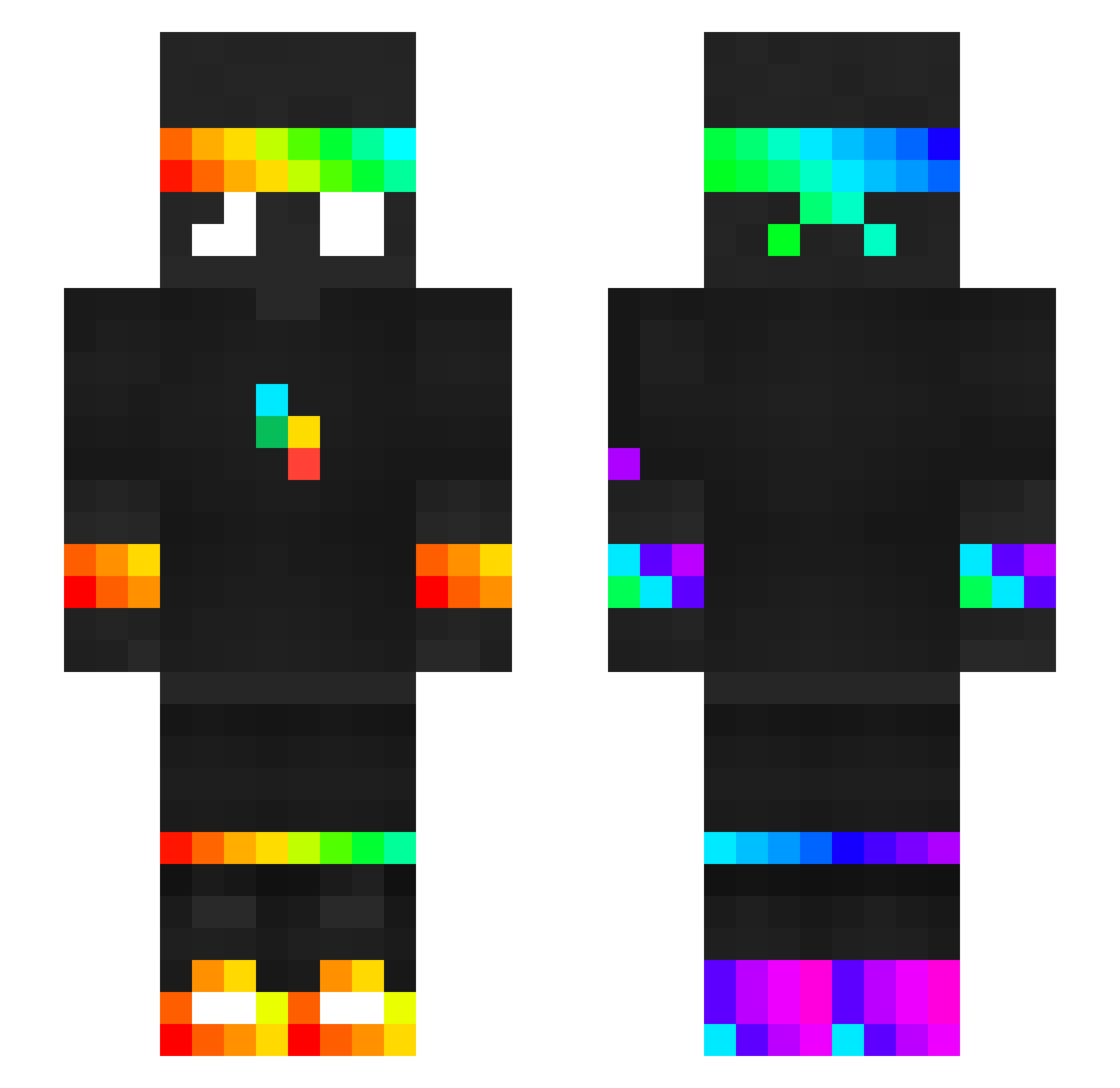
Current Minecraft skin of the player Kiaan0, loaded from the official Mojang API. Rotate the 3D model with your mouse or finger, then download the skin as a PNG file and use it in Minecraft: Bedrock Edition or Java Edition for free. When Kiaan0 changes their skin, this page updates automatically and the old skin stays in the history below.
Other players with this skin (398)
Kiaan0 was the 219th player we have seen with this skin, first spotted on 19.09.2026. The same skin was seen on these players. Open a nickname to see their current skin and skin history.
 exozexro Boryys572 Culqzyy cashspider shinyamine spesheldude veetikissa TheoBirikolo ofeksv CRAZYHARKY unspeakablefan3 JAMAT0P_ Fuchs91 zebralite TOMMYGR0WLS spokeisthegoat itsveddy LulutobiYT Bletka444 BabbenB AJPro19Alt kribz_ xxBLACKSHADOW SpokeisNOThere__ yahtr_23 Betonium carreras_19 Bear_phoenix scavvymations Mevezzin cezwei Meeeeeeew waxac apple5849 hs8i pirateystripes bebus14 0xBAD Zcman2010 JeeperCreeperMC JSDP_ renwho clixxxx Flembolo k_wysocki0 iKowo_i OzikW Felle2013 frostzyluvsflix Recklas16 MikoCe Dream1414 JOKLEGEND14 Deku7877 Tomixfull Kruqa ShadowSpyMC iSpy_YT m0osty Spoconyjajnik017
More RGB Minecraft skins
How to install the Kiaan0 skin
- Press the Download button above to save the skin as a PNG file.
- Minecraft: Bedrock Edition (PE): open the Dressing Room from the main menu (or tap your character → Edit Character), go to Classic Skins → Owned, press the + (new skin) button, choose the downloaded PNG and pick the Slim (Alex) model. Works on PC and mobile; consoles cannot import custom skins.
- Minecraft: Java Edition: open the Minecraft Launcher, go to the Skins tab, click New Skin, load the PNG, pick the Slim (Alex) model and press Save & Use. You can also upload it at minecraft.net → Profile → Change Skin.
The skin does not show up after import - what should I do?
Restart Minecraft and open the Dressing Room again - imported skins sometimes appear only after a restart. Also make sure you selected the imported skin and picked the Slim (Alex) model.
Which model should I choose, Classic or Slim?
This skin is designed for the Slim (Alex) model. If you pick the wrong model, the arms of the skin will look stretched or squeezed.
Is the skin of Kiaan0 free to download?
Yes. Press Download, save the PNG file and use it in Minecraft: Bedrock Edition or Java Edition - no payment or registration needed. The skin also works on multiplayer servers and Realms.
More skins
Looking for more? Go back to all Minecraft skins and check the top skins of the week, month and all time, or find any player's skin by nickname.