
Kfean - Minecraft Skins & Skin History
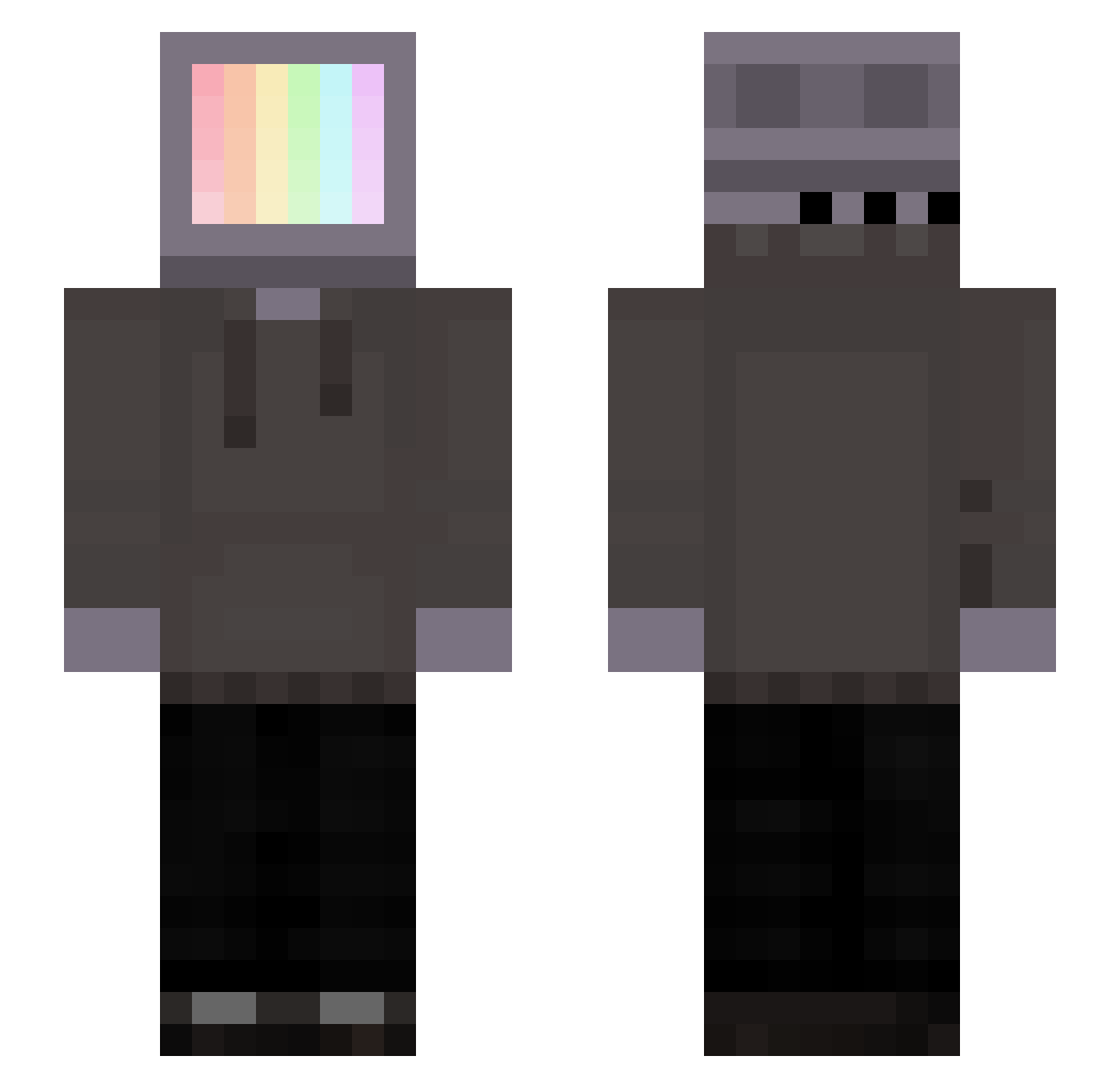
Current Minecraft skin of the player Kfean, loaded from the official Mojang API. Rotate the 3D model with your mouse or finger, then download the skin as a PNG file and use it in Minecraft: Bedrock Edition or Java Edition for free. When Kfean changes their skin, this page updates automatically and the old skin stays in the history below.
Other players with this skin (155)
Kfean was the 69th player we have seen with this skin, first spotted on 10.09.2026. The same skin was seen on these players. Open a nickname to see their current skin and skin history.
 DangerouslySlow kenji___ papajesse Andreui ForLuckzSake Gugjo 1Dumb1 itssKamy joon5008 LeoX8 Ringwraith_9 Demoman05 B3eee3 Aurelios Arkantos365 3dwin_wh0 DoC_JANG Blocksurfer Oattss Regrown dobelonelythough HyDroZeTanK KawaiiNacho EmTECE Piglet_Lee Viko__XD aoi4324 sleppy13355 SufferAdequately MPSai Itechy DiamondDumpling Supremedia HebroGaming iLogiicNinja Supertramp bluefire9977 Twist69 ROBBOGGO Calmlyy_ JK06789 carrizo ovelazqz N1Key DignityDY Nagxs KaponeWithAK ___dom Rosenblanc Puggggggg Swing_ Chef128 innocent123 RexL101 0neiluJ R0yalZer0 Imprisoned_Water klockharte naki05 altqxi
More Monitor Head Minecraft skins
See all 519 Monitor Head skins
How to install the Kfean skin
- Press the Download button above to save the skin as a PNG file.
- Minecraft: Bedrock Edition (PE): open the Dressing Room from the main menu (or tap your character → Edit Character), go to Classic Skins → Owned, press the + (new skin) button, choose the downloaded PNG and pick the Slim (Alex) model. Works on PC and mobile; consoles cannot import custom skins.
- Minecraft: Java Edition: open the Minecraft Launcher, go to the Skins tab, click New Skin, load the PNG, pick the Slim (Alex) model and press Save & Use. You can also upload it at minecraft.net → Profile → Change Skin.
The skin does not show up after import - what should I do?
Restart Minecraft and open the Dressing Room again - imported skins sometimes appear only after a restart. Also make sure you selected the imported skin and picked the Slim (Alex) model.
Which model should I choose, Classic or Slim?
This skin is designed for the Slim (Alex) model. If you pick the wrong model, the arms of the skin will look stretched or squeezed.
Is the skin of Kfean free to download?
Yes. Press Download, save the PNG file and use it in Minecraft: Bedrock Edition or Java Edition - no payment or registration needed. The skin also works on multiplayer servers and Realms.
More skins
Looking for more? Go back to all Minecraft skins and check the top skins of the week, month and all time, or find any player's skin by nickname.