
Keznch19 - Minecraft Skins & Skin History
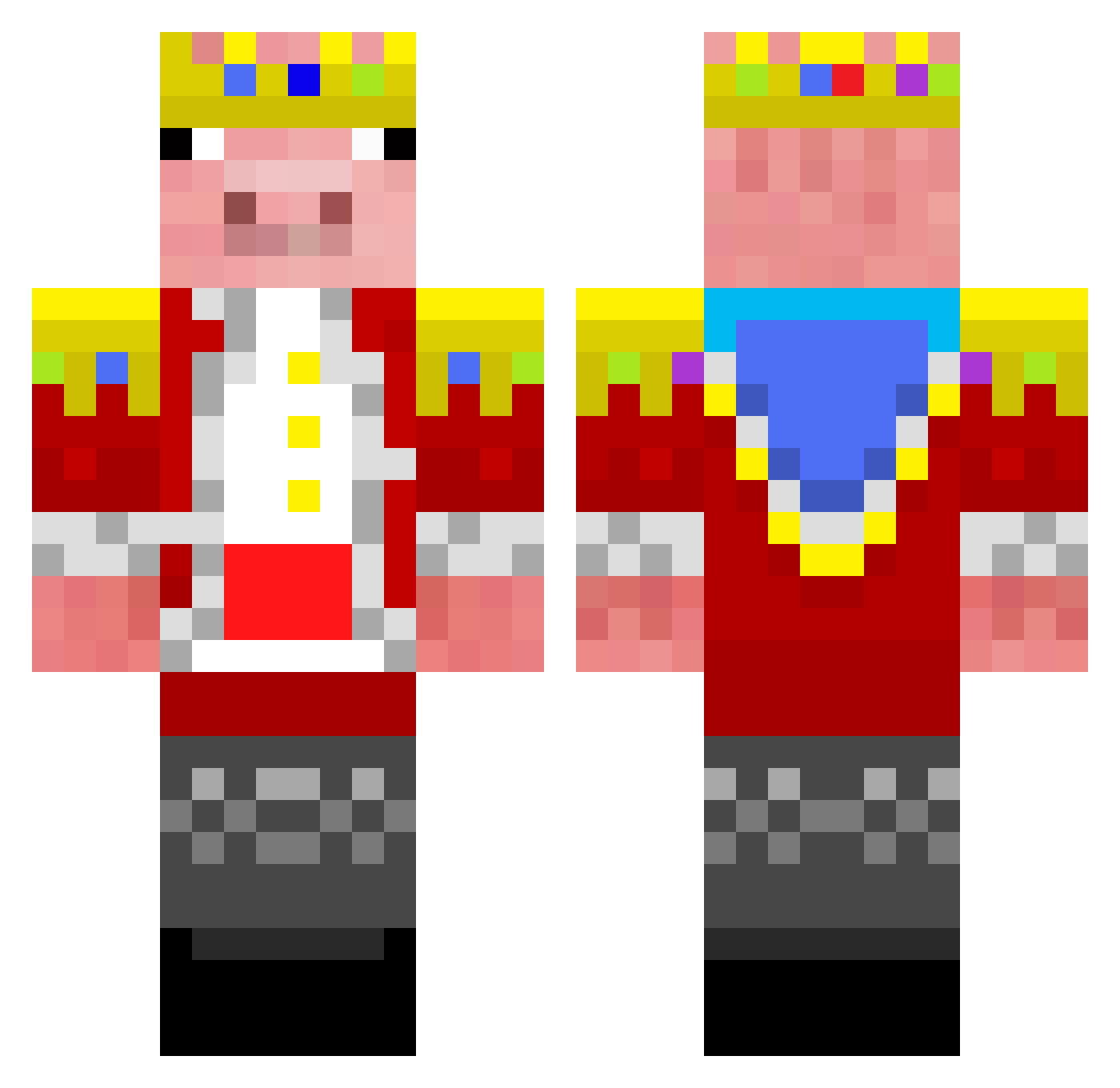
Current Minecraft skin of the player Keznch19, loaded from the official Mojang API. Rotate the 3D model with your mouse or finger, then download the skin as a PNG file and use it in Minecraft: Bedrock Edition or Java Edition for free. When Keznch19 changes their skin, this page updates automatically and the old skin stays in the history below.
Other players with this skin (326)
Keznch19 was the 301st player we have seen with this skin, first spotted on 08.11.2026. The same skin was seen on these players. Open a nickname to see their current skin and skin history.
 cziterex1 DanishPlayzX 5k3m Sweqty_boi godzZ2006 Harvey1473 ThumbCM Ech0x jaasiieek SilviaS13D EmilAle SOMBRIOO Yiitayz LK1fps IceeKill5555 DrHanIAmASturgon Qiurker_TW neguebayt Nasir55 ItzEchoPlays lukas2010419 InfantStabber bobixon1407 Fly_dog233 SikeDum buliro melonen_golem adam998211 Cripunb Luca2211 TutunRO Jofgt felipeerodri xshbaba MyloScoobdude Juanoctavio750 ShaNya_FYW ShuibF P1cles Rud959 MKJ2475 AwayFromHome_ ZXMLZAN Mano1611 DDuni06 monkeyter HotshotCupid150 YigitEnder1 taseen2007 PaacekPl joaonevx deffnotporter blade12398 ThePink_Knight Gabicraft_du_50 jimitimeo kawaki0105 Grayson2109 A1uitime Degreee
More Pig Minecraft skins
How to install the Keznch19 skin
- Press the Download button above to save the skin as a PNG file.
- Minecraft: Bedrock Edition (PE): open the Dressing Room from the main menu (or tap your character → Edit Character), go to Classic Skins → Owned, press the + (new skin) button, choose the downloaded PNG and pick the Classic (Steve) model. Works on PC and mobile; consoles cannot import custom skins.
- Minecraft: Java Edition: open the Minecraft Launcher, go to the Skins tab, click New Skin, load the PNG, pick the Classic (Steve) model and press Save & Use. You can also upload it at minecraft.net → Profile → Change Skin.
The skin does not show up after import - what should I do?
Restart Minecraft and open the Dressing Room again - imported skins sometimes appear only after a restart. Also make sure you selected the imported skin and picked the Classic (Steve) model.
Which model should I choose, Classic or Slim?
This skin is designed for the Classic (Steve) model. If you pick the wrong model, the arms of the skin will look stretched or squeezed.
Is the skin of Keznch19 free to download?
Yes. Press Download, save the PNG file and use it in Minecraft: Bedrock Edition or Java Edition - no payment or registration needed. The skin also works on multiplayer servers and Realms.
More skins
Looking for more? Go back to all Minecraft skins and check the top skins of the week, month and all time, or find any player's skin by nickname.