
Kevinxme - Minecraft Skins & Skin History
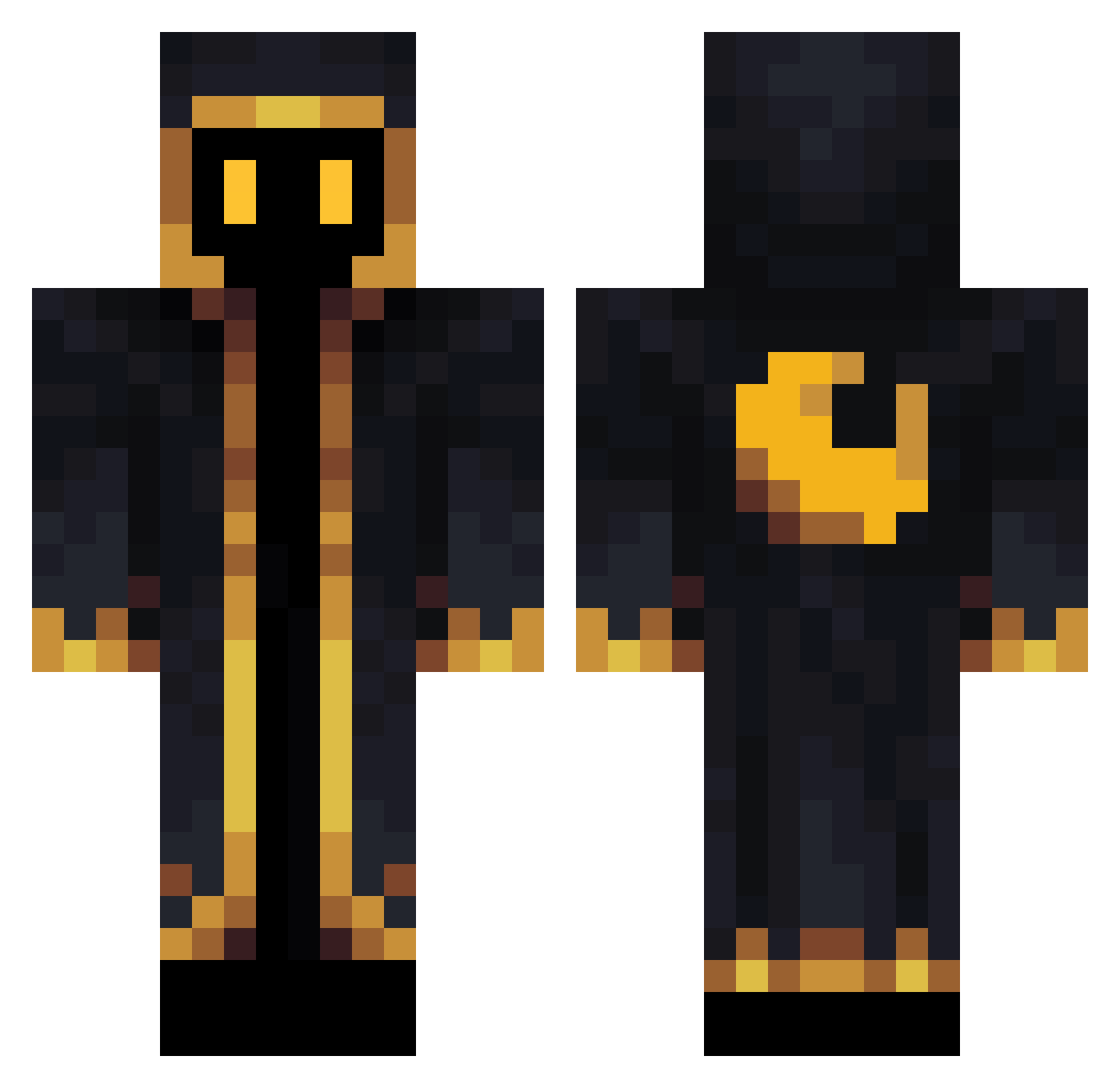
Current Minecraft skin of the player Kevinxme, loaded from the official Mojang API. Rotate the 3D model with your mouse or finger, then download the skin as a PNG file and use it in Minecraft: Bedrock Edition or Java Edition for free. When Kevinxme changes their skin, this page updates automatically and the old skin stays in the history below.
Other players with this skin (340)
Kevinxme was the 59th player we have seen with this skin, first spotted on 15.08.2026. The same skin was seen on these players. Open a nickname to see their current skin and skin history.
 Kuroneko4521 Zeili07 Deudeur27 Fireturtle1 L7z3r Archalack Conexx778 L_MELT Rocket_Scythe mxmkps Twiinggy Fohg Suns041 xHendricksonx AsylIstAbgelehnt omaroaitk KO_SHIBA _speen Mauritian frcharola qasum Omegaspond Kryze57 rafernandesjr AngraMainyu666 LarryTHC Warjavi _TheBigSad _Aegis_9 SirFrithIV oaty96 Goldenstedt Runy134 YoloCrazy Le_Germen Grihna FrozenMithyc_ Vernalize RockRugs visionkorea d3adbone Krosty__ ___B_E_N___ kylethegghost DonJulioTe BrileyKenney __RyanF__ OCEANMH SuperUberDucky JacksonReno Shaq42069 Naratosch jaggy_aide Konrieru FCSGFan Nemo_888 Karrundax Pledgewolf Gae18 showakyu
More Cultist Minecraft skins
How to install the Kevinxme skin
- Press the Download button above to save the skin as a PNG file.
- Minecraft: Bedrock Edition (PE): open the Dressing Room from the main menu (or tap your character → Edit Character), go to Classic Skins → Owned, press the + (new skin) button, choose the downloaded PNG and pick the Classic (Steve) model. Works on PC and mobile; consoles cannot import custom skins.
- Minecraft: Java Edition: open the Minecraft Launcher, go to the Skins tab, click New Skin, load the PNG, pick the Classic (Steve) model and press Save & Use. You can also upload it at minecraft.net → Profile → Change Skin.
The skin does not show up after import - what should I do?
Restart Minecraft and open the Dressing Room again - imported skins sometimes appear only after a restart. Also make sure you selected the imported skin and picked the Classic (Steve) model.
Which model should I choose, Classic or Slim?
This skin is designed for the Classic (Steve) model. If you pick the wrong model, the arms of the skin will look stretched or squeezed.
Is the skin of Kevinxme free to download?
Yes. Press Download, save the PNG file and use it in Minecraft: Bedrock Edition or Java Edition - no payment or registration needed. The skin also works on multiplayer servers and Realms.
More skins
Looking for more? Go back to all Minecraft skins and check the top skins of the week, month and all time, or find any player's skin by nickname.