
Kesai0 - Minecraft Skins & Skin History
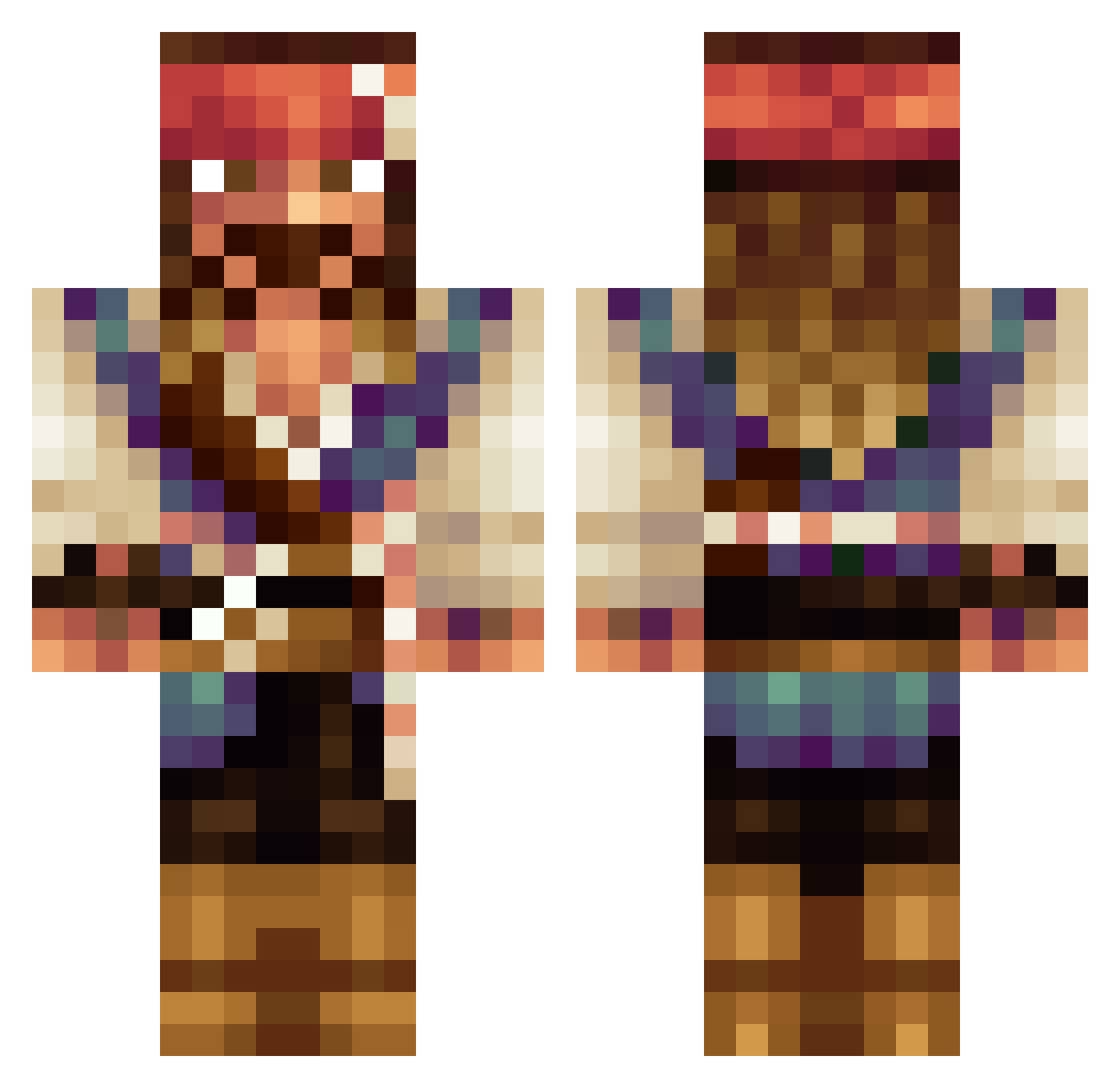
Current Minecraft skin of the player Kesai0, loaded from the official Mojang API. Rotate the 3D model with your mouse or finger, then download the skin as a PNG file and use it in Minecraft: Bedrock Edition or Java Edition for free. When Kesai0 changes their skin, this page updates automatically and the old skin stays in the history below.
Other players with this skin (533)
Kesai0 was the 150th player we have seen with this skin, first spotted on 27.08.2026. The same skin was seen on these players. Open a nickname to see their current skin and skin history.
 Oynks captainbeaul JacAczlowieku ralphfuoco ogrencibelgesi ymca_1000 Quicklytick BigGamingGamer99 ActuallySparrow Disan22 IAmCaptJack Oskar_Olejnik Erazer22 jcvp99 Pacogamer1934 RiverQueen19 Ozzyodd Fitil1 Neutralii Lusim0_ ErectGhost Little_Tator koesgerson YaBoyAlex JDagger007 mef967 MirashF SchmoeWoody BigAl188 Knightmode1 qNecromancer 80Remy80 shrkch77 BrauFoilt
 TicTacBoom07 LucHag TankbusterSab Ezaechiel ElMoineau drewmonster80 100tollo JaxBlake iamguven24 Fabio_power acastellguerra Else_John kleinunddumm KecReloaded blacksteel8 D3sl3yy taco4no1 chrok03 Efestio MazingerJager Atroxide Becca_Moon UncleBeat96 filipnewman Boxboii Thunder_28
More Jack Sparrow Minecraft skins
See all 108 Jack Sparrow skins
How to install the Kesai0 skin
- Press the Download button above to save the skin as a PNG file.
- Minecraft: Bedrock Edition (PE): open the Dressing Room from the main menu (or tap your character → Edit Character), go to Classic Skins → Owned, press the + (new skin) button, choose the downloaded PNG and pick the Classic (Steve) model. Works on PC and mobile; consoles cannot import custom skins.
- Minecraft: Java Edition: open the Minecraft Launcher, go to the Skins tab, click New Skin, load the PNG, pick the Classic (Steve) model and press Save & Use. You can also upload it at minecraft.net → Profile → Change Skin.
The skin does not show up after import - what should I do?
Restart Minecraft and open the Dressing Room again - imported skins sometimes appear only after a restart. Also make sure you selected the imported skin and picked the Classic (Steve) model.
Which model should I choose, Classic or Slim?
This skin is designed for the Classic (Steve) model. If you pick the wrong model, the arms of the skin will look stretched or squeezed.
Is the skin of Kesai0 free to download?
Yes. Press Download, save the PNG file and use it in Minecraft: Bedrock Edition or Java Edition - no payment or registration needed. The skin also works on multiplayer servers and Realms.
More skins
Looking for more? Go back to all Minecraft skins and check the top skins of the week, month and all time, or find any player's skin by nickname.