
Kepec_1 - Minecraft Skins & Skin History
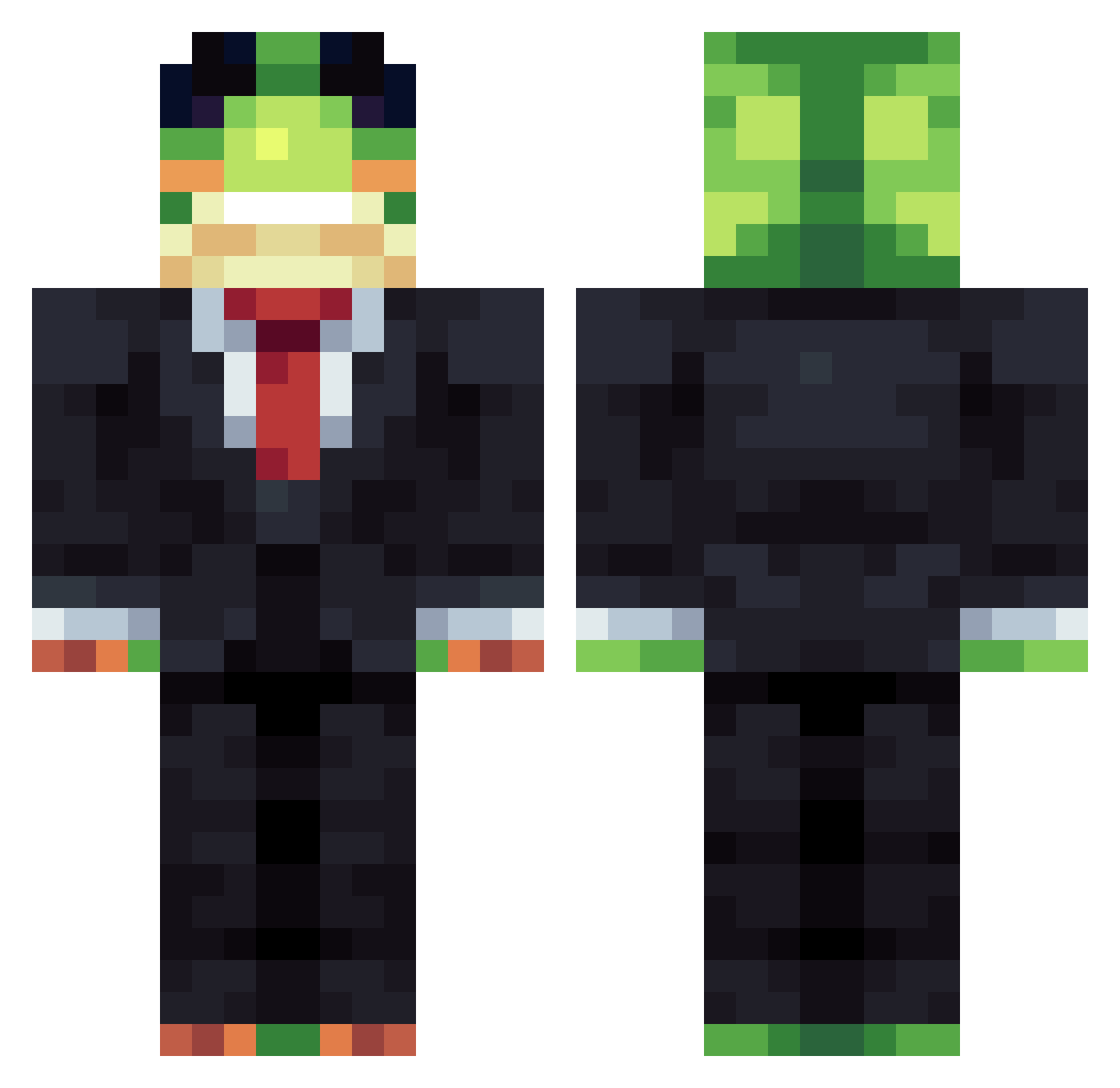
Current Minecraft skin of the player Kepec_1, loaded from the official Mojang API. Rotate the 3D model with your mouse or finger, then download the skin as a PNG file and use it in Minecraft: Bedrock Edition or Java Edition for free. When Kepec_1 changes their skin, this page updates automatically and the old skin stays in the history below.
Other players with this skin (1230)
Kepec_1 was the 861st player we have seen with this skin, first spotted on 01.10.2026. The same skin was seen on these players. Open a nickname to see their current skin and skin history.
 VanthexTV BLACK4Vibes WilleBoii321 CartisGstring ptcx mordabot ClockSIR Kaeir0 SupItz_Boz Peter_520 ZoneyMysticGod famryl jungL100 chemo123 pororobook Rip_eyes Crusher_15 sammcfries Seadragonblue22 junhee202 Animal_Lover207 Pi0trucc_ RomanAttack MARAZali123 TRENTOGI Lad3er GiackXIV FoamingAtTheMoth OndrejB Marsbar668 AsainJeff filipszefik TinyTomBomb123 Anando71 Zyphnyx Zarramo Jever09 kunoj qqqqqqeeee Xx_Headless_xX Arbitrators BebziKutson Reiserkk16 MC8pro OnlineTrash floppyfishstick4 junwoo272009 Philiphs1 jpyates11 lightdark2819 ElMarmoteador Renanpurol Hunter123447 TheGoatGinge Rexmttt finlaye46 Belldc fmunizalves Pqzzoid crispychimp123
More Frog Minecraft skins
How to install the Kepec_1 skin
- Press the Download button above to save the skin as a PNG file.
- Minecraft: Bedrock Edition (PE): open the Dressing Room from the main menu (or tap your character → Edit Character), go to Classic Skins → Owned, press the + (new skin) button, choose the downloaded PNG and pick the Classic (Steve) model. Works on PC and mobile; consoles cannot import custom skins.
- Minecraft: Java Edition: open the Minecraft Launcher, go to the Skins tab, click New Skin, load the PNG, pick the Classic (Steve) model and press Save & Use. You can also upload it at minecraft.net → Profile → Change Skin.
The skin does not show up after import - what should I do?
Restart Minecraft and open the Dressing Room again - imported skins sometimes appear only after a restart. Also make sure you selected the imported skin and picked the Classic (Steve) model.
Which model should I choose, Classic or Slim?
This skin is designed for the Classic (Steve) model. If you pick the wrong model, the arms of the skin will look stretched or squeezed.
Is the skin of Kepec_1 free to download?
Yes. Press Download, save the PNG file and use it in Minecraft: Bedrock Edition or Java Edition - no payment or registration needed. The skin also works on multiplayer servers and Realms.
More skins
Looking for more? Go back to all Minecraft skins and check the top skins of the week, month and all time, or find any player's skin by nickname.