
Kenny746 - Minecraft Skins & Skin History
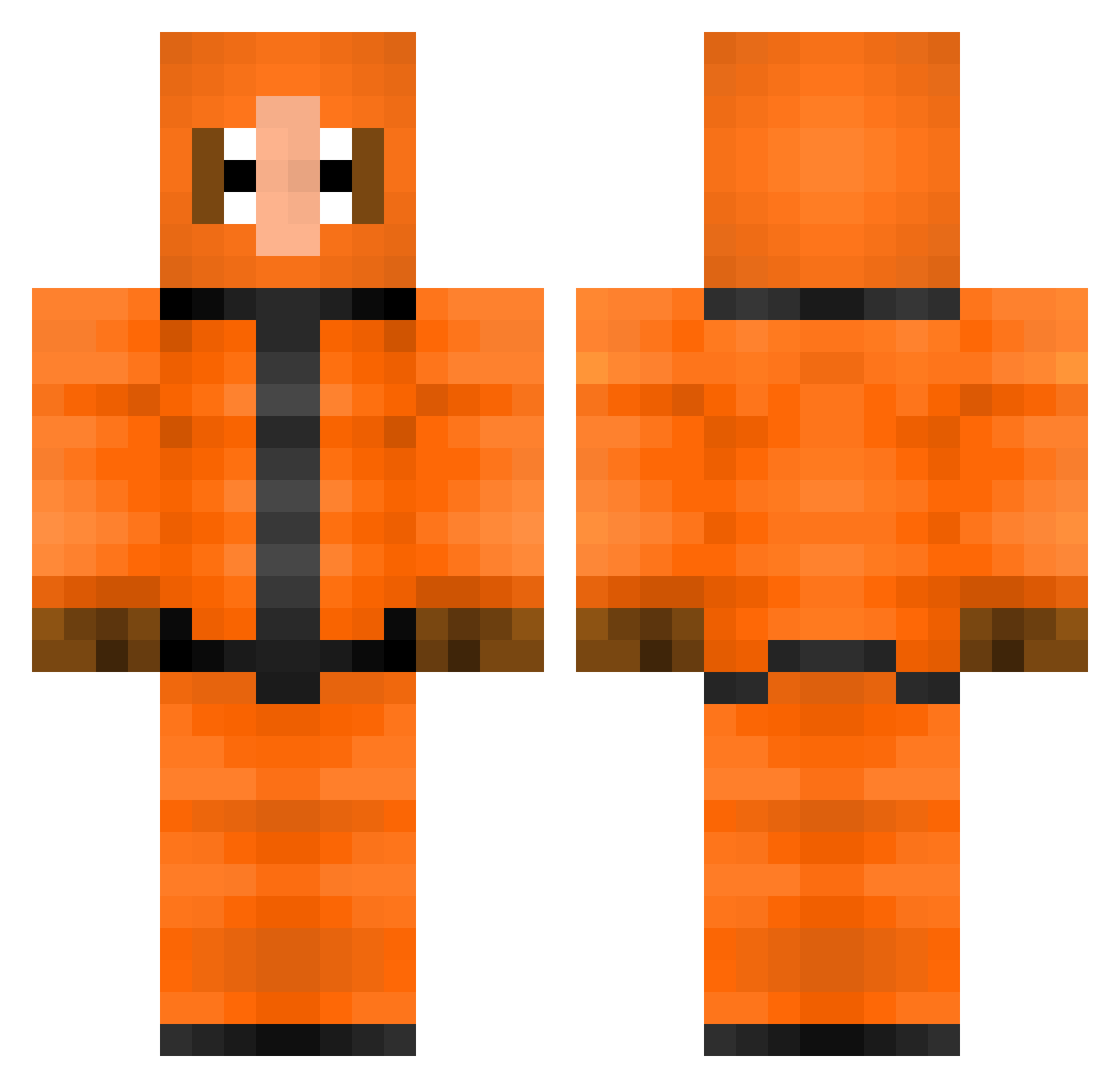
Current Minecraft skin of the player Kenny746, loaded from the official Mojang API. Rotate the 3D model with your mouse or finger, then download the skin as a PNG file and use it in Minecraft: Bedrock Edition or Java Edition for free. When Kenny746 changes their skin, this page updates automatically and the old skin stays in the history below.
Other players with this skin (308)
Kenny746 was the 271st player we have seen with this skin, first spotted on 13.10.2026. The same skin was seen on these players. Open a nickname to see their current skin and skin history.
 computermasterst Crazy_Claus KiwiLoli rompedaskeren Noxition _iiFlyNick_ whitey179 ChaoticGamerWRTS goto_craft chanakira llPaGeeYll daidheoin Wadam69 Moot_Man MartinX_XGaming Rocker165123 Lockagh Alexminer01 Cremehebel goop1234567 ForbiddenSkillz Nibbles_7 TaBasil berend5000 FriendlyCannibal thecrazyfish34 CateLovesDoge FerociousEwok dadoro1997 KutNigge22 willwhite2 RobertMUFC FrostMinecrafter NateUnchained xXTazeIsHereXx MasterCrafter18 matkiro Xanotos fbpatato WizzoIzzo Silasotto TwizzyMagic CassiDino oMackyy Karluuu XChickenWafflesX DEMboogieman luke_mcm AFC_Chaza_x BatDoseMC Valera1809 ceramiczave Lundrigan8 MaJisTiq jelle3110 Deluxe_Flop thenewkenny maxnixon SAUSAGE_cob_ yoyoclub69
More Kenny Mccormick Minecraft skins
See all 59 Kenny Mccormick skins
How to install the Kenny746 skin
- Press the Download button above to save the skin as a PNG file.
- Minecraft: Bedrock Edition (PE): open the Dressing Room from the main menu (or tap your character → Edit Character), go to Classic Skins → Owned, press the + (new skin) button, choose the downloaded PNG and pick the Classic (Steve) model. Works on PC and mobile; consoles cannot import custom skins.
- Minecraft: Java Edition: open the Minecraft Launcher, go to the Skins tab, click New Skin, load the PNG, pick the Classic (Steve) model and press Save & Use. You can also upload it at minecraft.net → Profile → Change Skin.
The skin does not show up after import - what should I do?
Restart Minecraft and open the Dressing Room again - imported skins sometimes appear only after a restart. Also make sure you selected the imported skin and picked the Classic (Steve) model.
Which model should I choose, Classic or Slim?
This skin is designed for the Classic (Steve) model. If you pick the wrong model, the arms of the skin will look stretched or squeezed.
Is the skin of Kenny746 free to download?
Yes. Press Download, save the PNG file and use it in Minecraft: Bedrock Edition or Java Edition - no payment or registration needed. The skin also works on multiplayer servers and Realms.
More skins
Looking for more? Go back to all Minecraft skins and check the top skins of the week, month and all time, or find any player's skin by nickname.