
Kelvin_the_pro - Minecraft Skins & Skin History
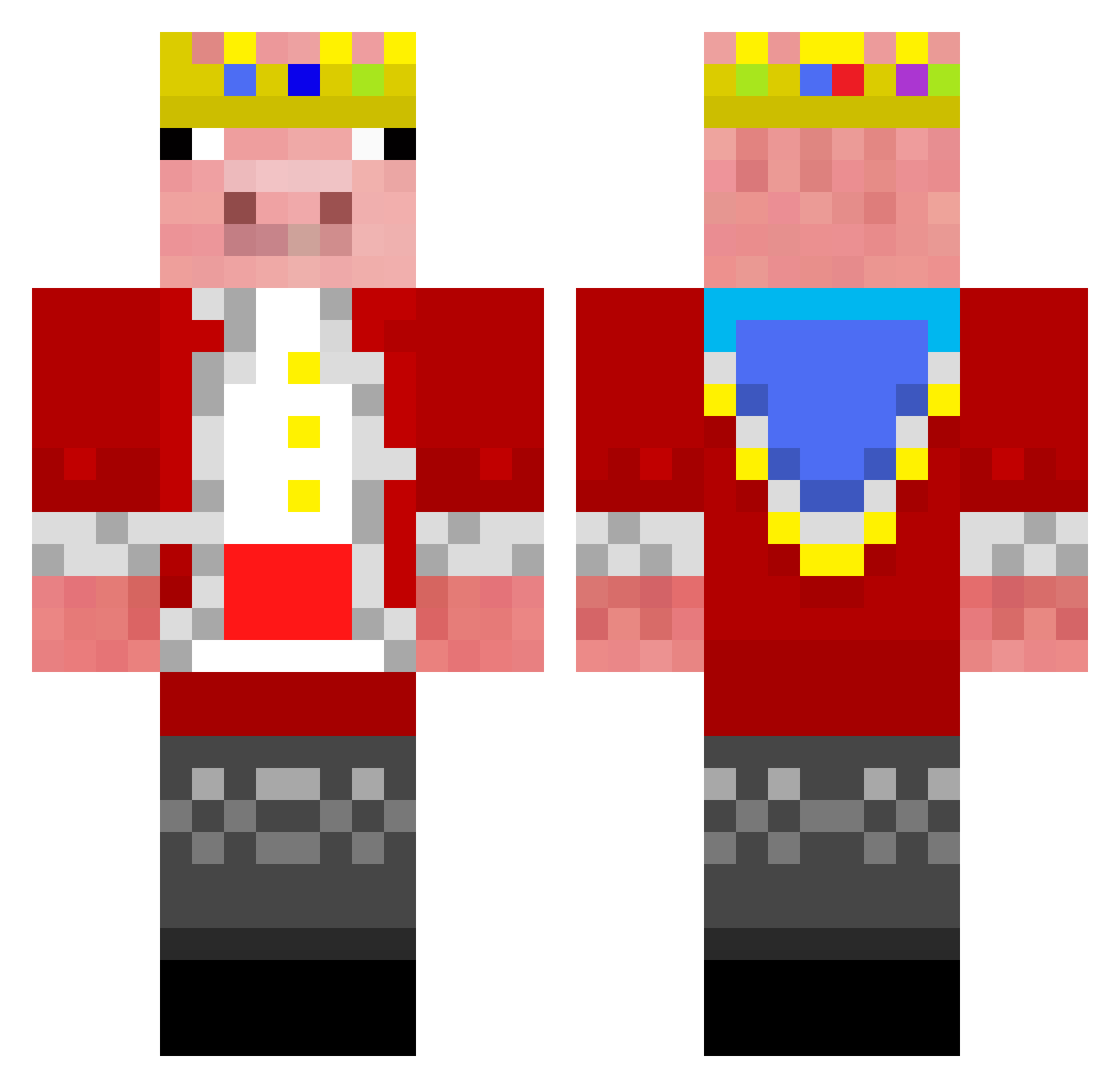
Current Minecraft skin of the player Kelvin_the_pro, loaded from the official Mojang API. Rotate the 3D model with your mouse or finger, then download the skin as a PNG file and use it in Minecraft: Bedrock Edition or Java Edition for free. When Kelvin_the_pro changes their skin, this page updates automatically and the old skin stays in the history below.
Other players with this skin (344)
Kelvin_the_pro was the 319th player we have seen with this skin, first spotted on 12.11.2026. The same skin was seen on these players. Open a nickname to see their current skin and skin history.
 Al3xbw__ CallMeJu01 best_taiwan_tw OrionPlays15 home_gtrx max7111max MysticL1am LITTLEJOE2007 SonicDavid1 d9v_nicegen_rmm Rhysey09 Badiron8 MIRON_VN _SETBRIAN_ The_Vampzin babapivo_ensar vacationist 0RageQuit0 HeetanshX herman_em kayetan213 Rain1346 EltonBrawl MichaelKK2012 harbs0711 komq66 Mayhonkcle Insane_Gamerz SHAWNYTR FruttaEverdura Cotaclysmic 1heobaldTheNerd AdrianMC__ armansood___ Ethanhhou Zevzzz gadalig Hirobine5616 XxblackguynlxX Cliffordc MrGriddyy lays2 M4rshless SparkleSlayer16 Voidless_Monarch AdexhingLmao _Nocturo_ ElementaryApache Vel3 xeyfox Axerlon OnlyMyRailgun TempoMinecraft4 oBraboChegou CAOSBLADE44 D0NTHATE0NPR0S Sauerberg93 JeTy_UA YungCocoPops OBS_231509
More Pig Minecraft skins
How to install the Kelvin_the_pro skin
- Press the Download button above to save the skin as a PNG file.
- Minecraft: Bedrock Edition (PE): open the Dressing Room from the main menu (or tap your character → Edit Character), go to Classic Skins → Owned, press the + (new skin) button, choose the downloaded PNG and pick the Classic (Steve) model. Works on PC and mobile; consoles cannot import custom skins.
- Minecraft: Java Edition: open the Minecraft Launcher, go to the Skins tab, click New Skin, load the PNG, pick the Classic (Steve) model and press Save & Use. You can also upload it at minecraft.net → Profile → Change Skin.
The skin does not show up after import - what should I do?
Restart Minecraft and open the Dressing Room again - imported skins sometimes appear only after a restart. Also make sure you selected the imported skin and picked the Classic (Steve) model.
Which model should I choose, Classic or Slim?
This skin is designed for the Classic (Steve) model. If you pick the wrong model, the arms of the skin will look stretched or squeezed.
Is the skin of Kelvin_the_pro free to download?
Yes. Press Download, save the PNG file and use it in Minecraft: Bedrock Edition or Java Edition - no payment or registration needed. The skin also works on multiplayer servers and Realms.
More skins
Looking for more? Go back to all Minecraft skins and check the top skins of the week, month and all time, or find any player's skin by nickname.