
KelBcool - Minecraft Skins & Skin History
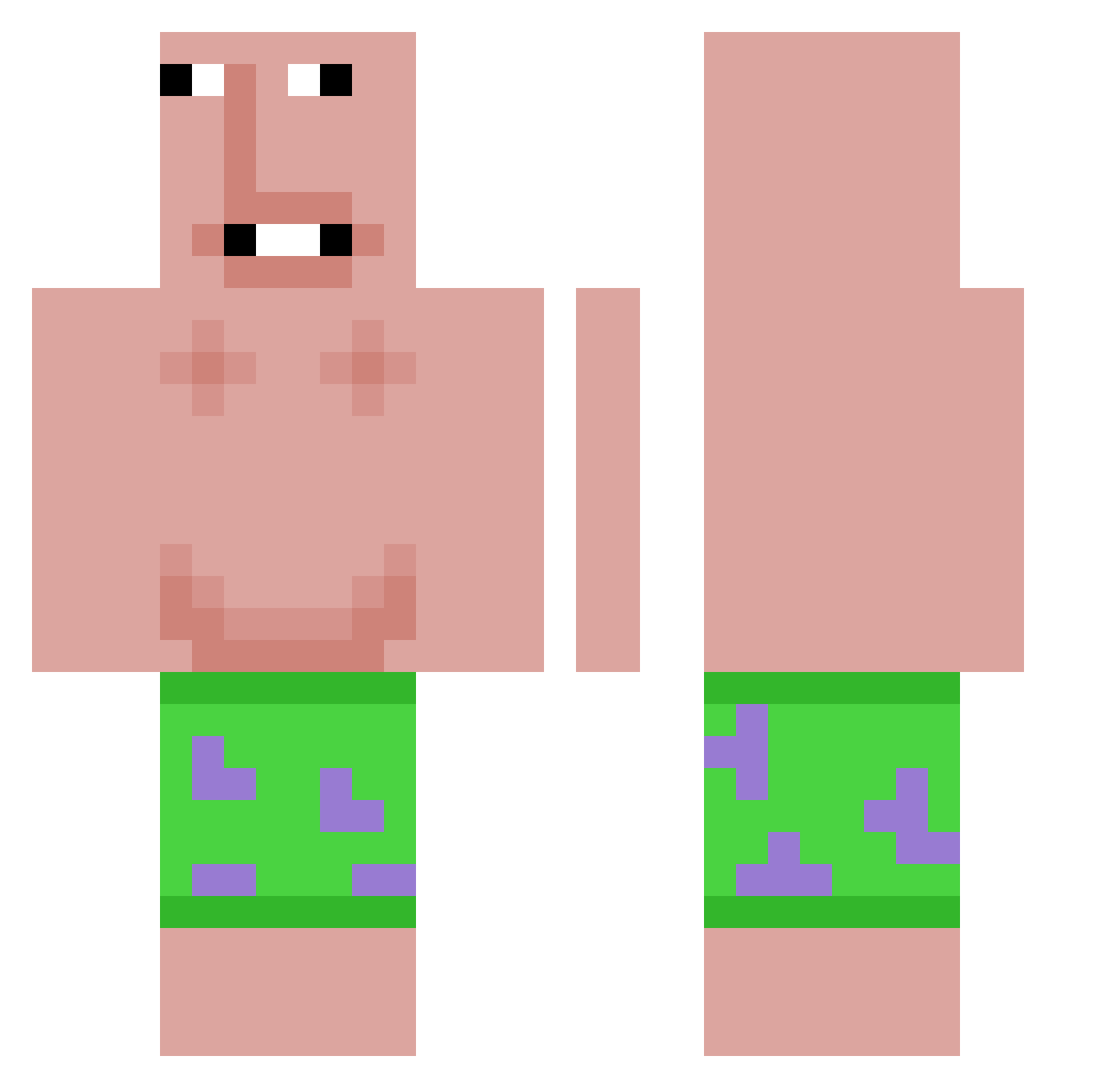
Current Minecraft skin of the player KelBcool, loaded from the official Mojang API. Rotate the 3D model with your mouse or finger, then download the skin as a PNG file and use it in Minecraft: Bedrock Edition or Java Edition for free. When KelBcool changes their skin, this page updates automatically and the old skin stays in the history below.
Other players with this skin (581)
KelBcool was the 284th player we have seen with this skin, first spotted on 09.09.2026. The same skin was seen on these players. Open a nickname to see their current skin and skin history.
 Dayus yu_tae MFauna13 Kyyo17 HuyDinh ELCIGALITA Gamerpninja MertBabaGG Bababoyherelol Miaxly chef_champis Fluxy_R Jonbtan avennx GrugFindsFeet Kazakis MY_NAME_IS_YZ xdym8 n00bd00b Big_Hoss0311b JaxCross Jeremy_7510 IIsal jvlisiv Owfn Cuf le_money DylDude8 JieDerUnEchte
 latato7 YACHAE98 LinguiniMachoMan ElfiBahmann Mnoxy Hex_String FancyDucksTV _IMPS majkas1nio Eric021 reaperlol Duyanhs SaucyBO1_ bakbuk1324 pcy18465 Gingey0666 soul_reaper83011 AnnabelleBerry moshi_luna KONGBAI666_M Morri421 ikun121389567864 risyaaaaa Xiehaoren Lolischotter2602 Fxmez poopypants123bob P2z3kopa GIOOIT RumblingBadge RealGhosto
More Patrick Star Minecraft skins
See all 612 Patrick Star skins
How to install the KelBcool skin
- Press the Download button above to save the skin as a PNG file.
- Minecraft: Bedrock Edition (PE): open the Dressing Room from the main menu (or tap your character → Edit Character), go to Classic Skins → Owned, press the + (new skin) button, choose the downloaded PNG and pick the Classic (Steve) model. Works on PC and mobile; consoles cannot import custom skins.
- Minecraft: Java Edition: open the Minecraft Launcher, go to the Skins tab, click New Skin, load the PNG, pick the Classic (Steve) model and press Save & Use. You can also upload it at minecraft.net → Profile → Change Skin.
The skin does not show up after import - what should I do?
Restart Minecraft and open the Dressing Room again - imported skins sometimes appear only after a restart. Also make sure you selected the imported skin and picked the Classic (Steve) model.
Which model should I choose, Classic or Slim?
This skin is designed for the Classic (Steve) model. If you pick the wrong model, the arms of the skin will look stretched or squeezed.
Is the skin of KelBcool free to download?
Yes. Press Download, save the PNG file and use it in Minecraft: Bedrock Edition or Java Edition - no payment or registration needed. The skin also works on multiplayer servers and Realms.
More skins
Looking for more? Go back to all Minecraft skins and check the top skins of the week, month and all time, or find any player's skin by nickname.