
Kazz97 - Minecraft Skins & Skin History
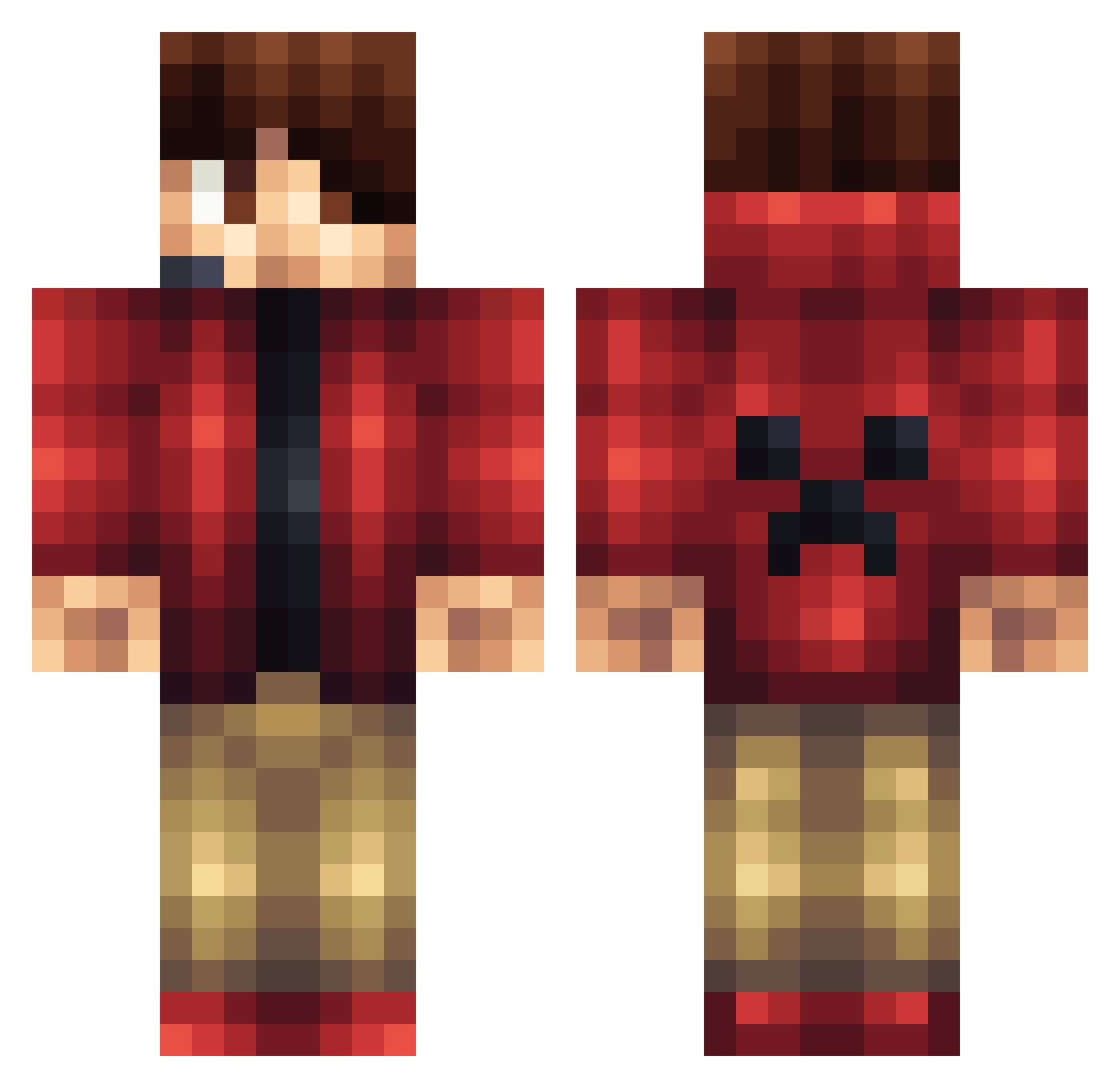
Current Minecraft skin of the player Kazz97, loaded from the official Mojang API. Rotate the 3D model with your mouse or finger, then download the skin as a PNG file and use it in Minecraft: Bedrock Edition or Java Edition for free. When Kazz97 changes their skin, this page updates automatically and the old skin stays in the history below.
Other players with this skin (1428)
Kazz97 was the 1156th player we have seen with this skin, first spotted on 31.10.2026. The same skin was seen on these players. Open a nickname to see their current skin and skin history.
 XxIvanxX1001 EpicProGamer1234 HongTheGreat Drag0nite VTX5 gloopy649 nowie03 maxxx8 AiRToX davetherave13 BigredCarries Redback_Spider Marrone7 movementflex JumboSu MrMike00 Jorgemannen Minerat927 rooster1265 ArcaineUniverse Alex_SFL MyNameJeffyy vimmerboy joshica977 The_Henru TrackStar4112 RockyRhodes675 DrewHarris14 masterboost H_Rearden CgpGames carjac121 TheNeonSkeleton Vadenz nuix_0 butchmaceda McDooBs_ abner12345678 Technerd2 jackgroom11 Skuxas whitetail1010 stonehot5 TrentonJohnson Giander66 flyintomato_17 gameplayersPVP shadow703 Willi_zockt JFFRY87 2009123 zopp3r thomasbarrows SOPHIESUM Makepam ArchieD101 jhooper2012 sirseifried14 Cyqual DonCheadlesFears
More Headset Minecraft skins
How to install the Kazz97 skin
- Press the Download button above to save the skin as a PNG file.
- Minecraft: Bedrock Edition (PE): open the Dressing Room from the main menu (or tap your character → Edit Character), go to Classic Skins → Owned, press the + (new skin) button, choose the downloaded PNG and pick the Classic (Steve) model. Works on PC and mobile; consoles cannot import custom skins.
- Minecraft: Java Edition: open the Minecraft Launcher, go to the Skins tab, click New Skin, load the PNG, pick the Classic (Steve) model and press Save & Use. You can also upload it at minecraft.net → Profile → Change Skin.
The skin does not show up after import - what should I do?
Restart Minecraft and open the Dressing Room again - imported skins sometimes appear only after a restart. Also make sure you selected the imported skin and picked the Classic (Steve) model.
Which model should I choose, Classic or Slim?
This skin is designed for the Classic (Steve) model. If you pick the wrong model, the arms of the skin will look stretched or squeezed.
Is the skin of Kazz97 free to download?
Yes. Press Download, save the PNG file and use it in Minecraft: Bedrock Edition or Java Edition - no payment or registration needed. The skin also works on multiplayer servers and Realms.
More skins
Looking for more? Go back to all Minecraft skins and check the top skins of the week, month and all time, or find any player's skin by nickname.