
Kavitamins - Minecraft Skins & Skin History
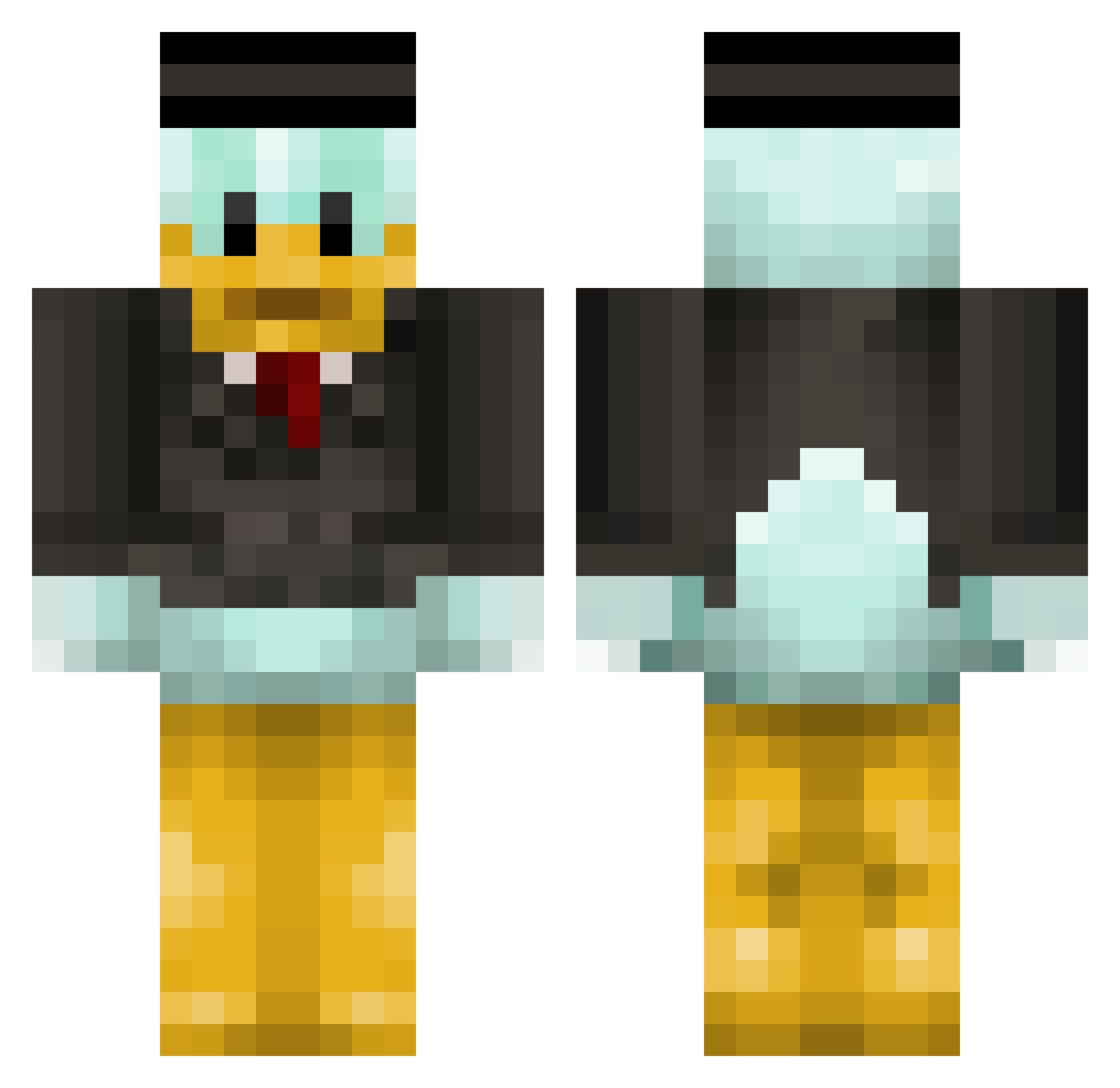
Current Minecraft skin of the player Kavitamins, loaded from the official Mojang API. Rotate the 3D model with your mouse or finger, then download the skin as a PNG file and use it in Minecraft: Bedrock Edition or Java Edition for free. When Kavitamins changes their skin, this page updates automatically and the old skin stays in the history below.
Other players with this skin (314)
Kavitamins was the 228th player we have seen with this skin, first spotted on 30.09.2026. The same skin was seen on these players. Open a nickname to see their current skin and skin history.
 HercaGaming CIRC4 AggressiveCat GalSer123 K1NG_OF_K1NGS_92 Th3GusT kennilover MrPlatypus26 Jackclavv BODZ_LIKES_NUTS SimonTheShadow Luckke04 maymunk25 ZainaT TioPatass Chr235 Dupro3912 Imorrey GShazem Clevver_YT CriminalSZ Boronko Jondabagr massdestroyer08 ImaBeaastt LMMN11 dcmib SilentKillers Kindring Mandarinanana fastonecraft povkad Minnyducklin Theblockbusteer Mimox_ Faygg0t Nanito21 Shaboolion KunKun1121 lithiumflowers DillyDally100 Bennets miikedas WALLIEWONDERS TurosPeti alexander060508 X050616 StandingAround Priimzy SolarEquipped STASgr Superdan303 PvpNicoD Khalledd rigga23 tomramo99 Zaziki_187 chenry_juvenile1 Ben_Barclay Babilonia02
More Scrooge Mcduck Minecraft skins
See all 27 Scrooge Mcduck skins
How to install the Kavitamins skin
- Press the Download button above to save the skin as a PNG file.
- Minecraft: Bedrock Edition (PE): open the Dressing Room from the main menu (or tap your character → Edit Character), go to Classic Skins → Owned, press the + (new skin) button, choose the downloaded PNG and pick the Classic (Steve) model. Works on PC and mobile; consoles cannot import custom skins.
- Minecraft: Java Edition: open the Minecraft Launcher, go to the Skins tab, click New Skin, load the PNG, pick the Classic (Steve) model and press Save & Use. You can also upload it at minecraft.net → Profile → Change Skin.
The skin does not show up after import - what should I do?
Restart Minecraft and open the Dressing Room again - imported skins sometimes appear only after a restart. Also make sure you selected the imported skin and picked the Classic (Steve) model.
Which model should I choose, Classic or Slim?
This skin is designed for the Classic (Steve) model. If you pick the wrong model, the arms of the skin will look stretched or squeezed.
Is the skin of Kavitamins free to download?
Yes. Press Download, save the PNG file and use it in Minecraft: Bedrock Edition or Java Edition - no payment or registration needed. The skin also works on multiplayer servers and Realms.
More skins
Looking for more? Go back to all Minecraft skins and check the top skins of the week, month and all time, or find any player's skin by nickname.