
Kaspcei - Minecraft Skins & Skin History
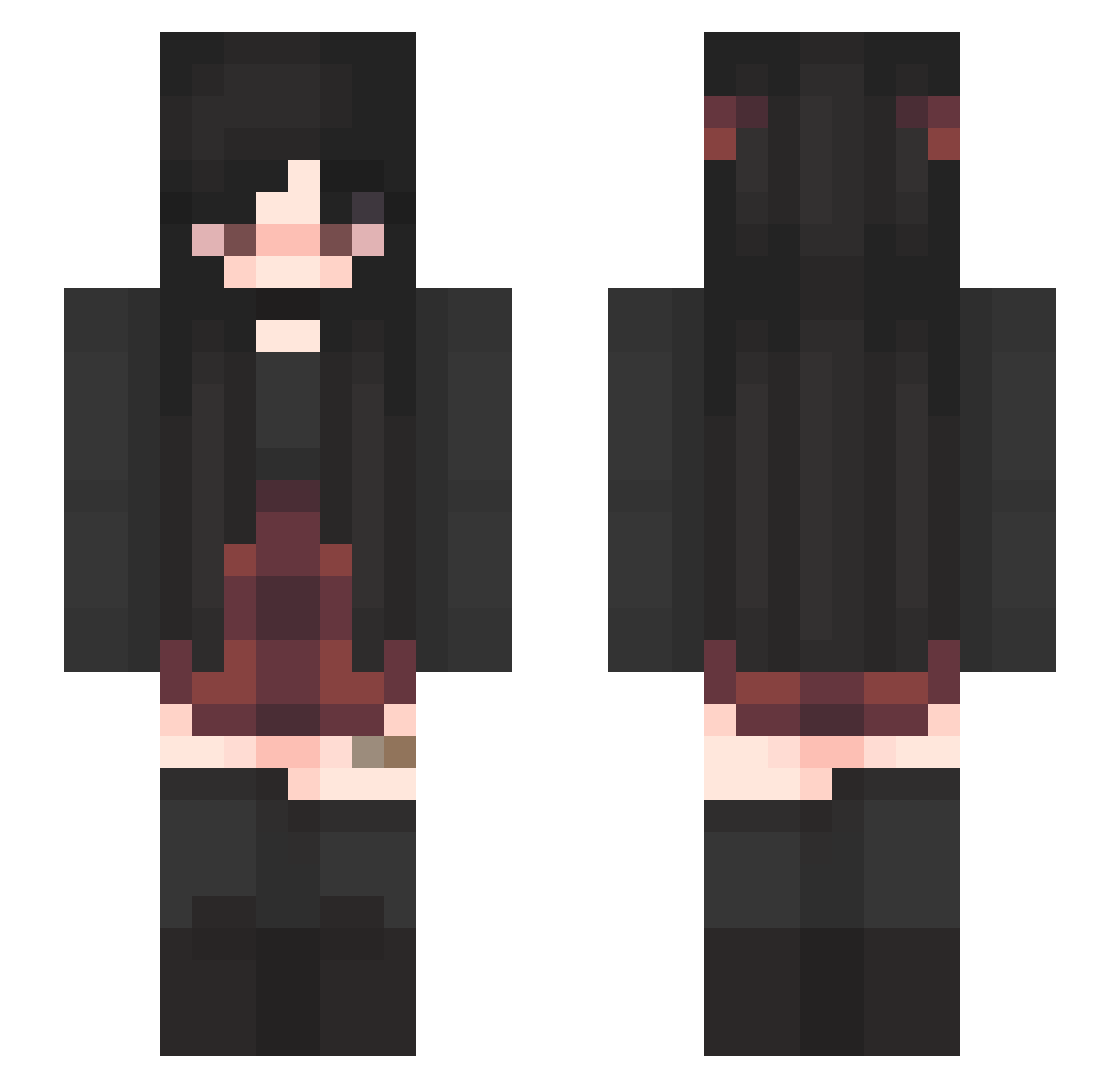
Current Minecraft skin of the player Kaspcei, loaded from the official Mojang API. Rotate the 3D model with your mouse or finger, then download the skin as a PNG file and use it in Minecraft: Bedrock Edition or Java Edition for free. When Kaspcei changes their skin, this page updates automatically and the old skin stays in the history below.
Other players with this skin (340)
Kaspcei was the 182nd player we have seen with this skin, first spotted on 15.09.2026. The same skin was seen on these players. Open a nickname to see their current skin and skin history.
 ArchiX9 childofsaton staklmt AkenoMeteora yhnnnnnn_ Bryn7101 TCMMD Alex_Alpha227 Elle_MNOP_ jacobab459 kaitlyn444 qt69 TheBlackRose12 KolbertJones_ xsadmilkx Irl_Kuromi geostonergirl Finchen05 man7__ Cawl90 xMerihem Ballerballs honeyboo1234 mad_e99 SpaceNigs slaybestieboo TheHaole Xanorah ItsssWaifu ScarlieBean BabyMouse2013 Ajisbeast SophtiaBach taylagreen hypixeliswaifu no_way7773 EmoGirl1986 stupidzombies23 Spiderman1907 Meowy666 gabsanne Slarry21_ super_crevette Aldi__Manager Taiih0_0 ydkm3 NisanSelin LaPrincesitaa smittenkitten420 Samakun666 Tinyunicorn7175 yuyupepper DemonicYuna LettiStinkt _NightNissa_ HostilePeach huqueen ogphia SIlveyM0on Leyfy38
More Emo Minecraft skins
How to install the Kaspcei skin
- Press the Download button above to save the skin as a PNG file.
- Minecraft: Bedrock Edition (PE): open the Dressing Room from the main menu (or tap your character → Edit Character), go to Classic Skins → Owned, press the + (new skin) button, choose the downloaded PNG and pick the Slim (Alex) model. Works on PC and mobile; consoles cannot import custom skins.
- Minecraft: Java Edition: open the Minecraft Launcher, go to the Skins tab, click New Skin, load the PNG, pick the Slim (Alex) model and press Save & Use. You can also upload it at minecraft.net → Profile → Change Skin.
The skin does not show up after import - what should I do?
Restart Minecraft and open the Dressing Room again - imported skins sometimes appear only after a restart. Also make sure you selected the imported skin and picked the Slim (Alex) model.
Which model should I choose, Classic or Slim?
This skin is designed for the Slim (Alex) model. If you pick the wrong model, the arms of the skin will look stretched or squeezed.
Is the skin of Kaspcei free to download?
Yes. Press Download, save the PNG file and use it in Minecraft: Bedrock Edition or Java Edition - no payment or registration needed. The skin also works on multiplayer servers and Realms.
More skins
Looking for more? Go back to all Minecraft skins and check the top skins of the week, month and all time, or find any player's skin by nickname.