
Karzeeel - Minecraft Skins & Skin History
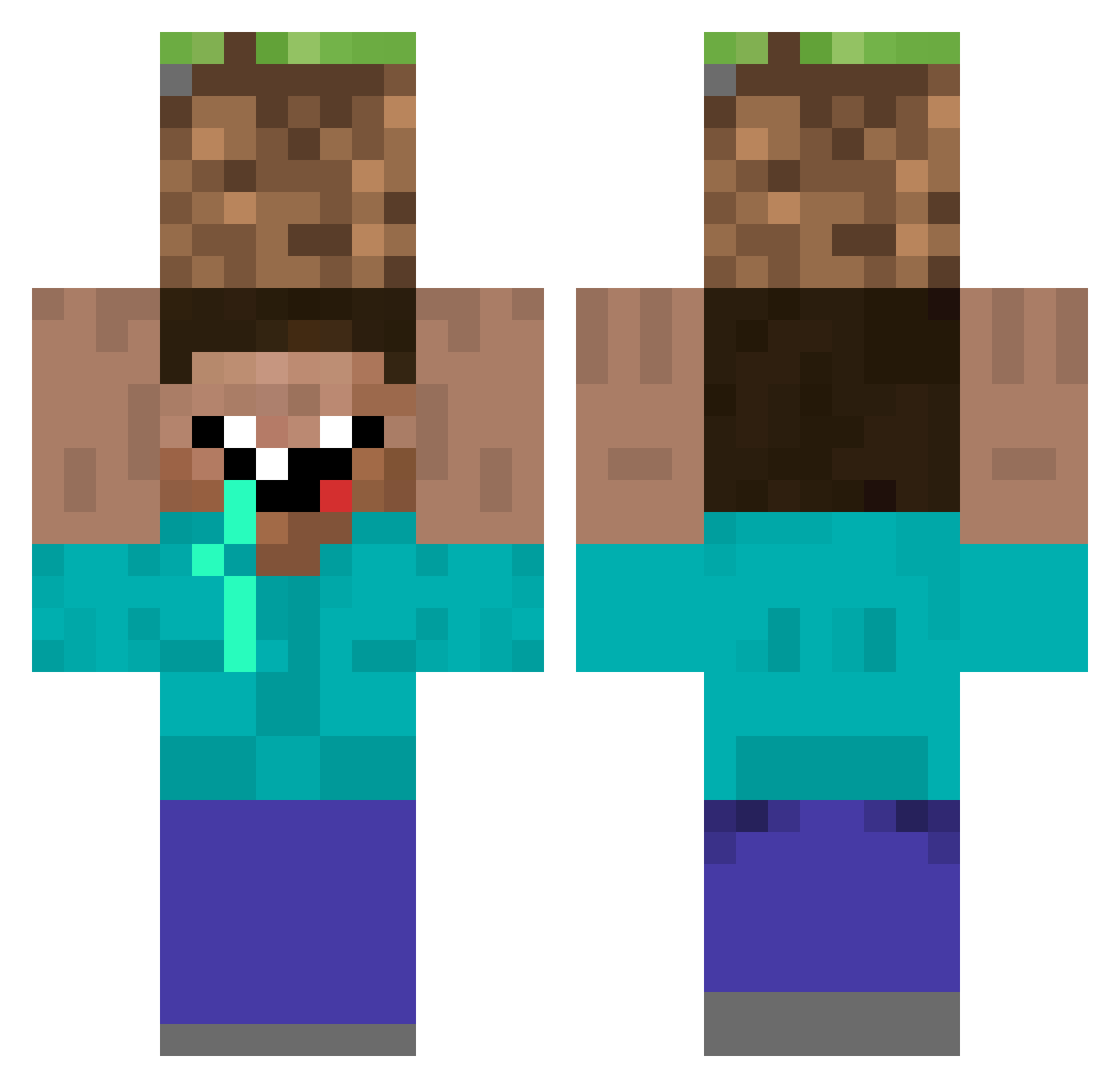
Current Minecraft skin of the player Karzeeel, loaded from the official Mojang API. Rotate the 3D model with your mouse or finger, then download the skin as a PNG file and use it in Minecraft: Bedrock Edition or Java Edition for free. When Karzeeel changes their skin, this page updates automatically and the old skin stays in the history below.
Other players with this skin (62)
Karzeeel was the 26th player we have seen with this skin, first spotted on 06.09.2026. The same skin was seen on these players. Open a nickname to see their current skin and skin history.
 SAMegts niztra_ kapinov SwissCheese213 Mrbug1234 CuarentenaMC spiesmaster MurtaghGamer Pushnoli Byudd ekoii zertox17310 othkyo hairyrambe Stan3141 busterbum11 spyryolo Moloqi _Prince54 Dugsbugz DRAINAO MalthusC14 retiredTim Lukaz1712 notbk GACGAMERS Bobert504 tvst alexisThEkiLLa Sa3soo3_BunBoon Phizik YoungBoy_Noah BerlyBoy TaIYoKu xKrezz TJOSpace Dizyex Little_Toenail Maddraptor Edu_0909 Yoyo57777 joaopcm
 CauazitoTV SpookyDrainPipe sheffieldlad34 GLK_vaytro szmulia Faruk007 CsatkaiSzuzMaria Hanshotfirst202 Seif7 Zappyyyy ElQuebecStunPays YuriAmu TUZIA45 KingBlubby Suiiiimon KaidzexD Cyrussssss KizumeBr
More Dirt Block Minecraft skins
How to install the Karzeeel skin
- Press the Download button above to save the skin as a PNG file.
- Minecraft: Bedrock Edition (PE): open the Dressing Room from the main menu (or tap your character → Edit Character), go to Classic Skins → Owned, press the + (new skin) button, choose the downloaded PNG and pick the Classic (Steve) model. Works on PC and mobile; consoles cannot import custom skins.
- Minecraft: Java Edition: open the Minecraft Launcher, go to the Skins tab, click New Skin, load the PNG, pick the Classic (Steve) model and press Save & Use. You can also upload it at minecraft.net → Profile → Change Skin.
The skin does not show up after import - what should I do?
Restart Minecraft and open the Dressing Room again - imported skins sometimes appear only after a restart. Also make sure you selected the imported skin and picked the Classic (Steve) model.
Which model should I choose, Classic or Slim?
This skin is designed for the Classic (Steve) model. If you pick the wrong model, the arms of the skin will look stretched or squeezed.
Is the skin of Karzeeel free to download?
Yes. Press Download, save the PNG file and use it in Minecraft: Bedrock Edition or Java Edition - no payment or registration needed. The skin also works on multiplayer servers and Realms.
More skins
Looking for more? Go back to all Minecraft skins and check the top skins of the week, month and all time, or find any player's skin by nickname.