
KarmiKarms - Minecraft Skins & Skin History
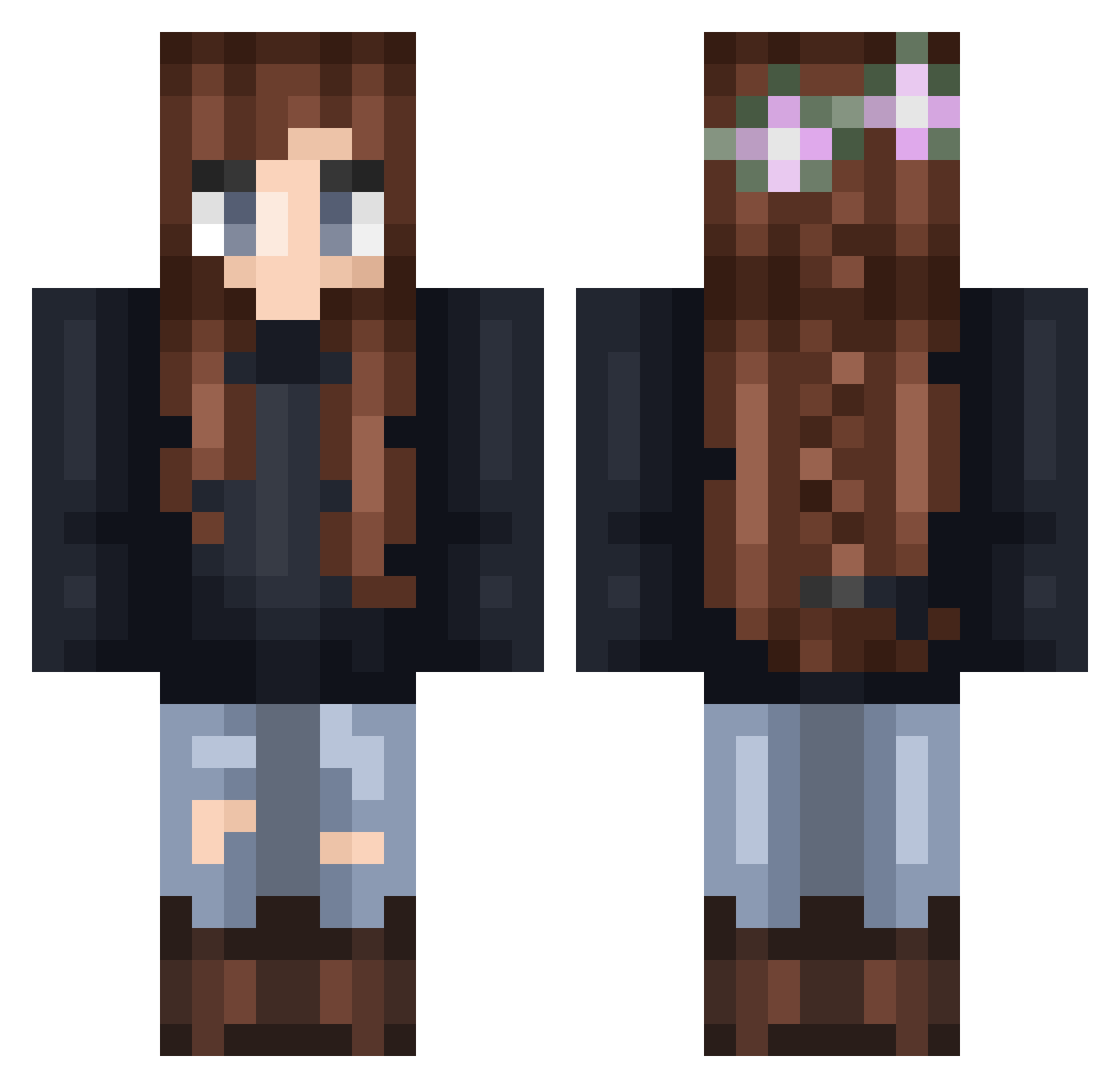
Current Minecraft skin of the player KarmiKarms, loaded from the official Mojang API. Rotate the 3D model with your mouse or finger, then download the skin as a PNG file and use it in Minecraft: Bedrock Edition or Java Edition for free. When KarmiKarms changes their skin, this page updates automatically and the old skin stays in the history below.
Other players with this skin (293)
KarmiKarms was the 185th player we have seen with this skin, first spotted on 06.10.2026. The same skin was seen on these players. Open a nickname to see their current skin and skin history.
 mc_zizai Brynn_Angela04 aleksanderola BereniceSM alex99112121 Iris_gamer A000001234 Jadenekosan emily440 Laulrn larissafs Maczupina TBYiYu MARINA201002 Luyara Aloelle TheRogue_Wolf Bibbabino Delta1406 Yobi_99 Pro_Fun ScaredSquid krzeseleczko greenyogurt2000 Xiao0Yao EclipsedFeather Banana_7305 Thablissa AMCrisy zhangtao11 Altariah injured9 SweAMS ncb1337 RarestJordan Protheanhero Bellaquin hiamlisa BZeroPointEnergy killashanna ldash5 Sharkz dimhiriel xiaogeda Lila_The_Peeps45 _KleinerStern_ Naaazzzzz pirululu mattgarie daisydoom18 Delariel OneMoreGame Vistoria02 Dragonslayerdrx misspastel m0gaa AngGwai Angi_04 Dawinette Littleangel8
More Braid Minecraft skins
How to install the KarmiKarms skin
- Press the Download button above to save the skin as a PNG file.
- Minecraft: Bedrock Edition (PE): open the Dressing Room from the main menu (or tap your character → Edit Character), go to Classic Skins → Owned, press the + (new skin) button, choose the downloaded PNG and pick the Classic (Steve) model. Works on PC and mobile; consoles cannot import custom skins.
- Minecraft: Java Edition: open the Minecraft Launcher, go to the Skins tab, click New Skin, load the PNG, pick the Classic (Steve) model and press Save & Use. You can also upload it at minecraft.net → Profile → Change Skin.
The skin does not show up after import - what should I do?
Restart Minecraft and open the Dressing Room again - imported skins sometimes appear only after a restart. Also make sure you selected the imported skin and picked the Classic (Steve) model.
Which model should I choose, Classic or Slim?
This skin is designed for the Classic (Steve) model. If you pick the wrong model, the arms of the skin will look stretched or squeezed.
Is the skin of KarmiKarms free to download?
Yes. Press Download, save the PNG file and use it in Minecraft: Bedrock Edition or Java Edition - no payment or registration needed. The skin also works on multiplayer servers and Realms.
More skins
Looking for more? Go back to all Minecraft skins and check the top skins of the week, month and all time, or find any player's skin by nickname.