
Karmakun - Minecraft Skins & Skin History
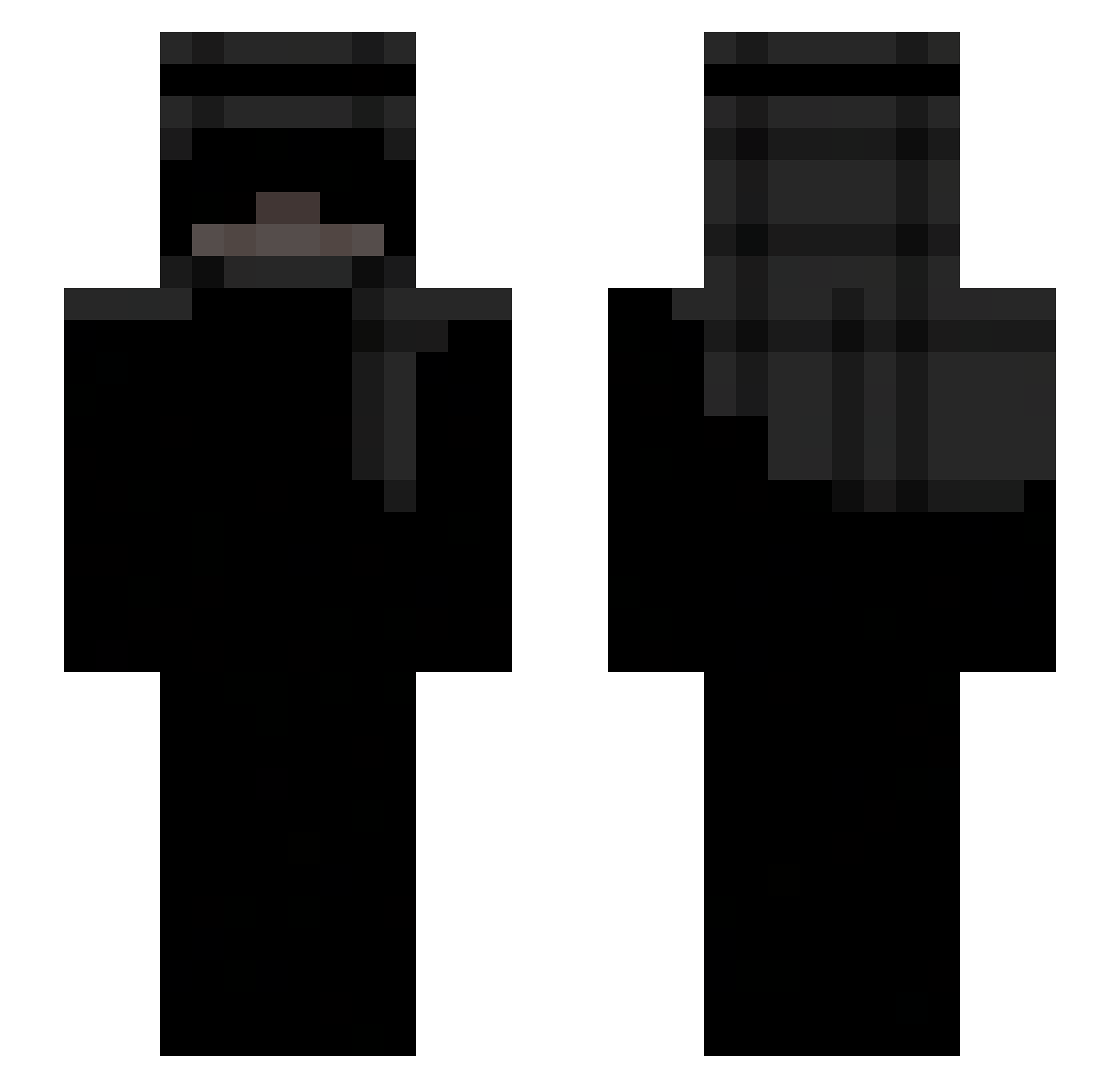
Current Minecraft skin of the player Karmakun, loaded from the official Mojang API. Rotate the 3D model with your mouse or finger, then download the skin as a PNG file and use it in Minecraft: Bedrock Edition or Java Edition for free. When Karmakun changes their skin, this page updates automatically and the old skin stays in the history below.
Other players with this skin (235)
Karmakun was the 209th player we have seen with this skin, first spotted on 14.10.2026. The same skin was seen on these players. Open a nickname to see their current skin and skin history.
 sss_s Just0me ItsNeo69 NamBehV2 2_MrGod projectbrat SnowGatex weiR1 Merxcity Smeeeed cccodi Alexozz_ Mazeki cola_lCHYdI VIKURIVI Matalot05_ kaijeGV _Z0ltus_ tomi4708h Ruuy_Any mlodyma TikTokEndOfZuui riki1337 FTPViper RudSon_ Psyxho312 Ressu Alexsandros nayzuuuu Chrisdor2 Lofcss zuberv ZWINIK Unknownplayer189 Grzmot__ SOZMX xPacko Sensuuu_ zznuh LucasThePurple IXer0 MarlowHot_ tyb_d3rekk lamoney2468 LuciferS0xD0ll ikl_nerl awot_ Asakura645 In3xsik Toyotatunerz isaachuence Tayus_Official TW203 _Creppy_ thxmim Luiss7xp cooler_nick queizs synlah Thsko
More Keffiyeh Minecraft skins
How to install the Karmakun skin
- Press the Download button above to save the skin as a PNG file.
- Minecraft: Bedrock Edition (PE): open the Dressing Room from the main menu (or tap your character → Edit Character), go to Classic Skins → Owned, press the + (new skin) button, choose the downloaded PNG and pick the Slim (Alex) model. Works on PC and mobile; consoles cannot import custom skins.
- Minecraft: Java Edition: open the Minecraft Launcher, go to the Skins tab, click New Skin, load the PNG, pick the Slim (Alex) model and press Save & Use. You can also upload it at minecraft.net → Profile → Change Skin.
The skin does not show up after import - what should I do?
Restart Minecraft and open the Dressing Room again - imported skins sometimes appear only after a restart. Also make sure you selected the imported skin and picked the Slim (Alex) model.
Which model should I choose, Classic or Slim?
This skin is designed for the Slim (Alex) model. If you pick the wrong model, the arms of the skin will look stretched or squeezed.
Is the skin of Karmakun free to download?
Yes. Press Download, save the PNG file and use it in Minecraft: Bedrock Edition or Java Edition - no payment or registration needed. The skin also works on multiplayer servers and Realms.
More skins
Looking for more? Go back to all Minecraft skins and check the top skins of the week, month and all time, or find any player's skin by nickname.