
KanekiYT_pvp_Br - Minecraft Skins & Skin History
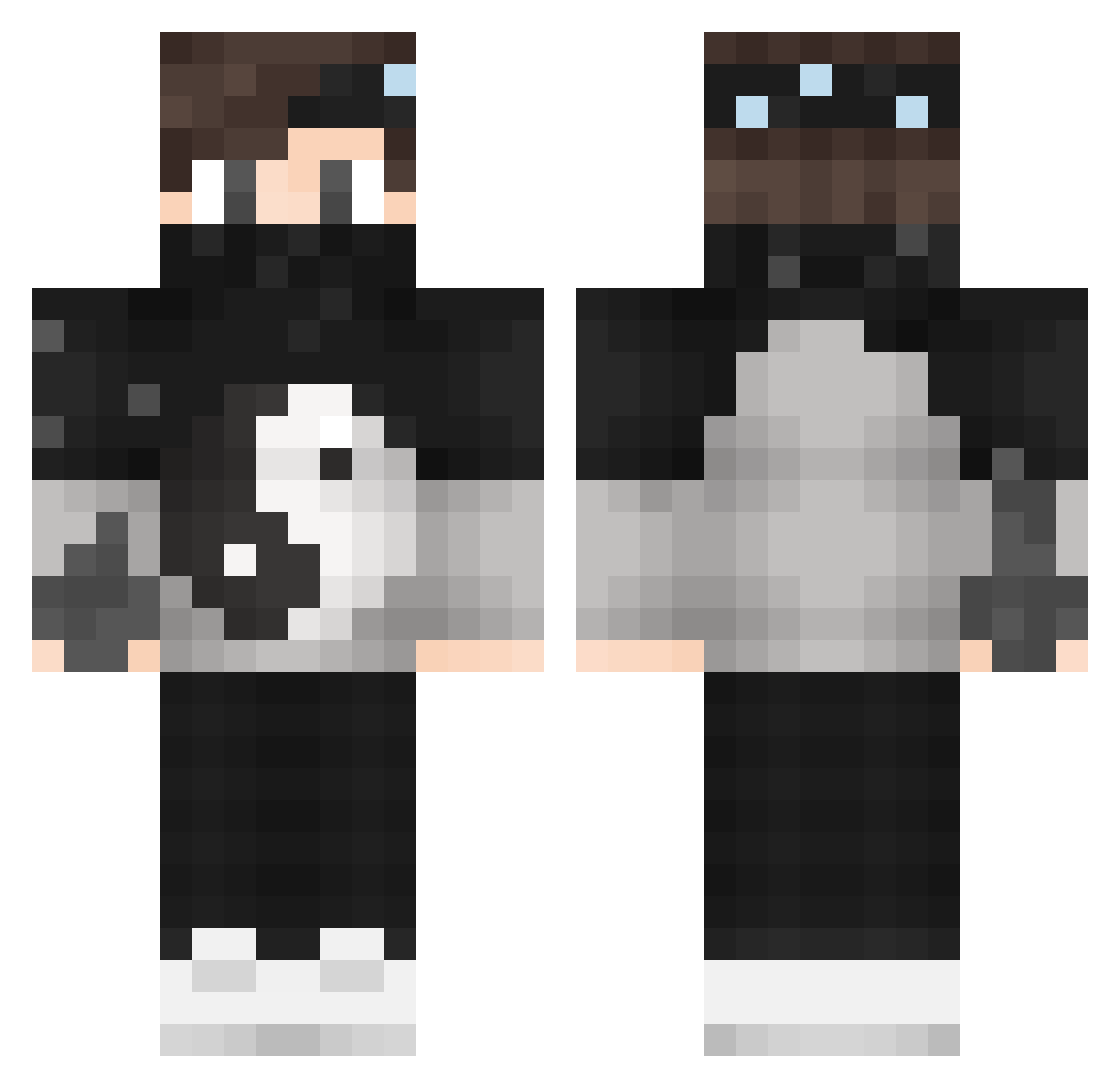
Current Minecraft skin of the player KanekiYT_pvp_Br, loaded from the official Mojang API. Rotate the 3D model with your mouse or finger, then download the skin as a PNG file and use it in Minecraft: Bedrock Edition or Java Edition for free. When KanekiYT_pvp_Br changes their skin, this page updates automatically and the old skin stays in the history below.
Other players with this skin (141)
KanekiYT_pvp_Br was the 47th player we have seen with this skin, first spotted on 03.09.2026. The same skin was seen on these players. Open a nickname to see their current skin and skin history.
 D8miz crazylizardz 6_6_ FrostyFeatz Muffmann MertttK Elllsy YijinDynasty byLegacy_ d4njk0m Silverborn mepigo1122 FusionNova_HD Cozy420 _Enes_MC LogischerEli PaJu44 amaxi76 _zKinq bugalu ylook_pvp SpoOky_GR TBNRArmin EpikCloud CARLOS_ESCALADA_ Phips29 GregoryRamner MoHaMeD_Ly Kill__Joy CleanShark ByStirith ZerKoG0D TLGOTmax UnburntToas yLikee razzer11 Kenny_YT JustChina Lenny0414 GatusO _pureCrafterHD_ ErenHD39 _Nexus_Play Juulliiaann MasterFritz hanslolrofl Geovanne Pawe__l Manousis36 Bleffij MatyAkimGGYT Salora zEdosh Yuuzo5 _Fick1337_ DestoxRille _Pedro_PT_ RyKaZa_ CampeZ ZockelLP
More Yin Yang Minecraft skins
How to install the KanekiYT_pvp_Br skin
- Press the Download button above to save the skin as a PNG file.
- Minecraft: Bedrock Edition (PE): open the Dressing Room from the main menu (or tap your character → Edit Character), go to Classic Skins → Owned, press the + (new skin) button, choose the downloaded PNG and pick the Classic (Steve) model. Works on PC and mobile; consoles cannot import custom skins.
- Minecraft: Java Edition: open the Minecraft Launcher, go to the Skins tab, click New Skin, load the PNG, pick the Classic (Steve) model and press Save & Use. You can also upload it at minecraft.net → Profile → Change Skin.
The skin does not show up after import - what should I do?
Restart Minecraft and open the Dressing Room again - imported skins sometimes appear only after a restart. Also make sure you selected the imported skin and picked the Classic (Steve) model.
Which model should I choose, Classic or Slim?
This skin is designed for the Classic (Steve) model. If you pick the wrong model, the arms of the skin will look stretched or squeezed.
Is the skin of KanekiYT_pvp_Br free to download?
Yes. Press Download, save the PNG file and use it in Minecraft: Bedrock Edition or Java Edition - no payment or registration needed. The skin also works on multiplayer servers and Realms.
More skins
Looking for more? Go back to all Minecraft skins and check the top skins of the week, month and all time, or find any player's skin by nickname.