
Kaltecola123 - Minecraft Skins & Skin History
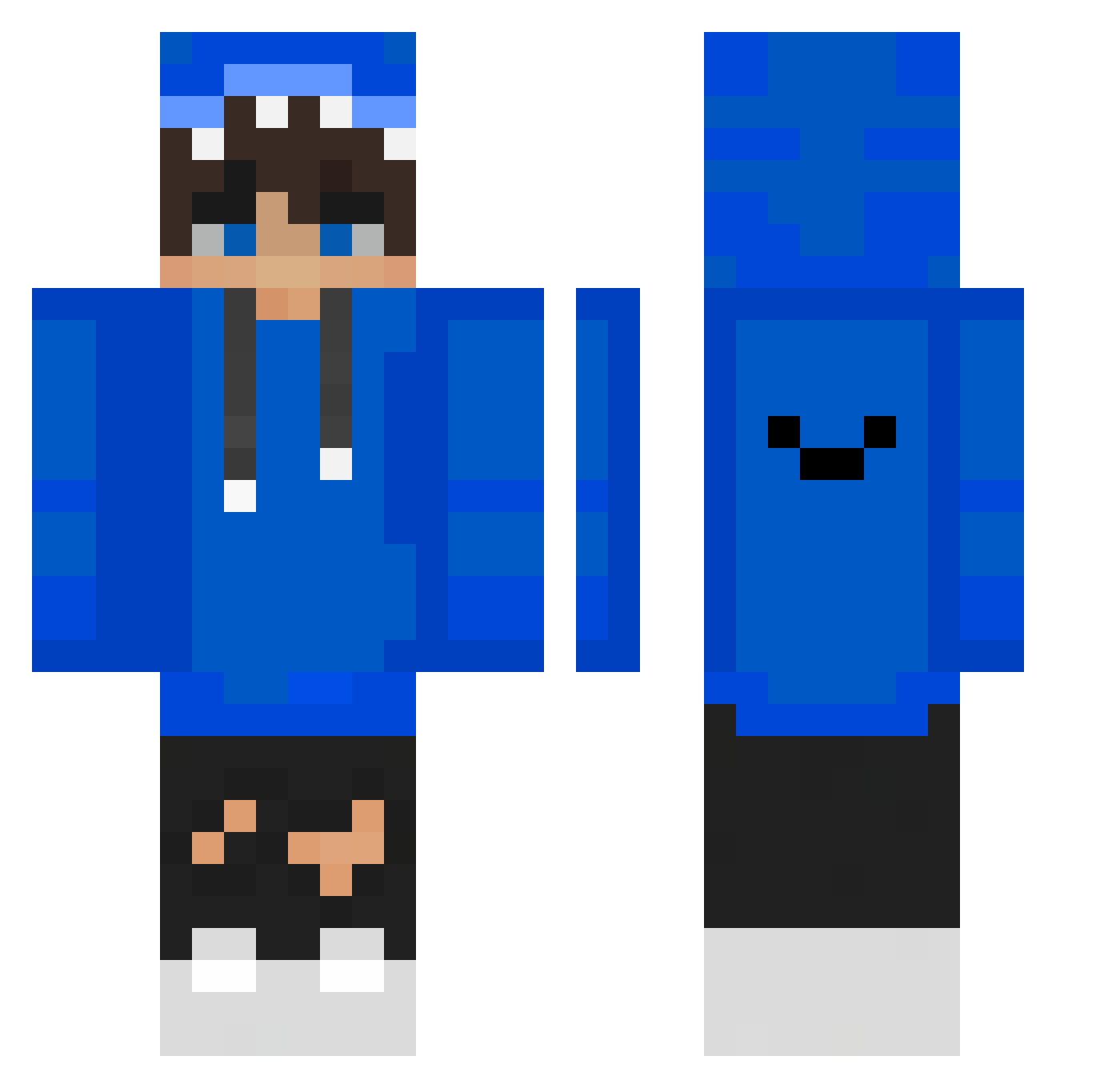
Current Minecraft skin of the player Kaltecola123, loaded from the official Mojang API. Rotate the 3D model with your mouse or finger, then download the skin as a PNG file and use it in Minecraft: Bedrock Edition or Java Edition for free. When Kaltecola123 changes their skin, this page updates automatically and the old skin stays in the history below.
Other players with this skin (485)
Kaltecola123 was the 386th player we have seen with this skin, first spotted on 23.10.2026. The same skin was seen on these players. Open a nickname to see their current skin and skin history.
 sunghyun0728 _peterpi RoyGAMERYT_GG ArchMermaid2258 WPB6666 LquYT __DaRkI LEE_____ bananin_41 Melerito10 psw0114 buddycoolbud l7casBW JiuGeli GIGACZAD5 Dragonsdu68 eirheudidz Kyniiax nooroo0516 PurplexRain9 kacperreda SyaGaming026 ZebrasXD Tylerbux123 Zalew123 Meep0905 __KL__ Daytos cuky71 FreezyBoy3 Sebahq12 Ostrich2000 X_KamloX_X DuckFish22 1WX0 jayoofighter X_Checco_X Paupro39 oscar200999 HSH_0605 WiIdZ Arcuz20 StereoDrift BlueEyes44444 CrackedBear Hi_im_ZZ Koenigpi sharkspin Philip_bubber1 Monkey_pod eric_boos WojciechowskiSyf Jaimydenneapple WiFiL2115 RAZVN PondKuB chocolate950529 rezirezi_0 Schmiddi292 Wnstm
How to install the Kaltecola123 skin
- Press the Download button above to save the skin as a PNG file.
- Minecraft: Bedrock Edition (PE): open the Dressing Room from the main menu (or tap your character → Edit Character), go to Classic Skins → Owned, press the + (new skin) button, choose the downloaded PNG and pick the Classic (Steve) model. Works on PC and mobile; consoles cannot import custom skins.
- Minecraft: Java Edition: open the Minecraft Launcher, go to the Skins tab, click New Skin, load the PNG, pick the Classic (Steve) model and press Save & Use. You can also upload it at minecraft.net → Profile → Change Skin.
The skin does not show up after import - what should I do?
Restart Minecraft and open the Dressing Room again - imported skins sometimes appear only after a restart. Also make sure you selected the imported skin and picked the Classic (Steve) model.
Which model should I choose, Classic or Slim?
This skin is designed for the Classic (Steve) model. If you pick the wrong model, the arms of the skin will look stretched or squeezed.
Is the skin of Kaltecola123 free to download?
Yes. Press Download, save the PNG file and use it in Minecraft: Bedrock Edition or Java Edition - no payment or registration needed. The skin also works on multiplayer servers and Realms.
More skins
Looking for more? Go back to all Minecraft skins and check the top skins of the week, month and all time, or find any player's skin by nickname.