
KalashnikovKid - Minecraft Skins & Skin History
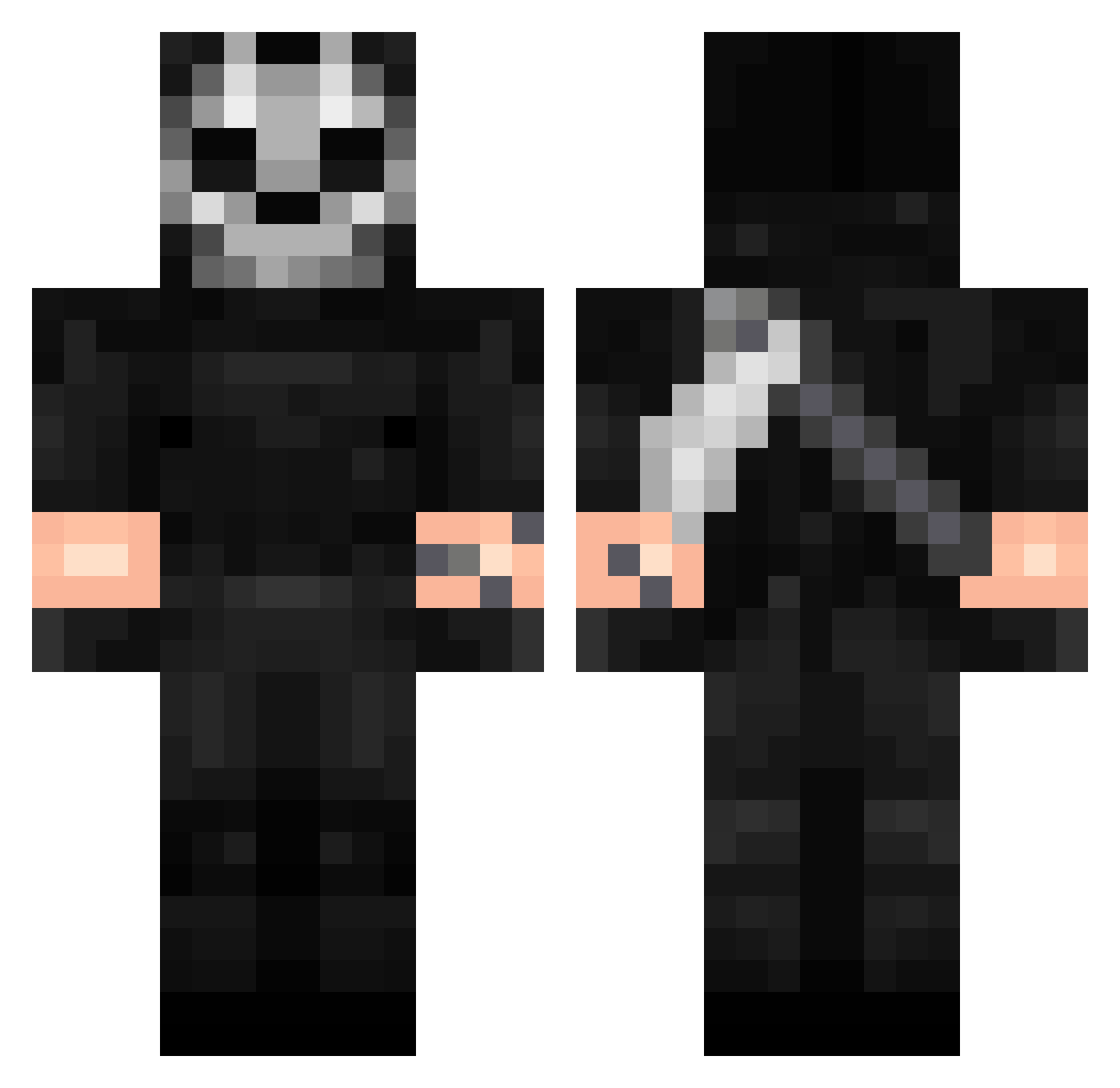
Current Minecraft skin of the player KalashnikovKid, loaded from the official Mojang API. Rotate the 3D model with your mouse or finger, then download the skin as a PNG file and use it in Minecraft: Bedrock Edition or Java Edition for free. When KalashnikovKid changes their skin, this page updates automatically and the old skin stays in the history below.
Other players with this skin (423)
KalashnikovKid was the 423rd player we have seen with this skin, first spotted on 19.11.2026. The same skin was seen on these players. Open a nickname to see their current skin and skin history.
 Hikizarou Ghost7ev3n BL1tZXX scorpiongamer889 NarcoSicario Jasljukha Johkick BuddyOlGuy jambo3000 SWAGGERITr STRIX_ASSASSIN SIAHZZZ SrGhostBrt MajedSakai AbsoluteMasher_ qHellsing md5o JulianLosMilas CalledBOLO OniyxX McTincle EleLDv fauxan SussyBaka443 Morcheebaa PioMariaWC123 King_0f_Pig Ghost219787 BENJAMINSMEENY GhostCat531 voronron RTGhost PPihm RubenVTEC19 kubson5820 yuzbossi EdwardABio Dannyboy808 OsakaTousKawai beanercheater512 kingjenn2009 TheSadNaser dugxz Ghost1281 smixx_ M4RTY187 achrafboras KongjiCUTE26 ZaXTaN axe067 REO42 200901 cineeeK SELAWI_962 IDanielParkI archq1 gio202rgio Kwiat40 Tegriidyy Themayneman
More Call Of Duty Minecraft skins
See all 186 Call Of Duty skins
How to install the KalashnikovKid skin
- Press the Download button above to save the skin as a PNG file.
- Minecraft: Bedrock Edition (PE): open the Dressing Room from the main menu (or tap your character → Edit Character), go to Classic Skins → Owned, press the + (new skin) button, choose the downloaded PNG and pick the Classic (Steve) model. Works on PC and mobile; consoles cannot import custom skins.
- Minecraft: Java Edition: open the Minecraft Launcher, go to the Skins tab, click New Skin, load the PNG, pick the Classic (Steve) model and press Save & Use. You can also upload it at minecraft.net → Profile → Change Skin.
The skin does not show up after import - what should I do?
Restart Minecraft and open the Dressing Room again - imported skins sometimes appear only after a restart. Also make sure you selected the imported skin and picked the Classic (Steve) model.
Which model should I choose, Classic or Slim?
This skin is designed for the Classic (Steve) model. If you pick the wrong model, the arms of the skin will look stretched or squeezed.
Is the skin of KalashnikovKid free to download?
Yes. Press Download, save the PNG file and use it in Minecraft: Bedrock Edition or Java Edition - no payment or registration needed. The skin also works on multiplayer servers and Realms.
More skins
Looking for more? Go back to all Minecraft skins and check the top skins of the week, month and all time, or find any player's skin by nickname.