
Kaiz_0313 - Minecraft Skins & Skin History
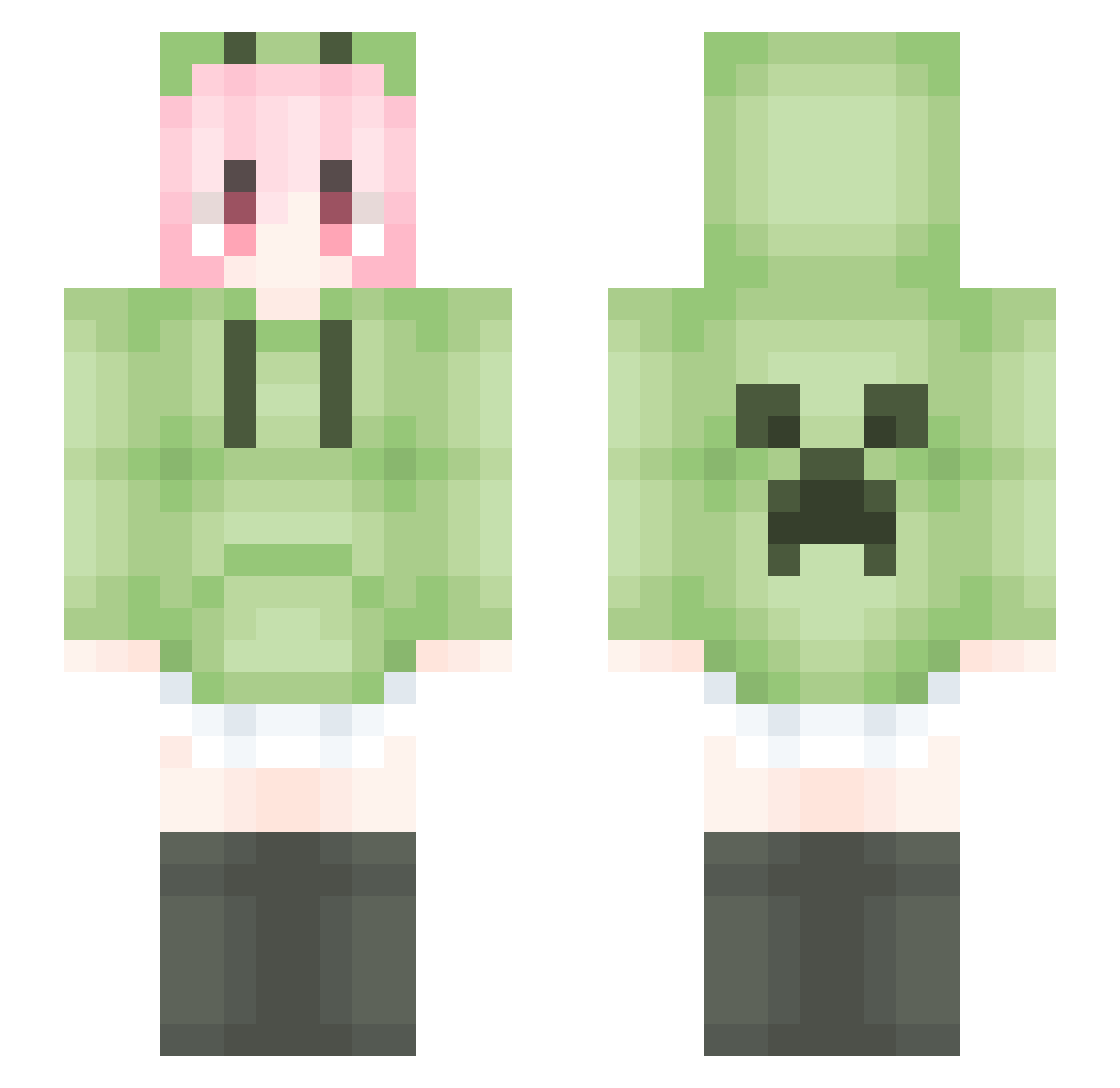
Current Minecraft skin of the player Kaiz_0313, loaded from the official Mojang API. Rotate the 3D model with your mouse or finger, then download the skin as a PNG file and use it in Minecraft: Bedrock Edition or Java Edition for free. When Kaiz_0313 changes their skin, this page updates automatically and the old skin stays in the history below.
Other players with this skin (2036)
Kaiz_0313 was the 1906th player we have seen with this skin, first spotted on 12.11.2026. The same skin was seen on these players. Open a nickname to see their current skin and skin history.
 Liquiszzz NaOHda CreeperTuT ShirahaYuuki YT_TX1 ARK157 momomocha520 CokooSama lixizhi PinkyQQ youzhenhao Jerry13142 Sower_flower Mdxht Dirgee netwant Challo_ovo wasdwd CreeperForever6 nannang Tonyjh07 DaBianTai lujing05 Amorax26 girl455 xiaomotongx hxybb PhssL Substitute36 shu_lin_he Greg_Wallace jinchi666 Destiny6101 Yuguiiyt loser_cen kimomimi _derivative Realblf Iris567 zxdd01 gouzi233 Parzival_7777 laoxianyu114514 kkii0 bbguihun 1789563 keloiMSN zpl233 AnAmier km980 super_boos Ainn_06 sandnights MiyaHE Mu_Bei_ hh886 iarelexicon Koimenx shixiaobaiya9527 vicman73
More Anime Girl Minecraft skins
See all 15160 Anime Girl skins
How to install the Kaiz_0313 skin
- Press the Download button above to save the skin as a PNG file.
- Minecraft: Bedrock Edition (PE): open the Dressing Room from the main menu (or tap your character → Edit Character), go to Classic Skins → Owned, press the + (new skin) button, choose the downloaded PNG and pick the Slim (Alex) model. Works on PC and mobile; consoles cannot import custom skins.
- Minecraft: Java Edition: open the Minecraft Launcher, go to the Skins tab, click New Skin, load the PNG, pick the Slim (Alex) model and press Save & Use. You can also upload it at minecraft.net → Profile → Change Skin.
The skin does not show up after import - what should I do?
Restart Minecraft and open the Dressing Room again - imported skins sometimes appear only after a restart. Also make sure you selected the imported skin and picked the Slim (Alex) model.
Which model should I choose, Classic or Slim?
This skin is designed for the Slim (Alex) model. If you pick the wrong model, the arms of the skin will look stretched or squeezed.
Is the skin of Kaiz_0313 free to download?
Yes. Press Download, save the PNG file and use it in Minecraft: Bedrock Edition or Java Edition - no payment or registration needed. The skin also works on multiplayer servers and Realms.
More skins
Looking for more? Go back to all Minecraft skins and check the top skins of the week, month and all time, or find any player's skin by nickname.