
KairylleTheBoi - Minecraft Skins & Skin History
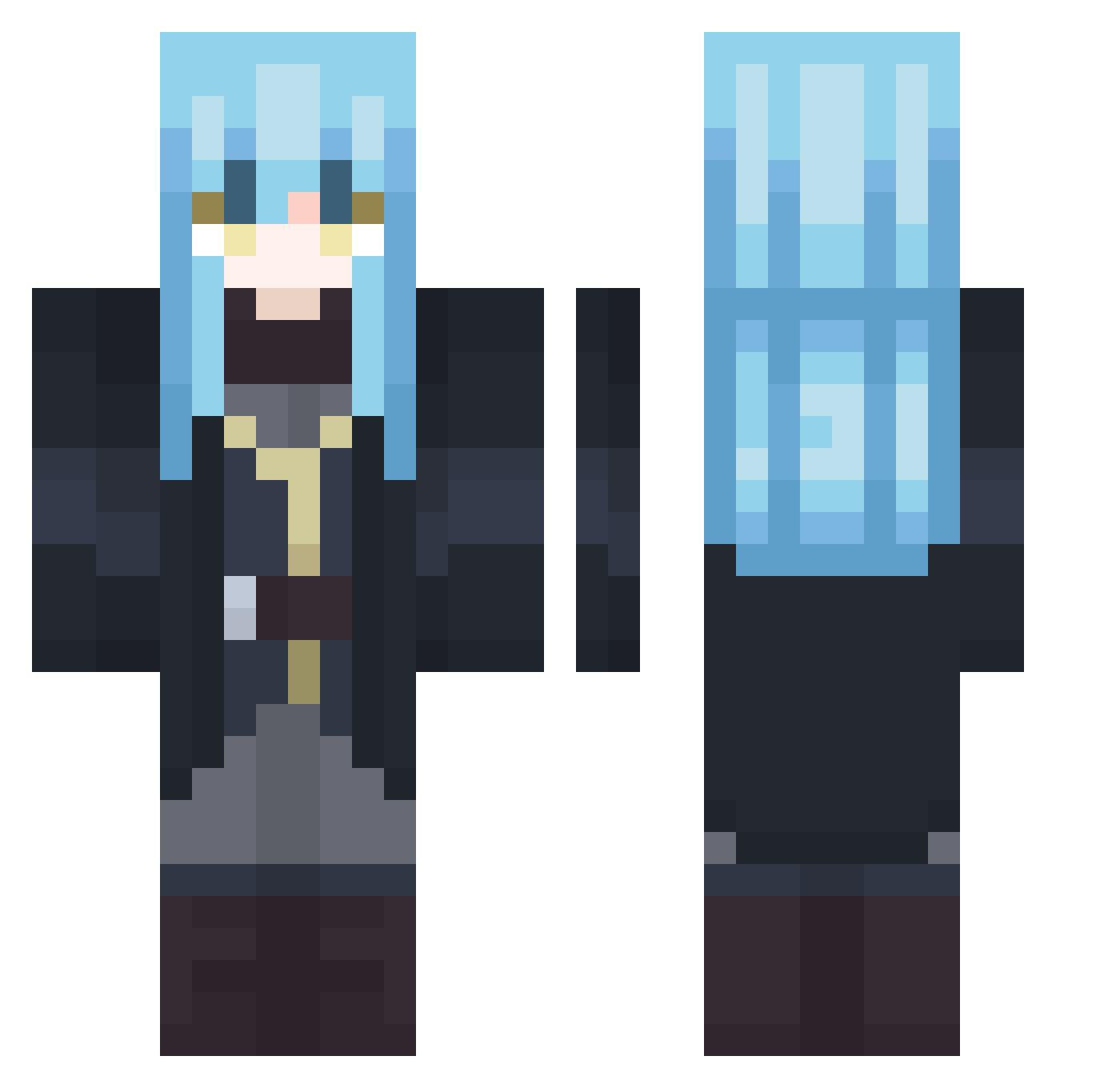
Current Minecraft skin of the player KairylleTheBoi, loaded from the official Mojang API. Rotate the 3D model with your mouse or finger, then download the skin as a PNG file and use it in Minecraft: Bedrock Edition or Java Edition for free. When KairylleTheBoi changes their skin, this page updates automatically and the old skin stays in the history below.
Other players with this skin (407)
KairylleTheBoi was the 167th player we have seen with this skin, first spotted on 11.09.2026. The same skin was seen on these players. Open a nickname to see their current skin and skin history.
 Rasamika amentann msh49
 GurashiMc piratepro2007 Ale_843 EmrZe miyamotosan511 Polo2z _bladeee UFQP Prezma_ ckr__ Kuro32pp GhostOfDemon Gothetios RokingTK JOYKIX KingCrimson129 Perceval75
 BlackL1nK7 _food_panda_ Rimurut19
 _icra_ RandomTator XiaoPu_ BiggusButtuckus UugaMan emel07 AstroZ___ kusetsu SYOU1201 ChriSatoru YoniYoniOG Dralvor FROST3333 mtvsq EldenKinge akariaurora zombie432423 noxiousanxious cz4_msmc_3mn Iewdty YuuriZz DuperWithBlocks Gerrok carlwill07 Tempx_x blackbladebeats IceShards21 AnimeFAN2121 Lancten Ayumifdr MorMello polaroidshaker SeregaZver Chuxxoo Muiiii1 GabraJD Zero_0_cero
More Rimuru Tempest Minecraft skins
See all 251 Rimuru Tempest skins
How to install the KairylleTheBoi skin
- Press the Download button above to save the skin as a PNG file.
- Minecraft: Bedrock Edition (PE): open the Dressing Room from the main menu (or tap your character → Edit Character), go to Classic Skins → Owned, press the + (new skin) button, choose the downloaded PNG and pick the Classic (Steve) model. Works on PC and mobile; consoles cannot import custom skins.
- Minecraft: Java Edition: open the Minecraft Launcher, go to the Skins tab, click New Skin, load the PNG, pick the Classic (Steve) model and press Save & Use. You can also upload it at minecraft.net → Profile → Change Skin.
The skin does not show up after import - what should I do?
Restart Minecraft and open the Dressing Room again - imported skins sometimes appear only after a restart. Also make sure you selected the imported skin and picked the Classic (Steve) model.
Which model should I choose, Classic or Slim?
This skin is designed for the Classic (Steve) model. If you pick the wrong model, the arms of the skin will look stretched or squeezed.
Is the skin of KairylleTheBoi free to download?
Yes. Press Download, save the PNG file and use it in Minecraft: Bedrock Edition or Java Edition - no payment or registration needed. The skin also works on multiplayer servers and Realms.
More skins
Looking for more? Go back to all Minecraft skins and check the top skins of the week, month and all time, or find any player's skin by nickname.