
KaiJn3 - Minecraft Skins & Skin History
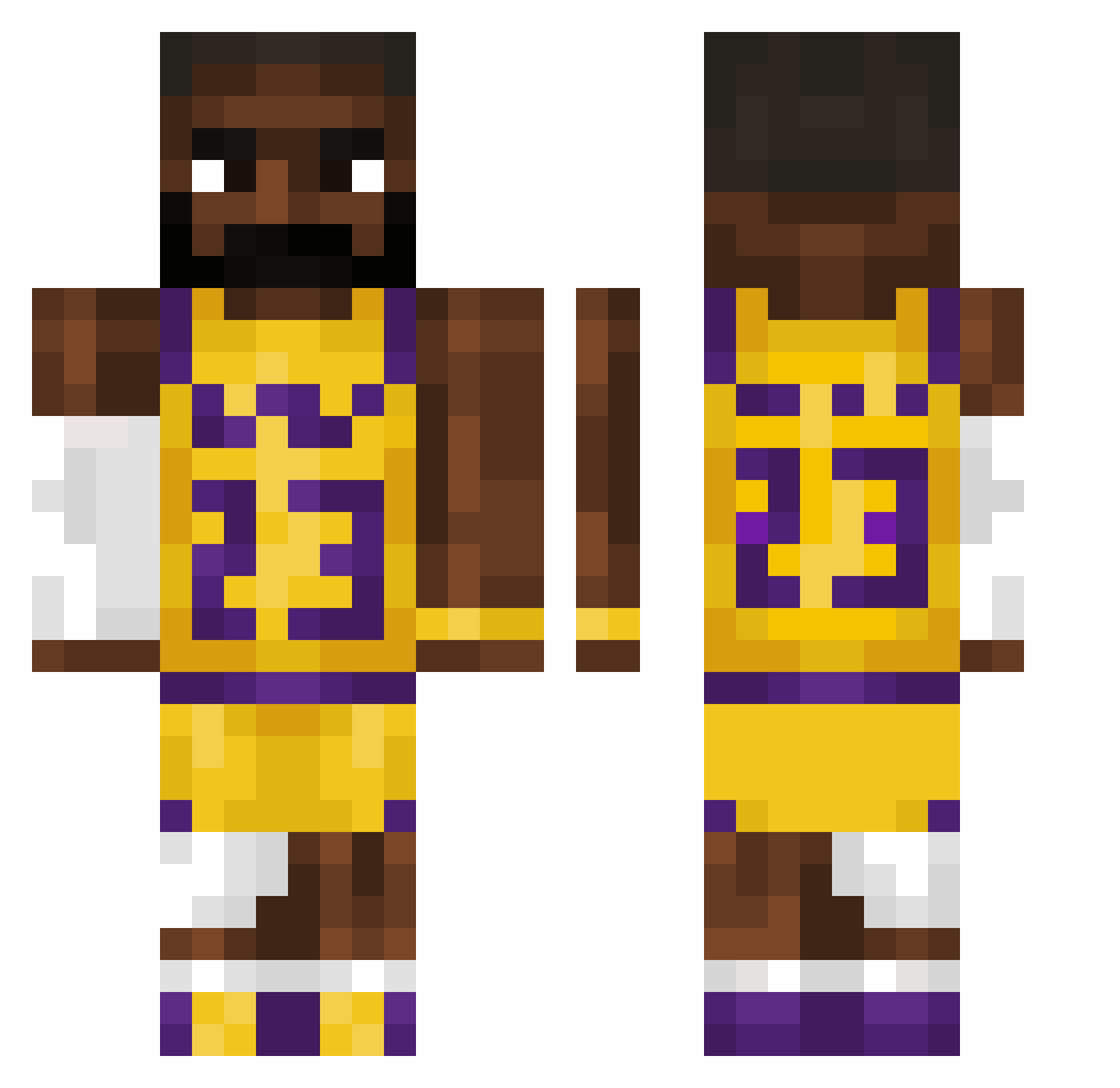
Current Minecraft skin of the player KaiJn3, loaded from the official Mojang API. Rotate the 3D model with your mouse or finger, then download the skin as a PNG file and use it in Minecraft: Bedrock Edition or Java Edition for free. When KaiJn3 changes their skin, this page updates automatically and the old skin stays in the history below.
Other players with this skin (48)
KaiJn3 was the 42nd player we have seen with this skin, first spotted on 07.10.2026. The same skin was seen on these players. Open a nickname to see their current skin and skin history.
 iwearbigmacs tubpo Kroelle13 DWALUMPA champagne_akhi jaythagod02 boylrx Anderdingus75 matremox Raied_igo Wichul bobmoosepie21 EK012 lebronyJames squigga99 Vandiasz cswales26 GeorgiNext DiegoDjc Operator9003 Bndkt_SoD TheDominik148 Oliwier_1505 Toastyz21 Rui_0810 xelalala_ TotallyNotLissy Mysticorange217 MeisterNoda05 SwiftIverson xViko TrvvyPatty Termicas LeBroccolo LuKeR3231 jegharjernpaa1 Ramzmajor KhalDrogo24 kanyeisloser CharlesGeorge
 Efaidra Centre1234 Danny14276299 Ronaldimeh
 GaLka__ Darius7818 ProfessorRiz freakmaster69
More Lakers Minecraft skins
How to install the KaiJn3 skin
- Press the Download button above to save the skin as a PNG file.
- Minecraft: Bedrock Edition (PE): open the Dressing Room from the main menu (or tap your character → Edit Character), go to Classic Skins → Owned, press the + (new skin) button, choose the downloaded PNG and pick the Classic (Steve) model. Works on PC and mobile; consoles cannot import custom skins.
- Minecraft: Java Edition: open the Minecraft Launcher, go to the Skins tab, click New Skin, load the PNG, pick the Classic (Steve) model and press Save & Use. You can also upload it at minecraft.net → Profile → Change Skin.
The skin does not show up after import - what should I do?
Restart Minecraft and open the Dressing Room again - imported skins sometimes appear only after a restart. Also make sure you selected the imported skin and picked the Classic (Steve) model.
Which model should I choose, Classic or Slim?
This skin is designed for the Classic (Steve) model. If you pick the wrong model, the arms of the skin will look stretched or squeezed.
Is the skin of KaiJn3 free to download?
Yes. Press Download, save the PNG file and use it in Minecraft: Bedrock Edition or Java Edition - no payment or registration needed. The skin also works on multiplayer servers and Realms.
More skins
Looking for more? Go back to all Minecraft skins and check the top skins of the week, month and all time, or find any player's skin by nickname.