
Kai1115 - Minecraft Skins & Skin History
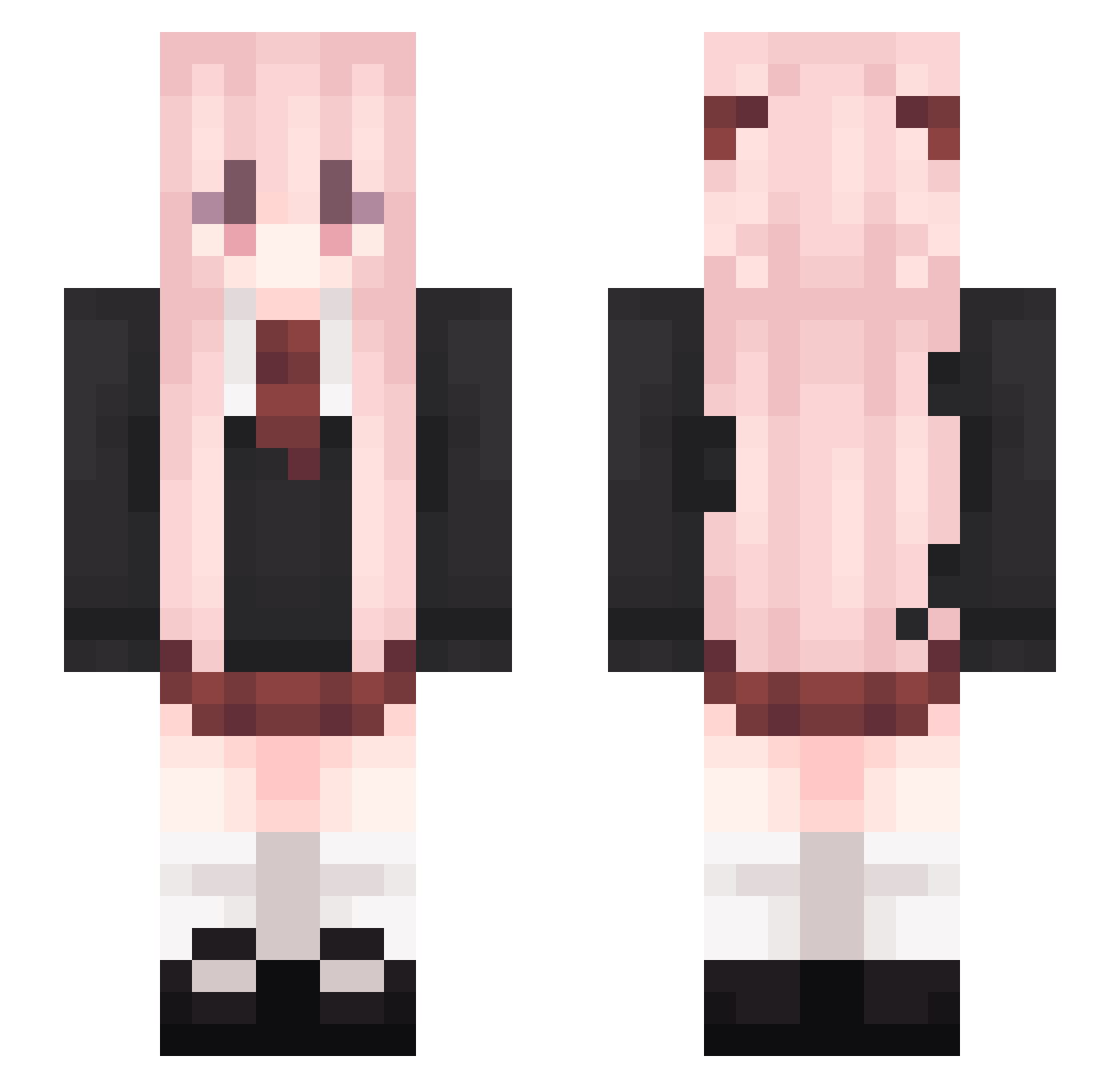
Current Minecraft skin of the player Kai1115, loaded from the official Mojang API. Rotate the 3D model with your mouse or finger, then download the skin as a PNG file and use it in Minecraft: Bedrock Edition or Java Edition for free. When Kai1115 changes their skin, this page updates automatically and the old skin stays in the history below.
Other players with this skin (541)
Kai1115 was the 135th player we have seen with this skin, first spotted on 24.08.2026. The same skin was seen on these players. Open a nickname to see their current skin and skin history.
 wxm_7NGi4_04_10 Bluelight_sky snoew1215 Kunori lixiangyun Starry_Spirit wbsNIKO Lrici_leo EmliyM Maramoronpapiyas xushan2 naizhouwang Toooste Chafuno laojia1536 Z1zzz Charlotte_Caius sydnb666 Tidksl iLLLyy zqyf YAHAX_ AMRKUSA MCDevilJ withcooki cxy_0714 ChongRen Yinzhou432 ReGulaS99 Mumu105 YuLi7 ABC10946 mimikyu69 DBDZY wszlx ZJZD nick3458 MADAorange Calm_vile strafejumps ztdeb14134 changc_ zhboxiang IlyaSviel_ bzln1 ik_iaGonpCxuW559
 motototomo ankoQvQ Rin_lan xs_LZl2VClXKpMPU henxin123 Micrsac wQingYanw fxzl_3 Snolyx04 cuoe xvcbds jldba YuanZhuGame EveningStarer
More School Uniform Minecraft skins
See all 6994 School Uniform skins
How to install the Kai1115 skin
- Press the Download button above to save the skin as a PNG file.
- Minecraft: Bedrock Edition (PE): open the Dressing Room from the main menu (or tap your character → Edit Character), go to Classic Skins → Owned, press the + (new skin) button, choose the downloaded PNG and pick the Slim (Alex) model. Works on PC and mobile; consoles cannot import custom skins.
- Minecraft: Java Edition: open the Minecraft Launcher, go to the Skins tab, click New Skin, load the PNG, pick the Slim (Alex) model and press Save & Use. You can also upload it at minecraft.net → Profile → Change Skin.
The skin does not show up after import - what should I do?
Restart Minecraft and open the Dressing Room again - imported skins sometimes appear only after a restart. Also make sure you selected the imported skin and picked the Slim (Alex) model.
Which model should I choose, Classic or Slim?
This skin is designed for the Slim (Alex) model. If you pick the wrong model, the arms of the skin will look stretched or squeezed.
Is the skin of Kai1115 free to download?
Yes. Press Download, save the PNG file and use it in Minecraft: Bedrock Edition or Java Edition - no payment or registration needed. The skin also works on multiplayer servers and Realms.
More skins
Looking for more? Go back to all Minecraft skins and check the top skins of the week, month and all time, or find any player's skin by nickname.