
Kabbeh - Minecraft Skins & Skin History
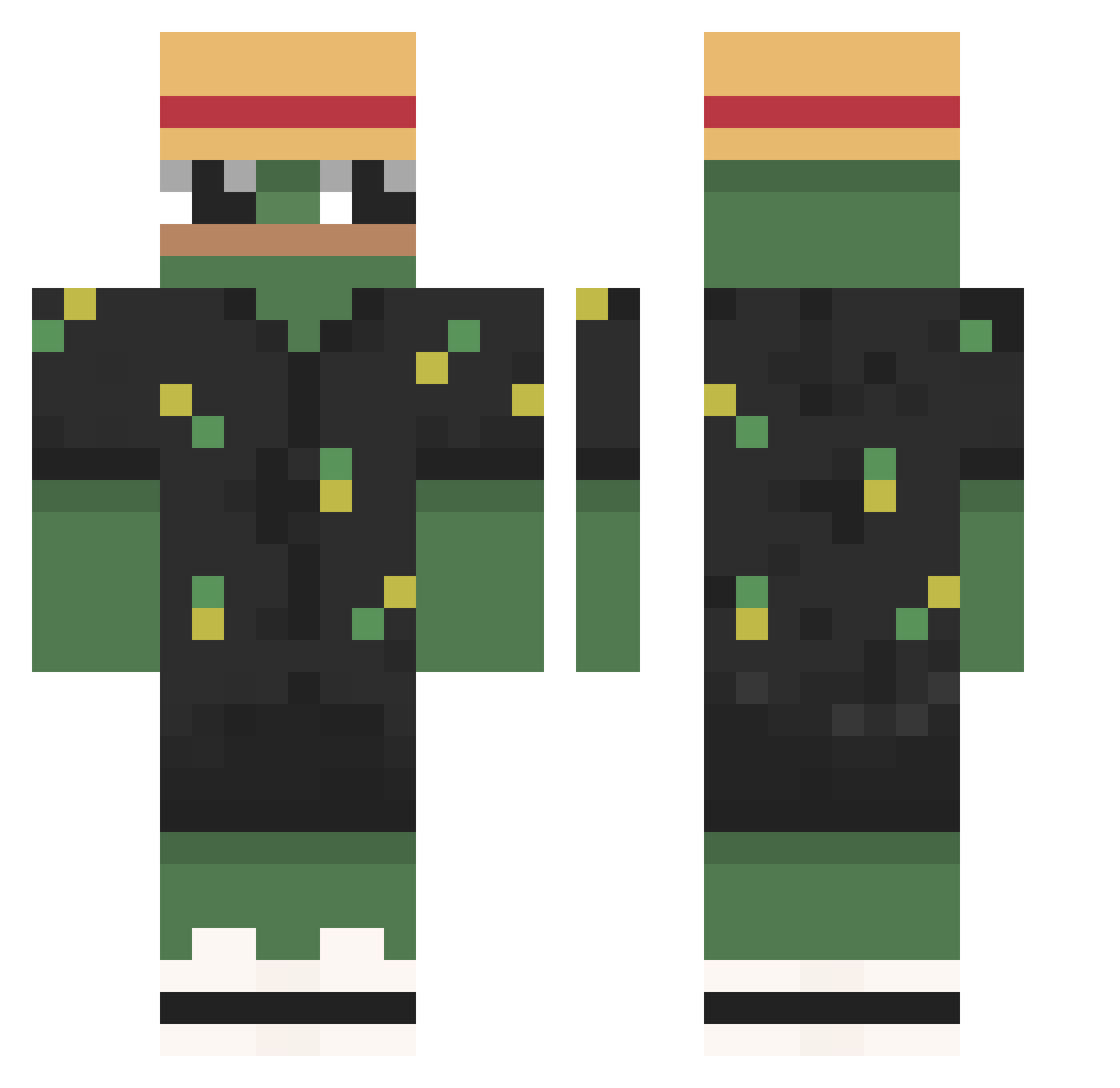
Current Minecraft skin of the player Kabbeh, loaded from the official Mojang API. Rotate the 3D model with your mouse or finger, then download the skin as a PNG file and use it in Minecraft: Bedrock Edition or Java Edition for free. When Kabbeh changes their skin, this page updates automatically and the old skin stays in the history below.
Other players with this skin (790)
Kabbeh was the 89th player we have seen with this skin, first spotted on 06.08.2026. The same skin was seen on these players. Open a nickname to see their current skin and skin history.
 Muchacraft13 Nocsorgs Bear_fewbie UnlockedMaster scrunguslebungus Eclipse9568 darokidropp davyd6969 ErSugus Ottka_ Yohohoi NoFoxy3 CFC_Taco masu7222 adrian15___ Gamingfrog668
 JetDevilGamerYT
 Kugsii Akatruz PeepoScoot TyCritical TheStanam Patataula kim___09 Acquiredc71 MDA ReaperQueen RonaldoRytter Mr_Frogzin BradynV KavkaziIL SpiwaYT BenBQa Skittlehacker tmast63 NotThen InfamousUFO Dimulya2003 GrowkXX NimbleHat Serikuser Chandler09 Firana95 Neonasif justRouky HiImRyann pindii8 ZiPto4 Guido0407 Zeleven12 pacman1566 Nxmn FedeMatte Eiei1337 CptAssCheeks mr_pumkin0306 blazej107 BRZ96 Lit_nary Flexers
More Pepe Minecraft skins
How to install the Kabbeh skin
- Press the Download button above to save the skin as a PNG file.
- Minecraft: Bedrock Edition (PE): open the Dressing Room from the main menu (or tap your character → Edit Character), go to Classic Skins → Owned, press the + (new skin) button, choose the downloaded PNG and pick the Classic (Steve) model. Works on PC and mobile; consoles cannot import custom skins.
- Minecraft: Java Edition: open the Minecraft Launcher, go to the Skins tab, click New Skin, load the PNG, pick the Classic (Steve) model and press Save & Use. You can also upload it at minecraft.net → Profile → Change Skin.
The skin does not show up after import - what should I do?
Restart Minecraft and open the Dressing Room again - imported skins sometimes appear only after a restart. Also make sure you selected the imported skin and picked the Classic (Steve) model.
Which model should I choose, Classic or Slim?
This skin is designed for the Classic (Steve) model. If you pick the wrong model, the arms of the skin will look stretched or squeezed.
Is the skin of Kabbeh free to download?
Yes. Press Download, save the PNG file and use it in Minecraft: Bedrock Edition or Java Edition - no payment or registration needed. The skin also works on multiplayer servers and Realms.
More skins
Looking for more? Go back to all Minecraft skins and check the top skins of the week, month and all time, or find any player's skin by nickname.