
Guido0407 - Minecraft Skins & Skin History
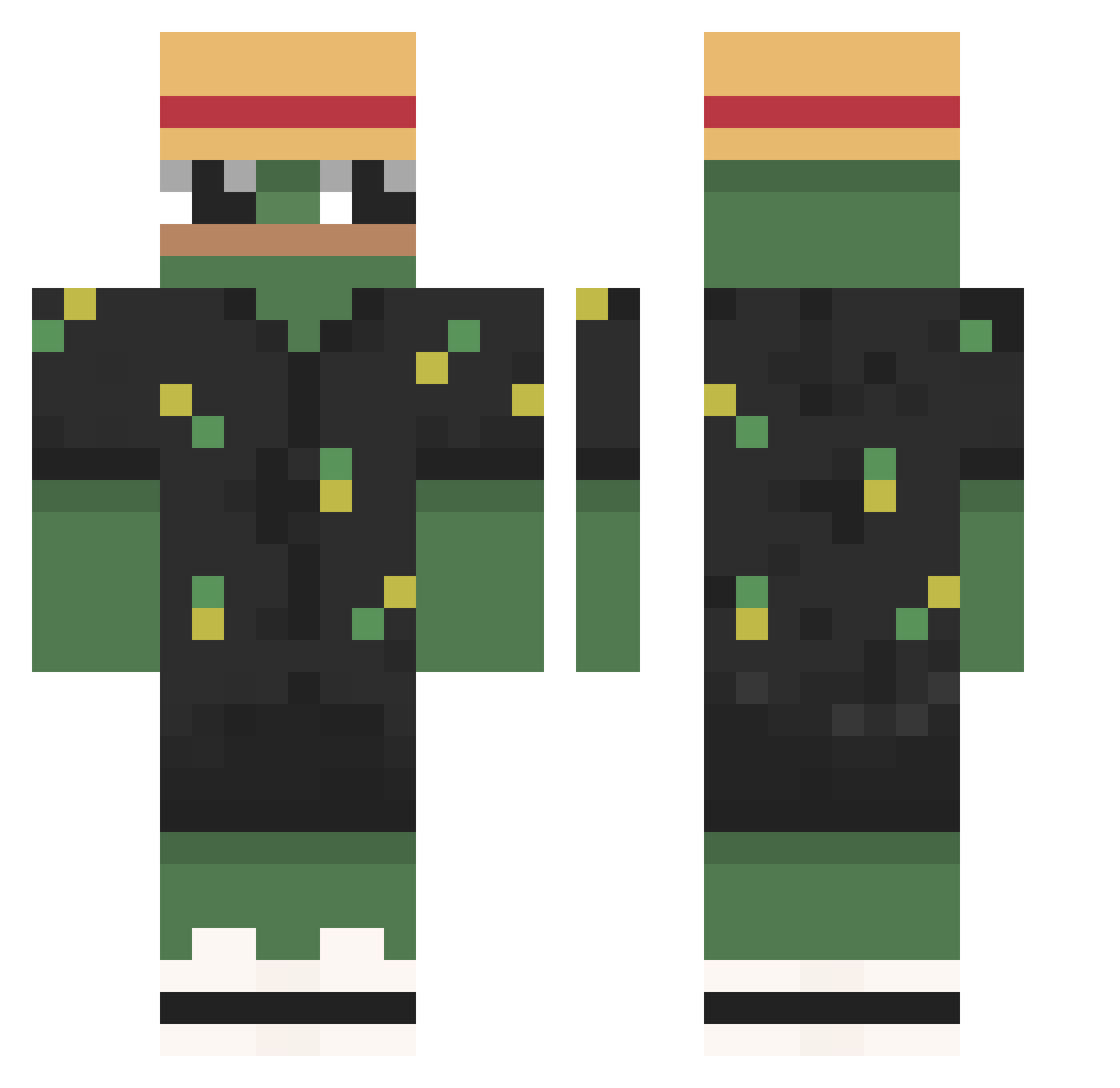
Current Minecraft skin of the player Guido0407, loaded from the official Mojang API. Rotate the 3D model with your mouse or finger, then download the skin as a PNG file and use it in Minecraft: Bedrock Edition or Java Edition for free. When Guido0407 changes their skin, this page updates automatically and the old skin stays in the history below.
Other players with this skin (787)
Guido0407 was the 114th player we have seen with this skin, first spotted on 10.08.2026. The same skin was seen on these players. Open a nickname to see their current skin and skin history.
 ZiPto4 pacman1566 HiImRyann FedeMatte CptAssCheeks mr_pumkin0306 Neonasif blazej107 Firana95 Lit_nary sklebi_ HelloImHasia Kamionnn__ hj01223 Serikuser ow_owie BadZekow Moumouth73 Snapzi Skittlehacker Yangh SpiwaYT SantiTree BradynV ReaperQueen happybay MDA kim___09 TheStanam AndZoW PakoMarko ceedii4 SynX234 TyCritical Veeegaa Akatruz Nils2346
 Kugsii
 JetDevilGamerYT BSkimchi NghiaTran Barrett_107 6borna CFC_Taco LopoCZE Paddymax11 kovacks_ razbunbuy Ottka_ _Tent Rlaky1 ErSugus davyd6969 darokidropp Eclipse9568 Bear_fewbie
 Dashi_2000 Nocsorgs Arrivederci123
 sludgewater
More Pepe Minecraft skins
How to install the Guido0407 skin
- Press the Download button above to save the skin as a PNG file.
- Minecraft: Bedrock Edition (PE): open the Dressing Room from the main menu (or tap your character → Edit Character), go to Classic Skins → Owned, press the + (new skin) button, choose the downloaded PNG and pick the Classic (Steve) model. Works on PC and mobile; consoles cannot import custom skins.
- Minecraft: Java Edition: open the Minecraft Launcher, go to the Skins tab, click New Skin, load the PNG, pick the Classic (Steve) model and press Save & Use. You can also upload it at minecraft.net → Profile → Change Skin.
The skin does not show up after import - what should I do?
Restart Minecraft and open the Dressing Room again - imported skins sometimes appear only after a restart. Also make sure you selected the imported skin and picked the Classic (Steve) model.
Which model should I choose, Classic or Slim?
This skin is designed for the Classic (Steve) model. If you pick the wrong model, the arms of the skin will look stretched or squeezed.
Is the skin of Guido0407 free to download?
Yes. Press Download, save the PNG file and use it in Minecraft: Bedrock Edition or Java Edition - no payment or registration needed. The skin also works on multiplayer servers and Realms.
More skins
Looking for more? Go back to all Minecraft skins and check the top skins of the week, month and all time, or find any player's skin by nickname.