
KWONYN - Minecraft Skins & Skin History
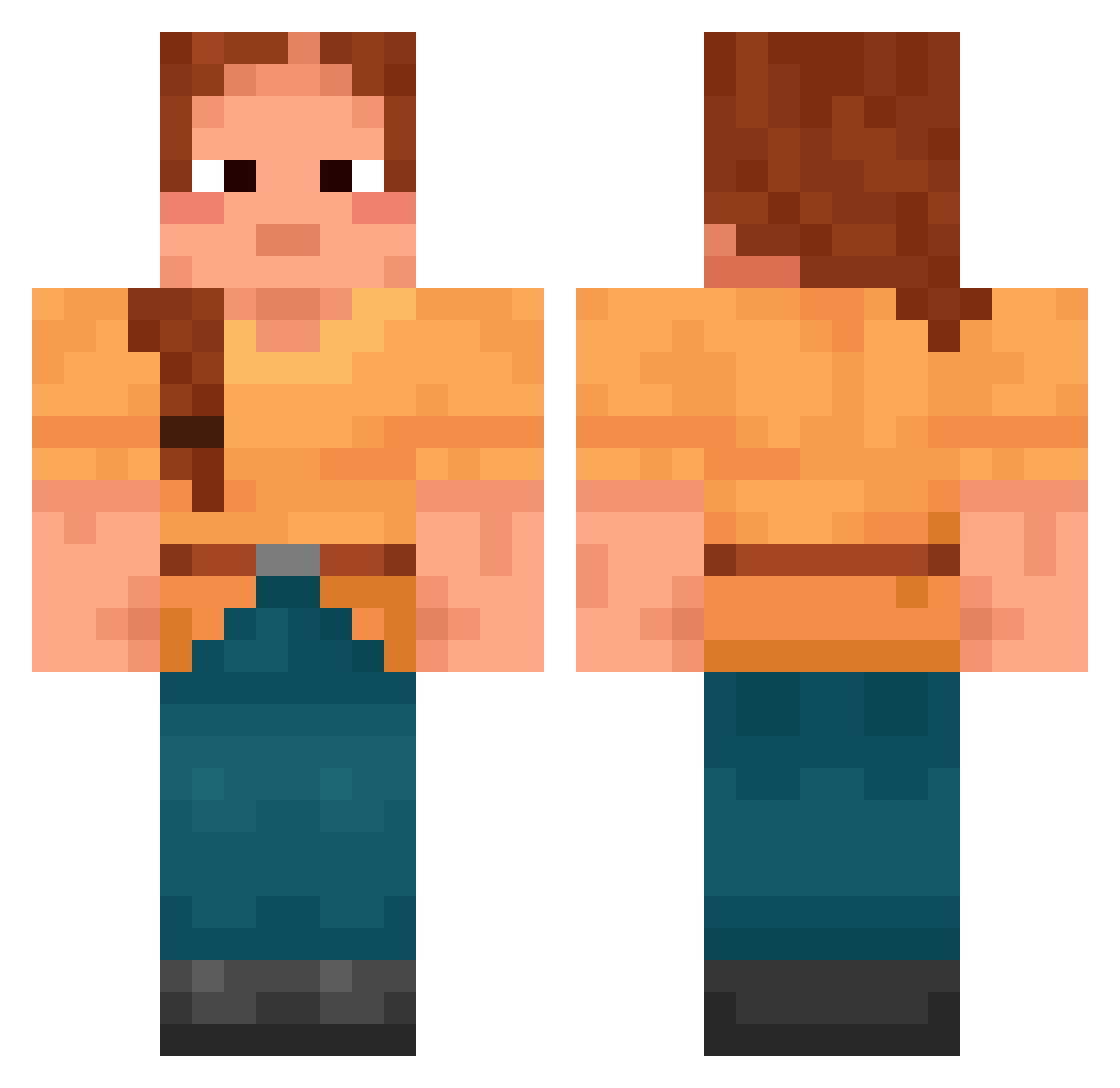
Current Minecraft skin of the player KWONYN, loaded from the official Mojang API. Rotate the 3D model with your mouse or finger, then download the skin as a PNG file and use it in Minecraft: Bedrock Edition or Java Edition for free. When KWONYN changes their skin, this page updates automatically and the old skin stays in the history below.
Other players with this skin (1425)
KWONYN was the 145th player we have seen with this skin, first spotted on 01.08.2026. The same skin was seen on these players. Open a nickname to see their current skin and skin history.
 TaekwonDomii ballaster mintsky123 sUnJUngE Barbital Dxta Zoiatrics I_lost_my_xboite myrj99 matty_g26 104felix ErebusArt Tambouret nedn Razet13 odette el_julien _justys_
 PaFraCC Tatii__ flAMER loonybin AngrySheeeep Nahosan o_neul drummerwannabee Mookierr ZzangSsenSuum TheDude555 King_Alastor86 deleojr ENNIIGG0 Bubikooo Brinjal Infantrymen cahokia dyad
 Hayhollow stormhockey97 Withoutforth mangooooooooooo_ Vinzler12 Yuch squallier Tempao fayconci Cambridge annzerie sasapannda Jogi_ Amoskeag G1veMe50 ShoneOx jornojovana7 Stey saprophyte RasFam MtLAquaTurtle dinozaury luggages
More Cottagecore Minecraft skins
See all 5597 Cottagecore skins
How to install the KWONYN skin
- Press the Download button above to save the skin as a PNG file.
- Minecraft: Bedrock Edition (PE): open the Dressing Room from the main menu (or tap your character → Edit Character), go to Classic Skins → Owned, press the + (new skin) button, choose the downloaded PNG and pick the Classic (Steve) model. Works on PC and mobile; consoles cannot import custom skins.
- Minecraft: Java Edition: open the Minecraft Launcher, go to the Skins tab, click New Skin, load the PNG, pick the Classic (Steve) model and press Save & Use. You can also upload it at minecraft.net → Profile → Change Skin.
The skin does not show up after import - what should I do?
Restart Minecraft and open the Dressing Room again - imported skins sometimes appear only after a restart. Also make sure you selected the imported skin and picked the Classic (Steve) model.
Which model should I choose, Classic or Slim?
This skin is designed for the Classic (Steve) model. If you pick the wrong model, the arms of the skin will look stretched or squeezed.
Is the skin of KWONYN free to download?
Yes. Press Download, save the PNG file and use it in Minecraft: Bedrock Edition or Java Edition - no payment or registration needed. The skin also works on multiplayer servers and Realms.
More skins
Looking for more? Go back to all Minecraft skins and check the top skins of the week, month and all time, or find any player's skin by nickname.