
KLgiao_ - Minecraft Skins & Skin History
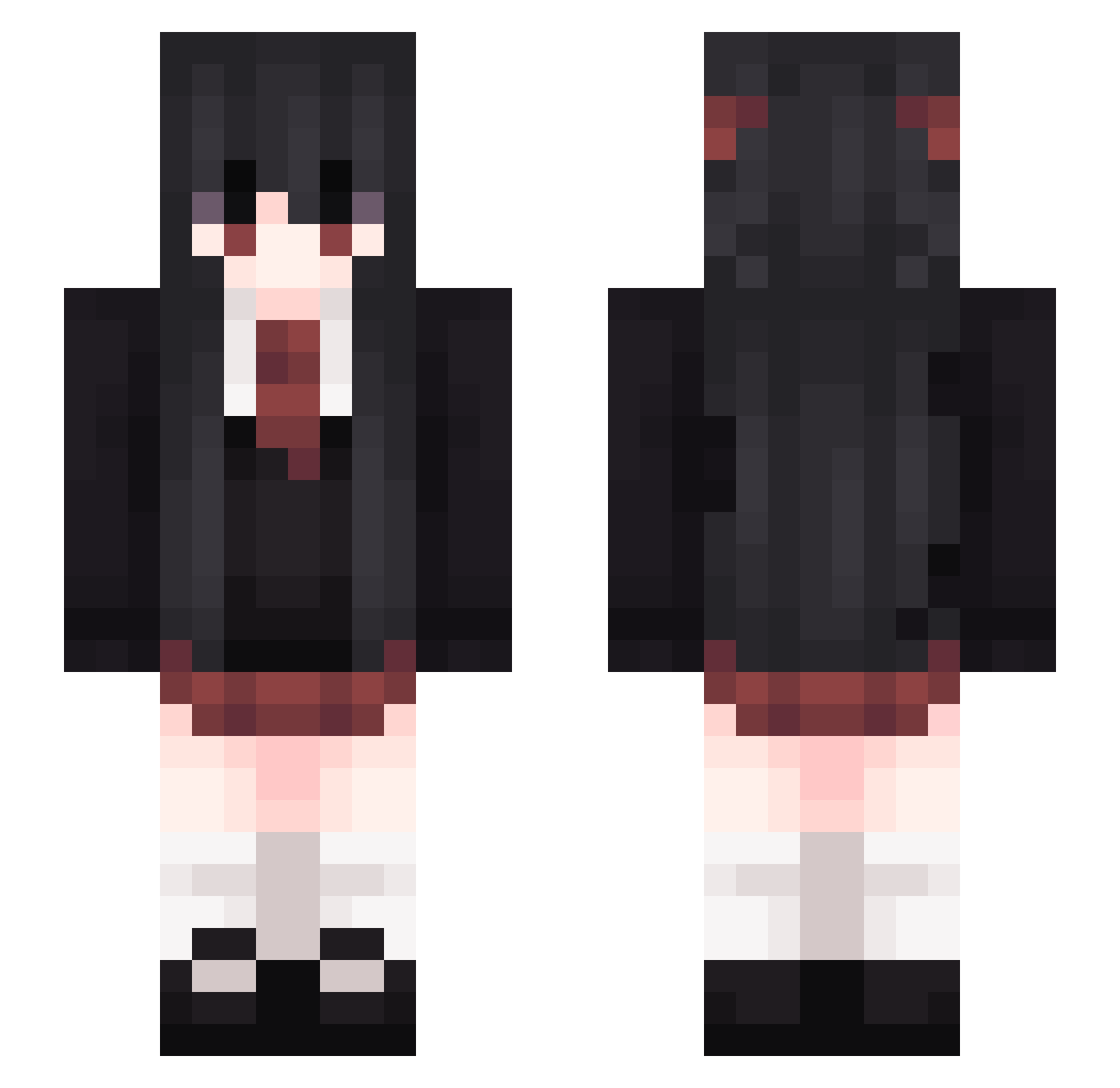
Current Minecraft skin of the player KLgiao_, loaded from the official Mojang API. Rotate the 3D model with your mouse or finger, then download the skin as a PNG file and use it in Minecraft: Bedrock Edition or Java Edition for free. When KLgiao_ changes their skin, this page updates automatically and the old skin stays in the history below.
Other players with this skin (265)
KLgiao_ was the 232nd player we have seen with this skin, first spotted on 18.10.2026. The same skin was seen on these players. Open a nickname to see their current skin and skin history.
 Aezia kunkun11451 BlexischeVero plokka FiniteArrow msfconsole666 GJ_NA PavelChugunoff EL3CTR0N_ SNOTTYRHYTHM Puzzles119 Hayypix HugeAttic Oni_Oragami MomoraMola Craft_yumi Naily0042 LieutenantLivid Icemaker3000 itaekun Changwook Betyld sweetlamb ketiket0100 bbrightvc0 Assassin_Bertram ninarlathotep Folatalmi cimsss Fujihinaaa Aier013 kinoa11 Hespyrn 3phemerae Azurena1 SmokedShake M_EON S_Nr sobczyk_ NotGreggopants Aikatt Nsui WhiteTime yunayuni WaiAmI Aline_qKHXNV_2j9 30333200 metoron NightrayML GingerC71 Kalininskaja Acacia99 mikanlover BlueCMeth QQEat TakelyOvO Stunstark Profzessor miyuponia Sakaki2020
More School Uniform Minecraft skins
See all 6652 School Uniform skins
How to install the KLgiao_ skin
- Press the Download button above to save the skin as a PNG file.
- Minecraft: Bedrock Edition (PE): open the Dressing Room from the main menu (or tap your character → Edit Character), go to Classic Skins → Owned, press the + (new skin) button, choose the downloaded PNG and pick the Slim (Alex) model. Works on PC and mobile; consoles cannot import custom skins.
- Minecraft: Java Edition: open the Minecraft Launcher, go to the Skins tab, click New Skin, load the PNG, pick the Slim (Alex) model and press Save & Use. You can also upload it at minecraft.net → Profile → Change Skin.
The skin does not show up after import - what should I do?
Restart Minecraft and open the Dressing Room again - imported skins sometimes appear only after a restart. Also make sure you selected the imported skin and picked the Slim (Alex) model.
Which model should I choose, Classic or Slim?
This skin is designed for the Slim (Alex) model. If you pick the wrong model, the arms of the skin will look stretched or squeezed.
Is the skin of KLgiao_ free to download?
Yes. Press Download, save the PNG file and use it in Minecraft: Bedrock Edition or Java Edition - no payment or registration needed. The skin also works on multiplayer servers and Realms.
More skins
Looking for more? Go back to all Minecraft skins and check the top skins of the week, month and all time, or find any player's skin by nickname.