
KIG_DerpyDave - Minecraft Skins & Skin History
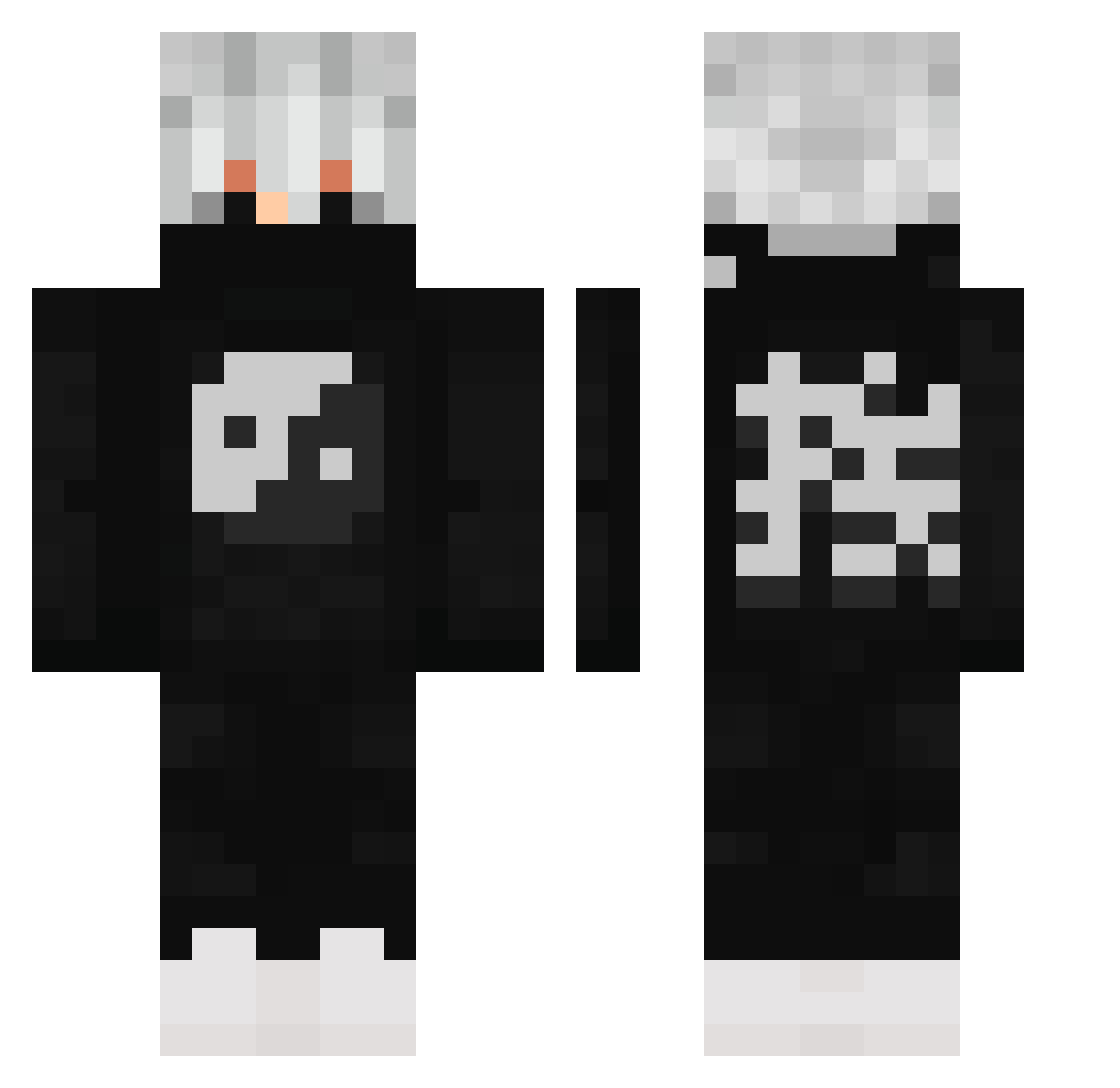
Current Minecraft skin of the player KIG_DerpyDave, loaded from the official Mojang API. Rotate the 3D model with your mouse or finger, then download the skin as a PNG file and use it in Minecraft: Bedrock Edition or Java Edition for free. When KIG_DerpyDave changes their skin, this page updates automatically and the old skin stays in the history below.
Other players with this skin (504)
KIG_DerpyDave was the 219th player we have seen with this skin, first spotted on 06.09.2026. The same skin was seen on these players. Open a nickname to see their current skin and skin history.
 QuangNg0901 Nungo11 Guenterian Kit_Kaa Dragopayrusc Blanket2022 KelnoO nectar845 bla12332 Sebastian_Shelby Diablosco KRZH10 Orbita_YT RoloffKek Minifigur Bruvman127 Artem22800555 Zdogy Flamecaster101 J4ku8 PopeNope Syntopii YTRyzox jeklol KlosteinLP2 cinges M4tthew17 FollinYT MatsLvsyou RainbowLox101 1Hitsu NIGHTSKYlol BLAKOSSAURO Peter88123 Conen Noob0285 kmoney63 Mijashiro Kooldan___ geezlewis lonely_24 The_og_dog NLAlmightyBrim timboslice0181 Mr_cristian12 MagnusTheLostMan TreAx_MC
 Ivhu DiegoLeozin NoseRingz ZACKYNIM Siltoraz Cyprysss Zhengsler DIGBUILD2014 Mctickles LuckySlayingLuc Ducky_Gaming69 gamergirl1511 isl_moh
More Yin Yang Minecraft skins
How to install the KIG_DerpyDave skin
- Press the Download button above to save the skin as a PNG file.
- Minecraft: Bedrock Edition (PE): open the Dressing Room from the main menu (or tap your character → Edit Character), go to Classic Skins → Owned, press the + (new skin) button, choose the downloaded PNG and pick the Classic (Steve) model. Works on PC and mobile; consoles cannot import custom skins.
- Minecraft: Java Edition: open the Minecraft Launcher, go to the Skins tab, click New Skin, load the PNG, pick the Classic (Steve) model and press Save & Use. You can also upload it at minecraft.net → Profile → Change Skin.
The skin does not show up after import - what should I do?
Restart Minecraft and open the Dressing Room again - imported skins sometimes appear only after a restart. Also make sure you selected the imported skin and picked the Classic (Steve) model.
Which model should I choose, Classic or Slim?
This skin is designed for the Classic (Steve) model. If you pick the wrong model, the arms of the skin will look stretched or squeezed.
Is the skin of KIG_DerpyDave free to download?
Yes. Press Download, save the PNG file and use it in Minecraft: Bedrock Edition or Java Edition - no payment or registration needed. The skin also works on multiplayer servers and Realms.
More skins
Looking for more? Go back to all Minecraft skins and check the top skins of the week, month and all time, or find any player's skin by nickname.