
KIDWEST - Minecraft Skins & Skin History
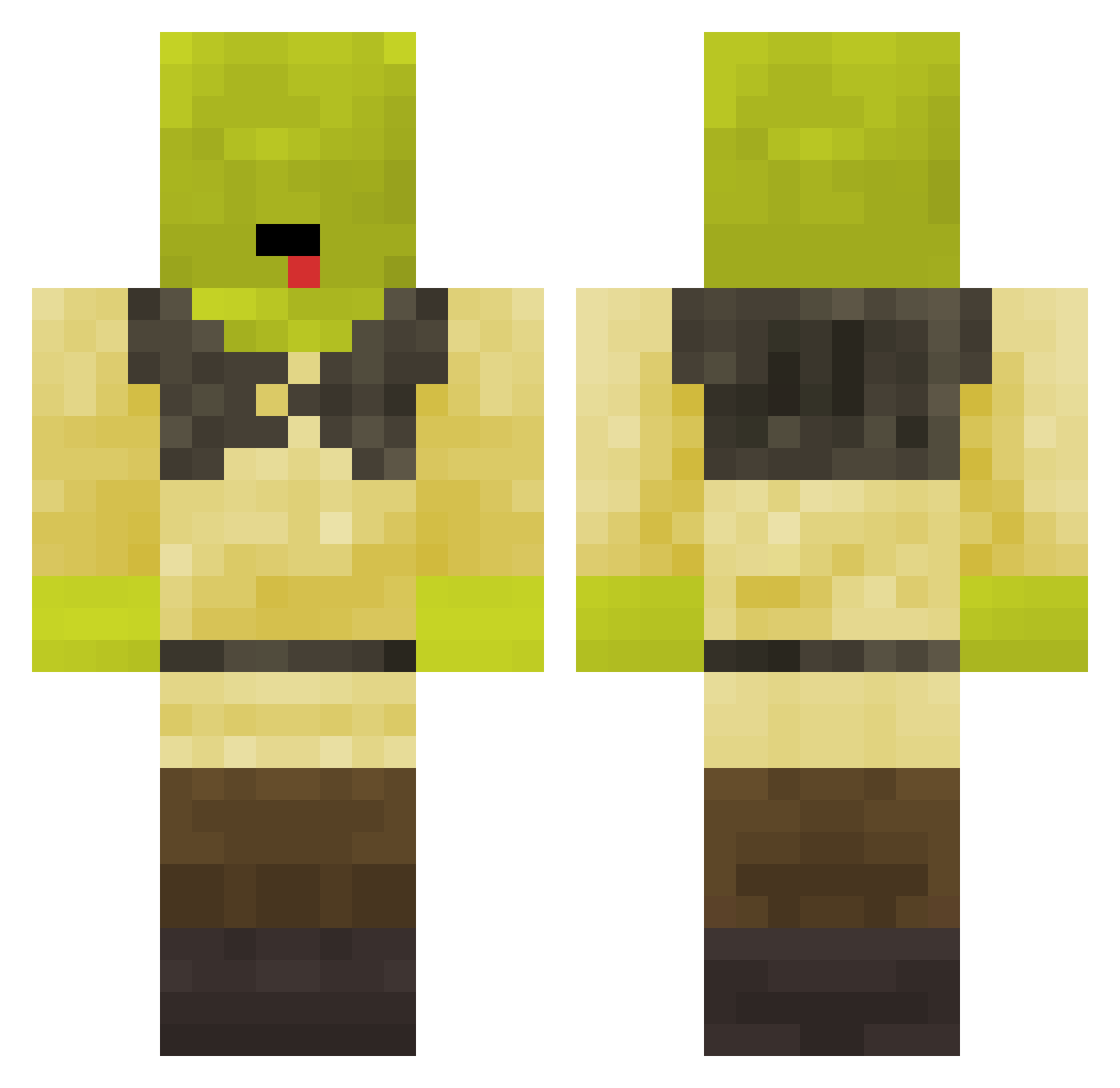
Current Minecraft skin of the player KIDWEST, loaded from the official Mojang API. Rotate the 3D model with your mouse or finger, then download the skin as a PNG file and use it in Minecraft: Bedrock Edition or Java Edition for free. When KIDWEST changes their skin, this page updates automatically and the old skin stays in the history below.
Other players with this skin (115)
KIDWEST was the 58th player we have seen with this skin, first spotted on 22.09.2026. The same skin was seen on these players. Open a nickname to see their current skin and skin history.
 DiDi_4 FaisalM DavidThomsen LeandroSan3 Miriamvvv scyces Thecirclepeace Draschenn cupidly4 shrekplaysmc Oh_Goodness Toby1kanobi Splay28 LuizinQuimicoMal BluntFork _sadly kyd03n wallahbruur Gazelito blkfriedchick LemonMyWater _Netheri_ TBNR_leamyb Elisaff Quetton RobieSzum Roosterman_1 godkingaim AlacTic DNYwhut markisaev2016 Kikosi maselko129 ItzAlexz05 odsAcid BlowinJoe namtung_ Trovern redifex1 Chris_214 Ayano_XD Dominujacy_Grzes MURZIKSHREK docjamm Rentmice zMurzik DeBananaBoi JettStreamSam hawkman82 kacie_monkey Kp0gep GandalfOnCrack Ben170511 DeanyBoo MonsieurFlop Javicm Taha4live TheLikeGT Sebaxv_ MathisOxO
More Shrek Minecraft skins
How to install the KIDWEST skin
- Press the Download button above to save the skin as a PNG file.
- Minecraft: Bedrock Edition (PE): open the Dressing Room from the main menu (or tap your character → Edit Character), go to Classic Skins → Owned, press the + (new skin) button, choose the downloaded PNG and pick the Classic (Steve) model. Works on PC and mobile; consoles cannot import custom skins.
- Minecraft: Java Edition: open the Minecraft Launcher, go to the Skins tab, click New Skin, load the PNG, pick the Classic (Steve) model and press Save & Use. You can also upload it at minecraft.net → Profile → Change Skin.
The skin does not show up after import - what should I do?
Restart Minecraft and open the Dressing Room again - imported skins sometimes appear only after a restart. Also make sure you selected the imported skin and picked the Classic (Steve) model.
Which model should I choose, Classic or Slim?
This skin is designed for the Classic (Steve) model. If you pick the wrong model, the arms of the skin will look stretched or squeezed.
Is the skin of KIDWEST free to download?
Yes. Press Download, save the PNG file and use it in Minecraft: Bedrock Edition or Java Edition - no payment or registration needed. The skin also works on multiplayer servers and Realms.
More skins
Looking for more? Go back to all Minecraft skins and check the top skins of the week, month and all time, or find any player's skin by nickname.