
KALEB_K - Minecraft Skins & Skin History
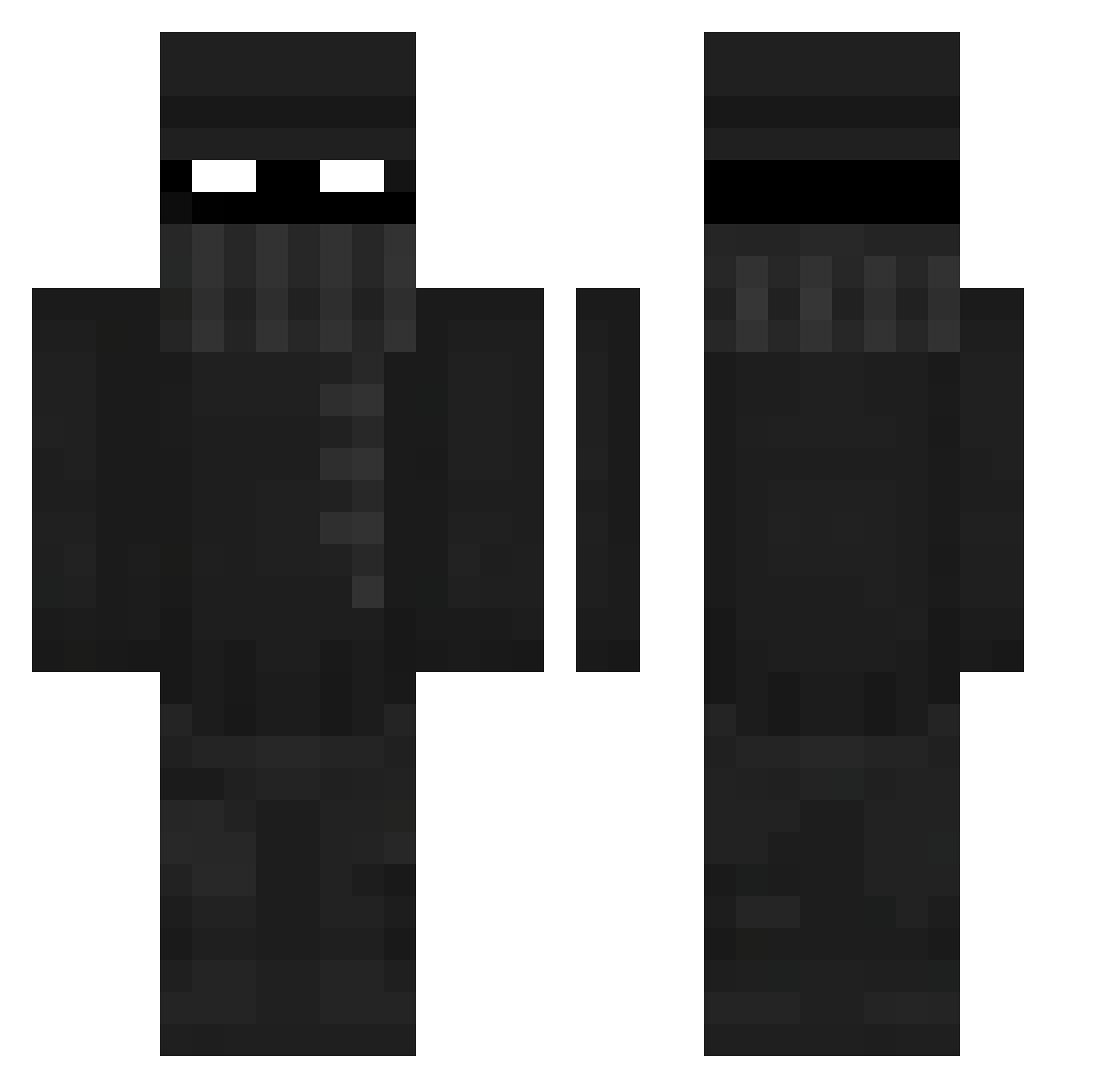
Current Minecraft skin of the player KALEB_K, loaded from the official Mojang API. Rotate the 3D model with your mouse or finger, then download the skin as a PNG file and use it in Minecraft: Bedrock Edition or Java Edition for free. When KALEB_K changes their skin, this page updates automatically and the old skin stays in the history below.
Other players with this skin (413)
KALEB_K was the 294th player we have seen with this skin, first spotted on 13.10.2026. The same skin was seen on these players. Open a nickname to see their current skin and skin history.
 yazmc Fivezz ahtijack LuLuFlick VILADEGUT06 itsKyubii GloomySky_ IyedHannafi BlackMamba19698 Bing_Chillinnn Dark_Knowledge Sacrive cliffyocean2923 HBMxKING beardedbird777 Munex03 HammerTime96 c0ldramen__ jshm5 CarryTheTooli FreeDogWater747 yeeahn nicogozi JoryJes2 Jeffdadew lPaulin Biem_Bam qMuz DaMiilo DJBeetush RerollFunk Kevin11259 crispyfunyun YourFather18 KingMaxi19 Hercan IamworstXd69 syncified Somchii SugarPeanuts Bannamuffin Joe_Smythe1824 Covincted FsDark ehyt58 Karamsarrr Jetski_Hi yzzilb Mr_sparklepants7 Tmp40 Azalbert98 TheVree jahGzzz zSnxpz09 LIKTriks AZMythic 21Rick therealwisp Painkillers kingvab99
More Robber Minecraft skins
How to install the KALEB_K skin
- Press the Download button above to save the skin as a PNG file.
- Minecraft: Bedrock Edition (PE): open the Dressing Room from the main menu (or tap your character → Edit Character), go to Classic Skins → Owned, press the + (new skin) button, choose the downloaded PNG and pick the Classic (Steve) model. Works on PC and mobile; consoles cannot import custom skins.
- Minecraft: Java Edition: open the Minecraft Launcher, go to the Skins tab, click New Skin, load the PNG, pick the Classic (Steve) model and press Save & Use. You can also upload it at minecraft.net → Profile → Change Skin.
The skin does not show up after import - what should I do?
Restart Minecraft and open the Dressing Room again - imported skins sometimes appear only after a restart. Also make sure you selected the imported skin and picked the Classic (Steve) model.
Which model should I choose, Classic or Slim?
This skin is designed for the Classic (Steve) model. If you pick the wrong model, the arms of the skin will look stretched or squeezed.
Is the skin of KALEB_K free to download?
Yes. Press Download, save the PNG file and use it in Minecraft: Bedrock Edition or Java Edition - no payment or registration needed. The skin also works on multiplayer servers and Realms.
More skins
Looking for more? Go back to all Minecraft skins and check the top skins of the week, month and all time, or find any player's skin by nickname.