
K3rb3ru5K4y - Minecraft Skins & Skin History
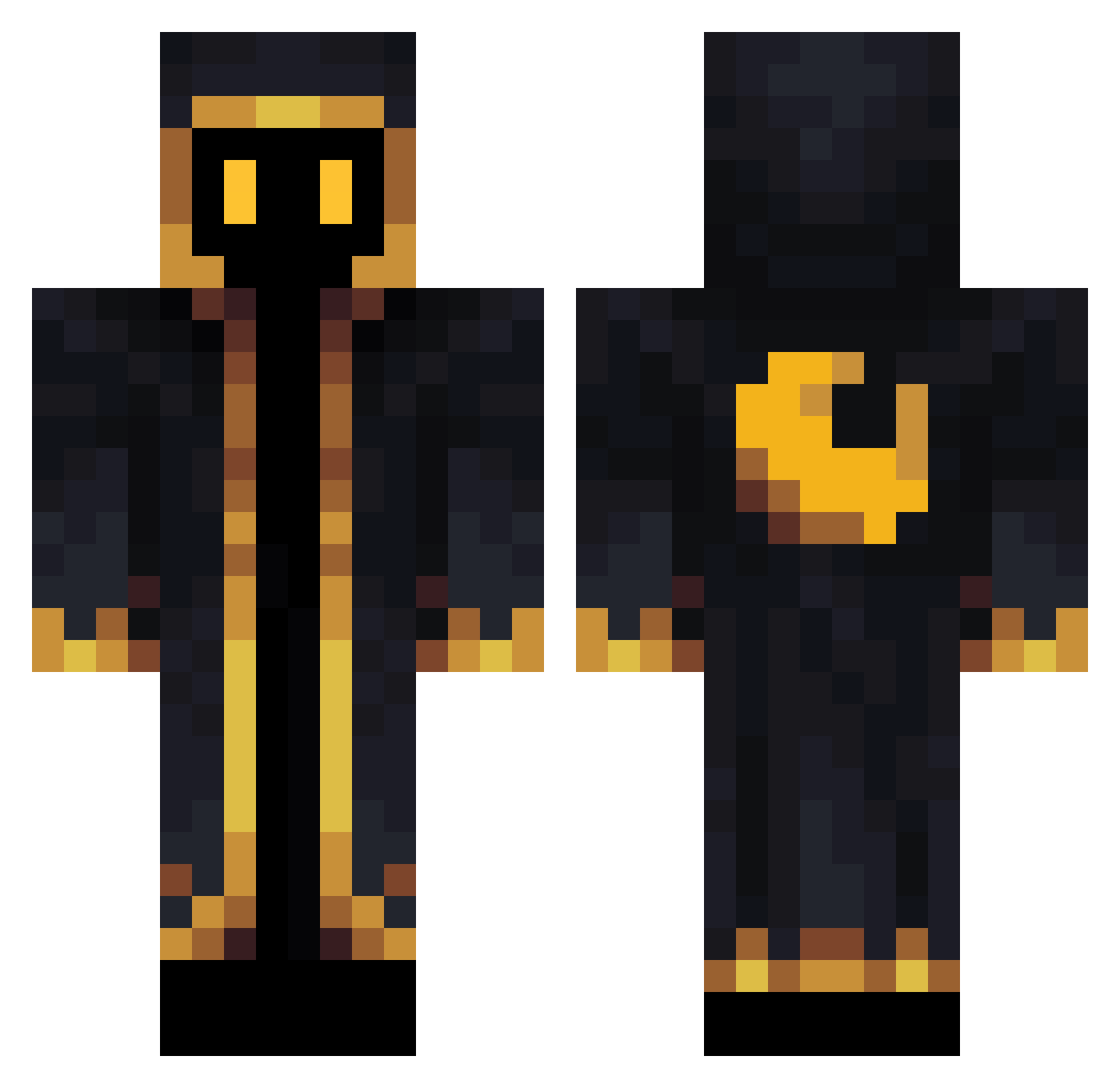
Current Minecraft skin of the player K3rb3ru5K4y, loaded from the official Mojang API. Rotate the 3D model with your mouse or finger, then download the skin as a PNG file and use it in Minecraft: Bedrock Edition or Java Edition for free. When K3rb3ru5K4y changes their skin, this page updates automatically and the old skin stays in the history below.
Other players with this skin (340)
K3rb3ru5K4y was the 178th player we have seen with this skin, first spotted on 19.09.2026. The same skin was seen on these players. Open a nickname to see their current skin and skin history.
 UnionCube Country379 ScorpioSpirit dadegraf lok1905 federicxx Vannden SinyxFR lorenzoglen DPSGulag sygood5922 D_S_F Cpt_Barboza lXZAYER Heibert TYMYT Orion0812 EduTacticoXd Siegie shadow290807 TKlevent Astral_Wanderer Midoriya_Uchiha jay_idtech guerreiro_azul TurtleTrix Tytalus JuampiLuke Blacktf brave_salvere d3eti Leaodroid S005eli kazukuma90 MinXz Mr_Spermos TheFirstOracle Kimhor TheToXa_ malicehehe Yevor02 Incorrupt Aradot1Q Sigma_R1kster psychopomp215 May50356 b4ran31 _GoldL alexgettup Faultydust FuzzMouse TenToxi Eeth_ Kalleus Pie_2018 Demon_97 BaBaBoEyCZ DemS_kek yanen0 vNILSv
More Cultist Minecraft skins
How to install the K3rb3ru5K4y skin
- Press the Download button above to save the skin as a PNG file.
- Minecraft: Bedrock Edition (PE): open the Dressing Room from the main menu (or tap your character → Edit Character), go to Classic Skins → Owned, press the + (new skin) button, choose the downloaded PNG and pick the Classic (Steve) model. Works on PC and mobile; consoles cannot import custom skins.
- Minecraft: Java Edition: open the Minecraft Launcher, go to the Skins tab, click New Skin, load the PNG, pick the Classic (Steve) model and press Save & Use. You can also upload it at minecraft.net → Profile → Change Skin.
The skin does not show up after import - what should I do?
Restart Minecraft and open the Dressing Room again - imported skins sometimes appear only after a restart. Also make sure you selected the imported skin and picked the Classic (Steve) model.
Which model should I choose, Classic or Slim?
This skin is designed for the Classic (Steve) model. If you pick the wrong model, the arms of the skin will look stretched or squeezed.
Is the skin of K3rb3ru5K4y free to download?
Yes. Press Download, save the PNG file and use it in Minecraft: Bedrock Edition or Java Edition - no payment or registration needed. The skin also works on multiplayer servers and Realms.
More skins
Looking for more? Go back to all Minecraft skins and check the top skins of the week, month and all time, or find any player's skin by nickname.