
K1ngVaughn - Minecraft Skins & Skin History
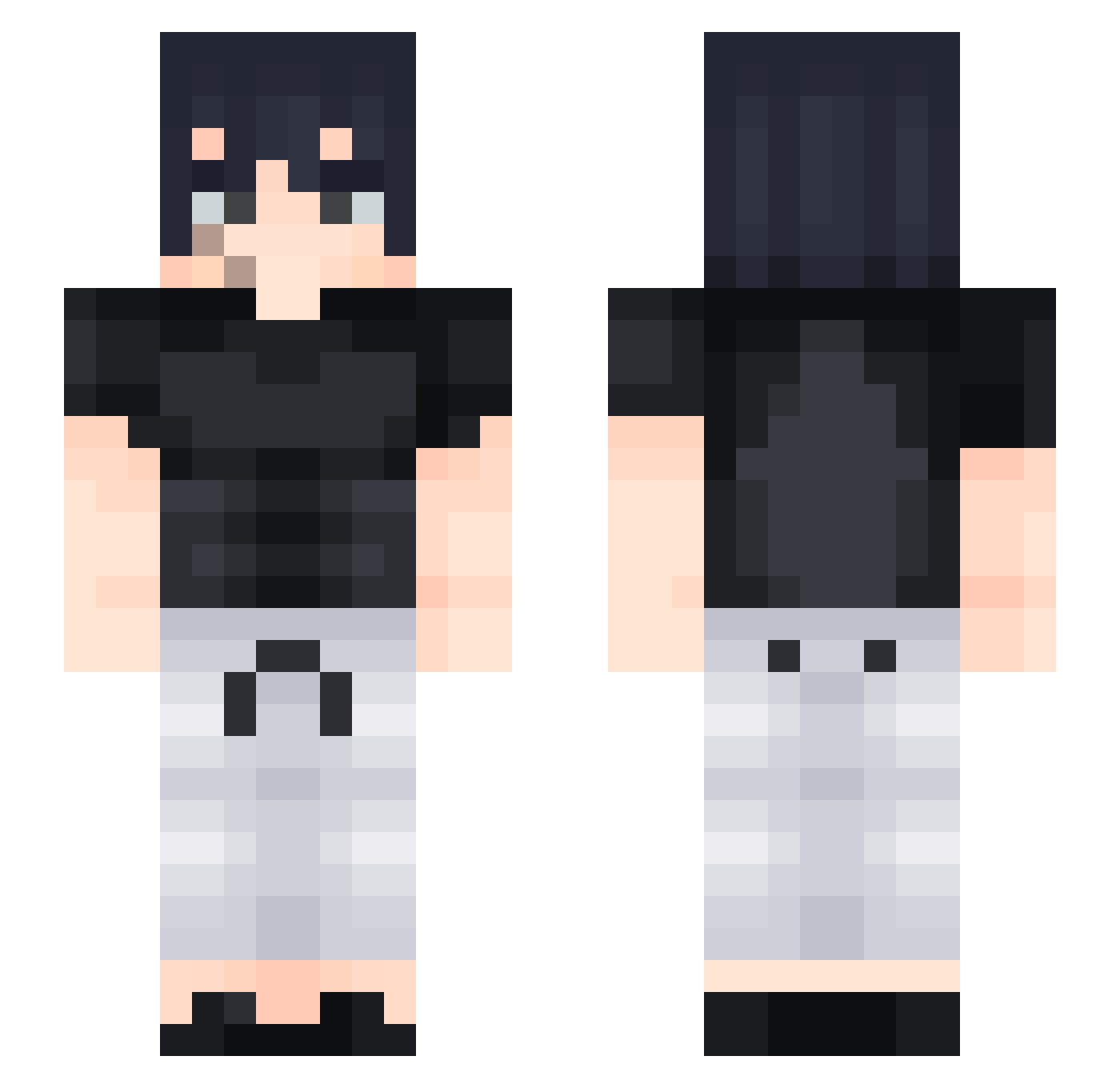
Current Minecraft skin of the player K1ngVaughn, loaded from the official Mojang API. Rotate the 3D model with your mouse or finger, then download the skin as a PNG file and use it in Minecraft: Bedrock Edition or Java Edition for free. When K1ngVaughn changes their skin, this page updates automatically and the old skin stays in the history below.
Other players with this skin (512)
K1ngVaughn was the 507th player we have seen with this skin, first spotted on 18.11.2026. The same skin was seen on these players. Open a nickname to see their current skin and skin history.
 Sonofwhite Marciakeke Mora7955 nachoma2006 DARK_VIDER alexgarcia19__ Tinoco1501 Alkoholkind LlTocino QaXcY bxnyxn the4kraken darkjhony Spiven12 00Snozy DefaultAssassin sceron HaTeGame ryuhotoji Takeshi16 lFallzy wademan001 Diablooder Skremax elemerese TeemooSoe SU_Ball MrLam4ik S3NTI3 Herlockk MrLonelinessz OlmusLog KingLuarcy ItsSasari Azana93 Drags22 TojiFushiguro03 Dionysos05 zShinho_ MonsterNoob04 Vampydud Tomoyo_daidoji Thakon Metoo66 TheBigB19 0022UltraSmooth grings28 Ragnarok2006 skihigh999 XxS4RxX sss22o Ezequiel0511 Zakriz NoiceGamer50 coelho221 AlfaSprite fritz_bp Arthur1203 RoMeoJ1 Rykouuu
More Sasuke Uchiha Minecraft skins
See all 843 Sasuke Uchiha skins
How to install the K1ngVaughn skin
- Press the Download button above to save the skin as a PNG file.
- Minecraft: Bedrock Edition (PE): open the Dressing Room from the main menu (or tap your character → Edit Character), go to Classic Skins → Owned, press the + (new skin) button, choose the downloaded PNG and pick the Slim (Alex) model. Works on PC and mobile; consoles cannot import custom skins.
- Minecraft: Java Edition: open the Minecraft Launcher, go to the Skins tab, click New Skin, load the PNG, pick the Slim (Alex) model and press Save & Use. You can also upload it at minecraft.net → Profile → Change Skin.
The skin does not show up after import - what should I do?
Restart Minecraft and open the Dressing Room again - imported skins sometimes appear only after a restart. Also make sure you selected the imported skin and picked the Slim (Alex) model.
Which model should I choose, Classic or Slim?
This skin is designed for the Slim (Alex) model. If you pick the wrong model, the arms of the skin will look stretched or squeezed.
Is the skin of K1ngVaughn free to download?
Yes. Press Download, save the PNG file and use it in Minecraft: Bedrock Edition or Java Edition - no payment or registration needed. The skin also works on multiplayer servers and Realms.
More skins
Looking for more? Go back to all Minecraft skins and check the top skins of the week, month and all time, or find any player's skin by nickname.