
JustYoloo - Minecraft Skins & Skin History
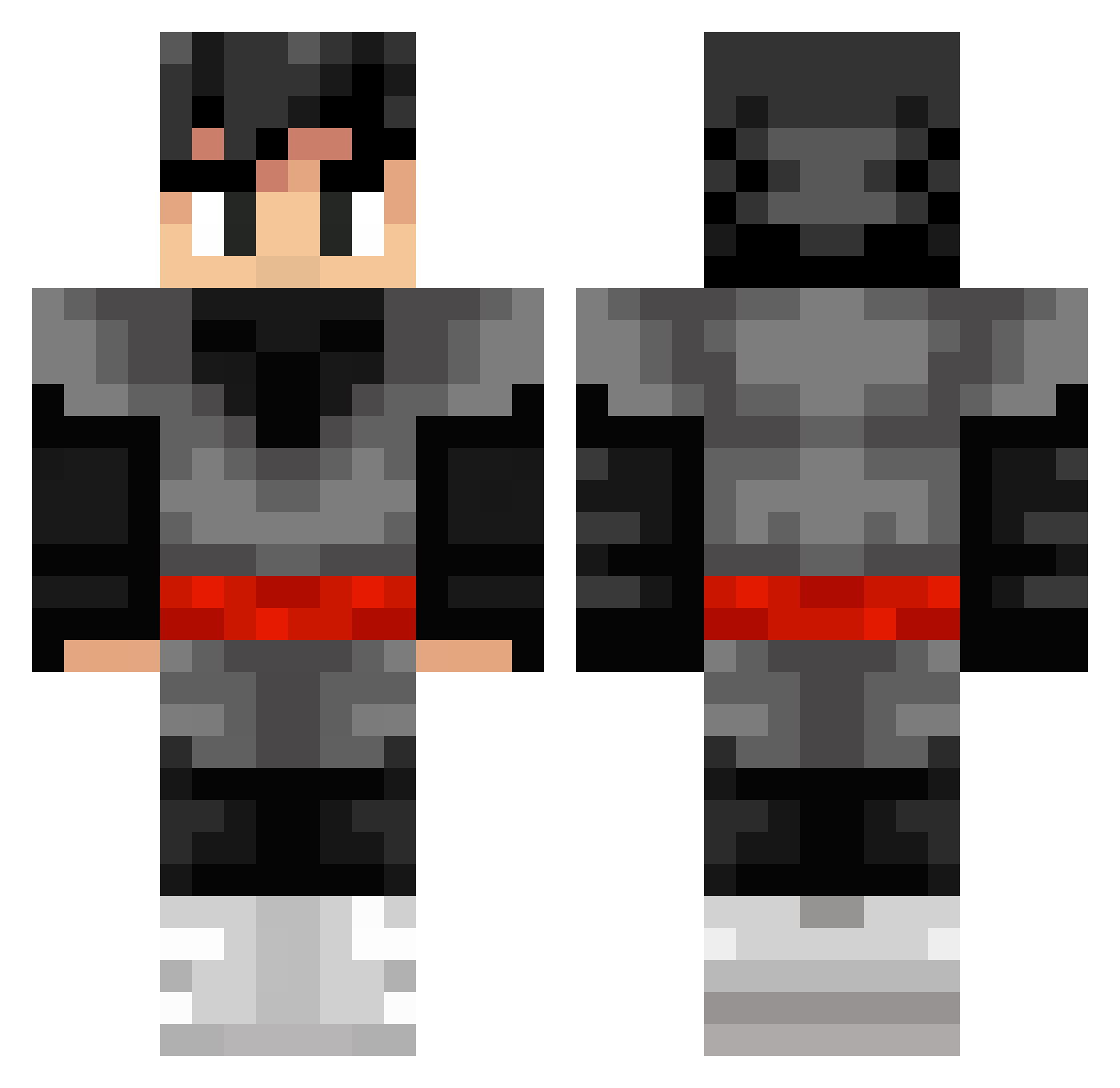
Current Minecraft skin of the player JustYoloo, loaded from the official Mojang API. Rotate the 3D model with your mouse or finger, then download the skin as a PNG file and use it in Minecraft: Bedrock Edition or Java Edition for free. When JustYoloo changes their skin, this page updates automatically and the old skin stays in the history below.
Other players with this skin (253)
JustYoloo was the 103rd player we have seen with this skin, first spotted on 28.08.2026. The same skin was seen on these players. Open a nickname to see their current skin and skin history.
 YissusRP LordAlchemist Bx_rpj94 IvanR10 xwk147 Icynic11 MojoW040 ArkBuddha32 Toun_s Utrillaa mullerman21 Mysterblood Holzklopper oo66 FrostPC 5mall Speyzo akkk hvorforikke dongKfang2
 FOXY1735 Yo_Ky GetEvilEyeClient Daken_Prince K1DABEAST _TheLegitimate Gryderet 203p Benjvmin_ CreepAni233 Ravioil Warden_X12 Exteo tiita3950 SnowflakeFalling sphack2322 Astro__not FAL127 Qaz7418596 Whitedoc Aunpyz Matheus32 KamoteAko
 Kyeicks TensionsXD Nightruu KingsleyLyu slime3618 erligeglad Mr_Szero Kyeiok alexshark007 IceBlaze_ Obulisk fowler04 LaicraM96 Lahnechh2 eerki UnfairQinShuJuan Bichoco_
More Goku Black Minecraft skins
How to install the JustYoloo skin
- Press the Download button above to save the skin as a PNG file.
- Minecraft: Bedrock Edition (PE): open the Dressing Room from the main menu (or tap your character → Edit Character), go to Classic Skins → Owned, press the + (new skin) button, choose the downloaded PNG and pick the Classic (Steve) model. Works on PC and mobile; consoles cannot import custom skins.
- Minecraft: Java Edition: open the Minecraft Launcher, go to the Skins tab, click New Skin, load the PNG, pick the Classic (Steve) model and press Save & Use. You can also upload it at minecraft.net → Profile → Change Skin.
The skin does not show up after import - what should I do?
Restart Minecraft and open the Dressing Room again - imported skins sometimes appear only after a restart. Also make sure you selected the imported skin and picked the Classic (Steve) model.
Which model should I choose, Classic or Slim?
This skin is designed for the Classic (Steve) model. If you pick the wrong model, the arms of the skin will look stretched or squeezed.
Is the skin of JustYoloo free to download?
Yes. Press Download, save the PNG file and use it in Minecraft: Bedrock Edition or Java Edition - no payment or registration needed. The skin also works on multiplayer servers and Realms.
More skins
Looking for more? Go back to all Minecraft skins and check the top skins of the week, month and all time, or find any player's skin by nickname.