
JustFedya - Minecraft Skins & Skin History
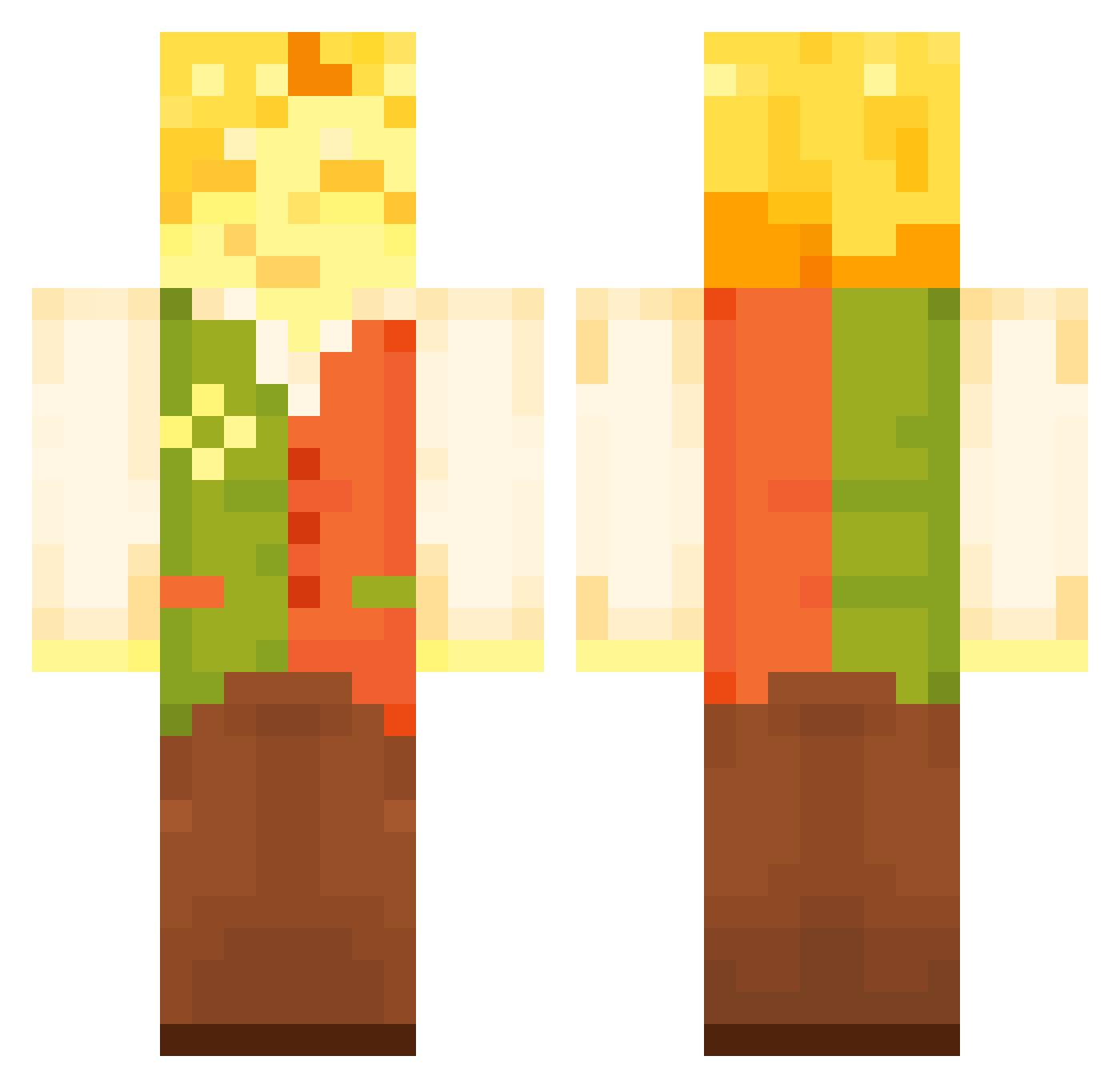
Current Minecraft skin of the player JustFedya, loaded from the official Mojang API. Rotate the 3D model with your mouse or finger, then download the skin as a PNG file and use it in Minecraft: Bedrock Edition or Java Edition for free. When JustFedya changes their skin, this page updates automatically and the old skin stays in the history below.
Other players with this skin (116)
JustFedya was the 37th player we have seen with this skin, first spotted on 23.08.2026. The same skin was seen on these players. Open a nickname to see their current skin and skin history.
 dimple_mob tomskidot Booser599 grubsoil
 Deteroo
 necoarcfan_
 WyLL_ nuggetbucket166 IndigoFindsOut
 Wexi4089_
 heartifieq DaMonkeyz Dayeetreeus Dorime42 Ghosty1981
 OrpheusP P0T4T0BO1 IAteTheHole lidvid MoonDroid Wolep_2
 MrMuzip TiresomeUV Malomar13 PlumbusMast3rXD Gast0 Breakfast___ Coooolskeleton95 cheesevxburger pezbread zaninim PyroUa WhEthan8 TPJ_
 Leeraptor
 Lucatrocity Jump_Immortal AmpDrew PurpleRelic6222 Qualier MikiTB
 Rani3013 italyitself Ursinho_Pimpao
 NatanieI DanTheBestDan frenchfryeboy tank1nator Mauvery BlueFire2014 xndrq
 suwrfs YelpRetro Quilieaf Webcm hallon318 Cwm201024 _dzery Elipuffo NiceYun
More Flowers Minecraft skins
How to install the JustFedya skin
- Press the Download button above to save the skin as a PNG file.
- Minecraft: Bedrock Edition (PE): open the Dressing Room from the main menu (or tap your character → Edit Character), go to Classic Skins → Owned, press the + (new skin) button, choose the downloaded PNG and pick the Classic (Steve) model. Works on PC and mobile; consoles cannot import custom skins.
- Minecraft: Java Edition: open the Minecraft Launcher, go to the Skins tab, click New Skin, load the PNG, pick the Classic (Steve) model and press Save & Use. You can also upload it at minecraft.net → Profile → Change Skin.
The skin does not show up after import - what should I do?
Restart Minecraft and open the Dressing Room again - imported skins sometimes appear only after a restart. Also make sure you selected the imported skin and picked the Classic (Steve) model.
Which model should I choose, Classic or Slim?
This skin is designed for the Classic (Steve) model. If you pick the wrong model, the arms of the skin will look stretched or squeezed.
Is the skin of JustFedya free to download?
Yes. Press Download, save the PNG file and use it in Minecraft: Bedrock Edition or Java Edition - no payment or registration needed. The skin also works on multiplayer servers and Realms.
More skins
Looking for more? Go back to all Minecraft skins and check the top skins of the week, month and all time, or find any player's skin by nickname.