
Juquiza - Minecraft Skins & Skin History
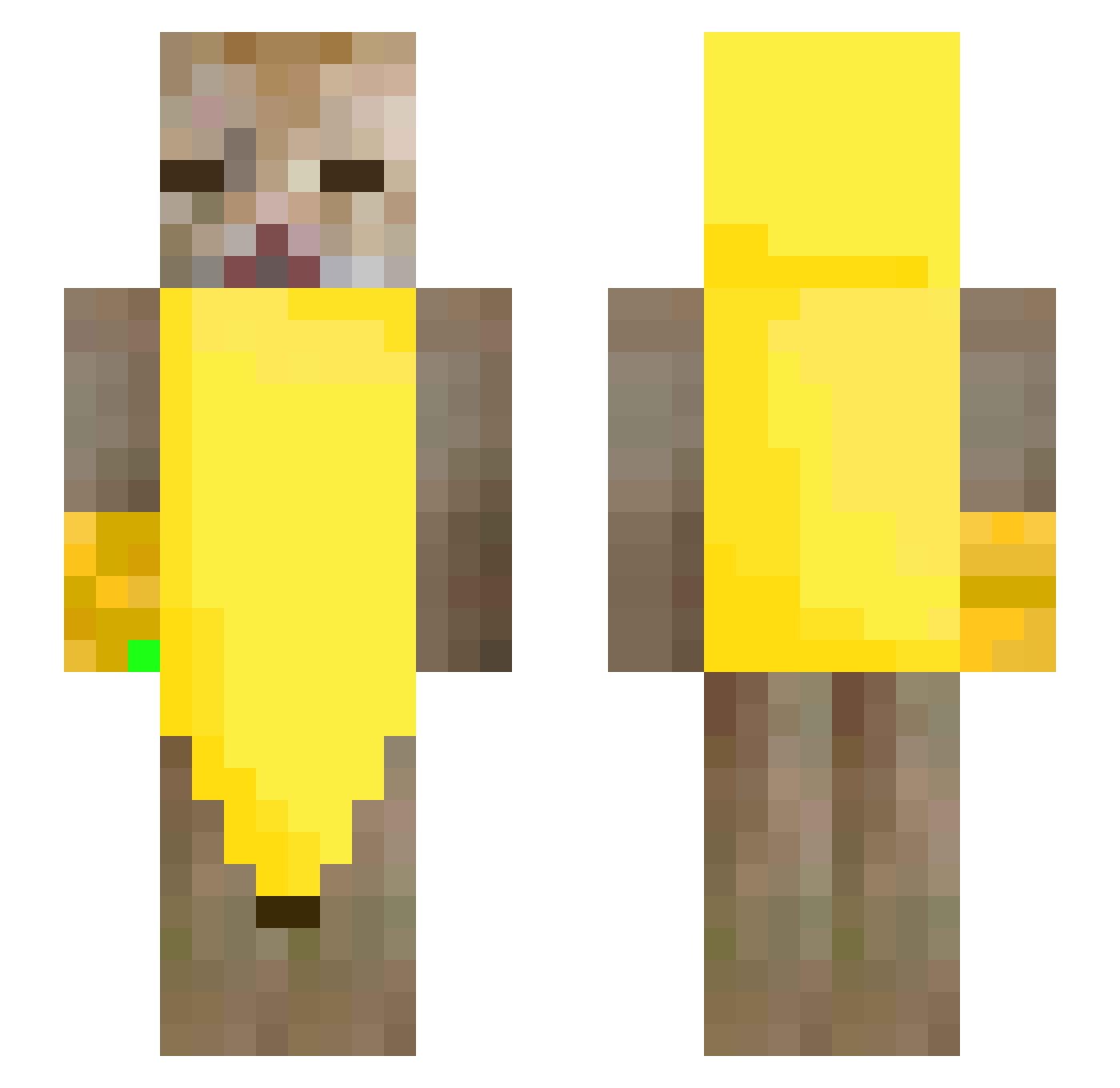
Current Minecraft skin of the player Juquiza, loaded from the official Mojang API. Rotate the 3D model with your mouse or finger, then download the skin as a PNG file and use it in Minecraft: Bedrock Edition or Java Edition for free. When Juquiza changes their skin, this page updates automatically and the old skin stays in the history below.
Other players with this skin (247)
Juquiza was the 127th player we have seen with this skin, first spotted on 16.09.2026. The same skin was seen on these players. Open a nickname to see their current skin and skin history.
 thasup_00_ LimPDizZ suezue 31Oct thetismcreature Chupiplum2 ShibaDodu xejks Kynxkiii martinfsx sheigetsu_ jabaq tarifa32DG_ MatuGor Eingaep itsnotmeitsu Aluros CHUP3TE juunewyorked veatii archivisrte VergatronUwU_z XiaoBoro WyvernTears Featheringit _yukino_qwq T1Hisoka Kumiku_s psilyrogue mokomugi OuOMiyaOuO FaZe_cichy zacChoi rubberducks07 pongpoo7 athxo shapes51 YumiiTumii Blxnde Dominox_KOX Anastazja2190 Tokincho11 67labubusigma sapoarmado8 azaleeeeee CHOIJUNGHUN ptsn711 escopilla777 Andreas7633 Cragz1x PizzaPro152 Helldemon2091 quannn1126 thepianocat SquarishDeer378 Bugrahannn go_fish_ yawnzzz_ LaPotoko1 re_one_e
More Banana Minecraft skins
How to install the Juquiza skin
- Press the Download button above to save the skin as a PNG file.
- Minecraft: Bedrock Edition (PE): open the Dressing Room from the main menu (or tap your character → Edit Character), go to Classic Skins → Owned, press the + (new skin) button, choose the downloaded PNG and pick the Slim (Alex) model. Works on PC and mobile; consoles cannot import custom skins.
- Minecraft: Java Edition: open the Minecraft Launcher, go to the Skins tab, click New Skin, load the PNG, pick the Slim (Alex) model and press Save & Use. You can also upload it at minecraft.net → Profile → Change Skin.
The skin does not show up after import - what should I do?
Restart Minecraft and open the Dressing Room again - imported skins sometimes appear only after a restart. Also make sure you selected the imported skin and picked the Slim (Alex) model.
Which model should I choose, Classic or Slim?
This skin is designed for the Slim (Alex) model. If you pick the wrong model, the arms of the skin will look stretched or squeezed.
Is the skin of Juquiza free to download?
Yes. Press Download, save the PNG file and use it in Minecraft: Bedrock Edition or Java Edition - no payment or registration needed. The skin also works on multiplayer servers and Realms.
More skins
Looking for more? Go back to all Minecraft skins and check the top skins of the week, month and all time, or find any player's skin by nickname.