
Juniorovsky07 - Minecraft Skins & Skin History
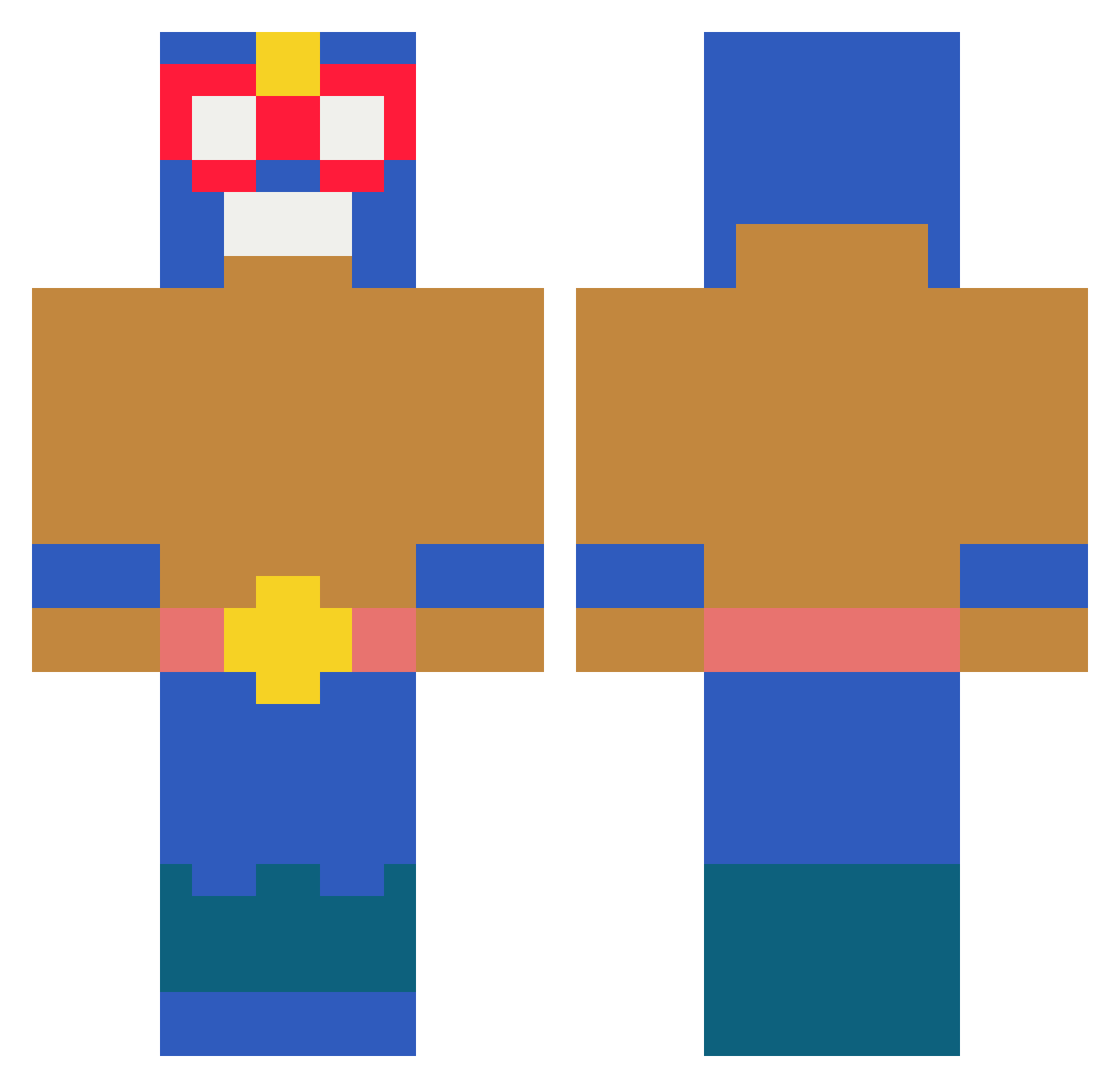
Current Minecraft skin of the player Juniorovsky07, loaded from the official Mojang API. Rotate the 3D model with your mouse or finger, then download the skin as a PNG file and use it in Minecraft: Bedrock Edition or Java Edition for free. When Juniorovsky07 changes their skin, this page updates automatically and the old skin stays in the history below.
Other players with this skin (225)
Juniorovsky07 was the 167th player we have seen with this skin, first spotted on 09.10.2026. The same skin was seen on these players. Open a nickname to see their current skin and skin history.
 Dzban432 Brronek shaneomo Fleemms alikifah accosted Kokisoki Yzhiel ZrFacu fiutsonikosia TuaMadre01 caezonb Damien_Z6 Recilience ByCarlos3e futty1150 Dash0000 Alexander98130 tonnotto Simocadas MtEverest47 86DN SchorttyK Juliusqdh CrazyYuic FatalTheSlayer BeanNcou Noix2coco263804 GAMERMAN80000 Amidomaro jawad_00 smukboss lolipop111 SABINBIN01 pufo08 Tenebrilignum StErNi111321 Matvey4ik_sv binsgod1 yeonjmo rospo_01 LEMUREK132 football_DE kidgambit243 n00bman28Tr Pranshull HydraAyNon zuret00000 Wonjun16 juzonyah Wolo211 siajmon WHENITSUNDAY Deepimpression Dawid__ HandSoap74 ChopstyxV1 PeruvianBoi_ majuaa T3N_Felix
More El Primo Minecraft skins
How to install the Juniorovsky07 skin
- Press the Download button above to save the skin as a PNG file.
- Minecraft: Bedrock Edition (PE): open the Dressing Room from the main menu (or tap your character → Edit Character), go to Classic Skins → Owned, press the + (new skin) button, choose the downloaded PNG and pick the Classic (Steve) model. Works on PC and mobile; consoles cannot import custom skins.
- Minecraft: Java Edition: open the Minecraft Launcher, go to the Skins tab, click New Skin, load the PNG, pick the Classic (Steve) model and press Save & Use. You can also upload it at minecraft.net → Profile → Change Skin.
The skin does not show up after import - what should I do?
Restart Minecraft and open the Dressing Room again - imported skins sometimes appear only after a restart. Also make sure you selected the imported skin and picked the Classic (Steve) model.
Which model should I choose, Classic or Slim?
This skin is designed for the Classic (Steve) model. If you pick the wrong model, the arms of the skin will look stretched or squeezed.
Is the skin of Juniorovsky07 free to download?
Yes. Press Download, save the PNG file and use it in Minecraft: Bedrock Edition or Java Edition - no payment or registration needed. The skin also works on multiplayer servers and Realms.
More skins
Looking for more? Go back to all Minecraft skins and check the top skins of the week, month and all time, or find any player's skin by nickname.