
Jungin98 - Minecraft Skins & Skin History
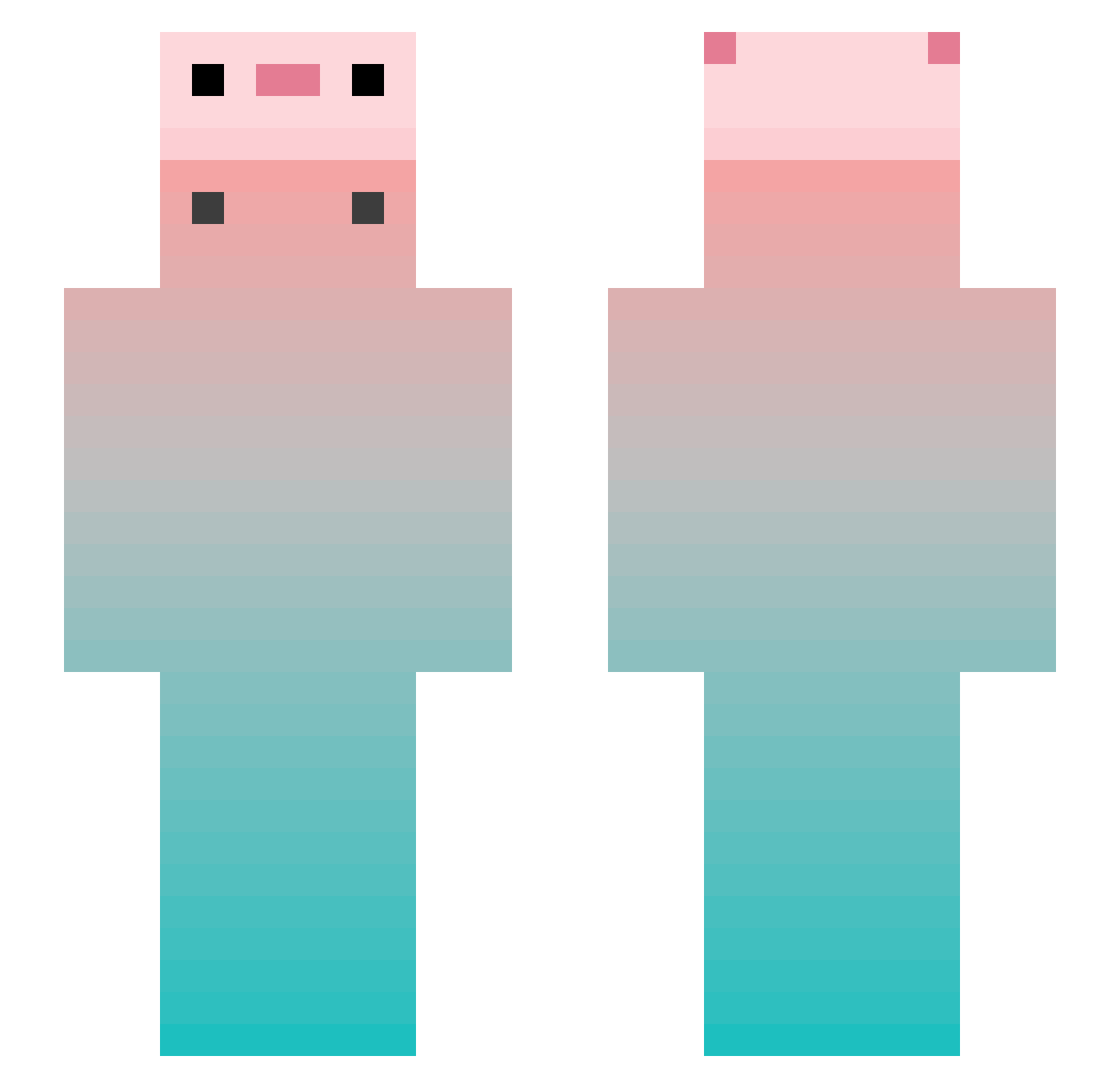
Current Minecraft skin of the player Jungin98, loaded from the official Mojang API. Rotate the 3D model with your mouse or finger, then download the skin as a PNG file and use it in Minecraft: Bedrock Edition or Java Edition for free. When Jungin98 changes their skin, this page updates automatically and the old skin stays in the history below.
Other players with this skin (951)
Jungin98 was the 925th player we have seen with this skin, first spotted on 16.11.2026. The same skin was seen on these players. Open a nickname to see their current skin and skin history.
 Just_Edwin saku0529 Honey262 Stitch_626z KZR_S Semsior420 _serenity_1 STdeep Kamill_H Komun113 trvsandsss BNoTerrorDasPpk ShuiDaJiao_ Drizzy_Blake Albertcyh GodGan1 cosmos_e005 RosySky050523 juancai6 YSLLEE louxiaxiaohei d_doob_b ubwwww ONLYA2877 Daxianyuzi Kaxutoi LureHANAGE shipiderman ZZZG1 mlD0_ Silengore w1steriia KunYeeee cz4863 leiail Dqrf geguuyo moonsice Mizu_07 Yeah_right2021_ HEYIYONG PPuYo__ kimmy5641 NephrolepisX salixtortuosa McQSj503 Rro_ yjvj Pessi_mist_ Ypppp_ monstarlive kellyn424 Jiyuqi Lianuell MCguojjj PotatoChipsBOy Yallsss NPC_qqh_Z YSXH000 BigBaby1_1
More Gradient Minecraft skins
How to install the Jungin98 skin
- Press the Download button above to save the skin as a PNG file.
- Minecraft: Bedrock Edition (PE): open the Dressing Room from the main menu (or tap your character → Edit Character), go to Classic Skins → Owned, press the + (new skin) button, choose the downloaded PNG and pick the Slim (Alex) model. Works on PC and mobile; consoles cannot import custom skins.
- Minecraft: Java Edition: open the Minecraft Launcher, go to the Skins tab, click New Skin, load the PNG, pick the Slim (Alex) model and press Save & Use. You can also upload it at minecraft.net → Profile → Change Skin.
The skin does not show up after import - what should I do?
Restart Minecraft and open the Dressing Room again - imported skins sometimes appear only after a restart. Also make sure you selected the imported skin and picked the Slim (Alex) model.
Which model should I choose, Classic or Slim?
This skin is designed for the Slim (Alex) model. If you pick the wrong model, the arms of the skin will look stretched or squeezed.
Is the skin of Jungin98 free to download?
Yes. Press Download, save the PNG file and use it in Minecraft: Bedrock Edition or Java Edition - no payment or registration needed. The skin also works on multiplayer servers and Realms.
More skins
Looking for more? Go back to all Minecraft skins and check the top skins of the week, month and all time, or find any player's skin by nickname.