
Jump__Man - Minecraft Skins & Skin History
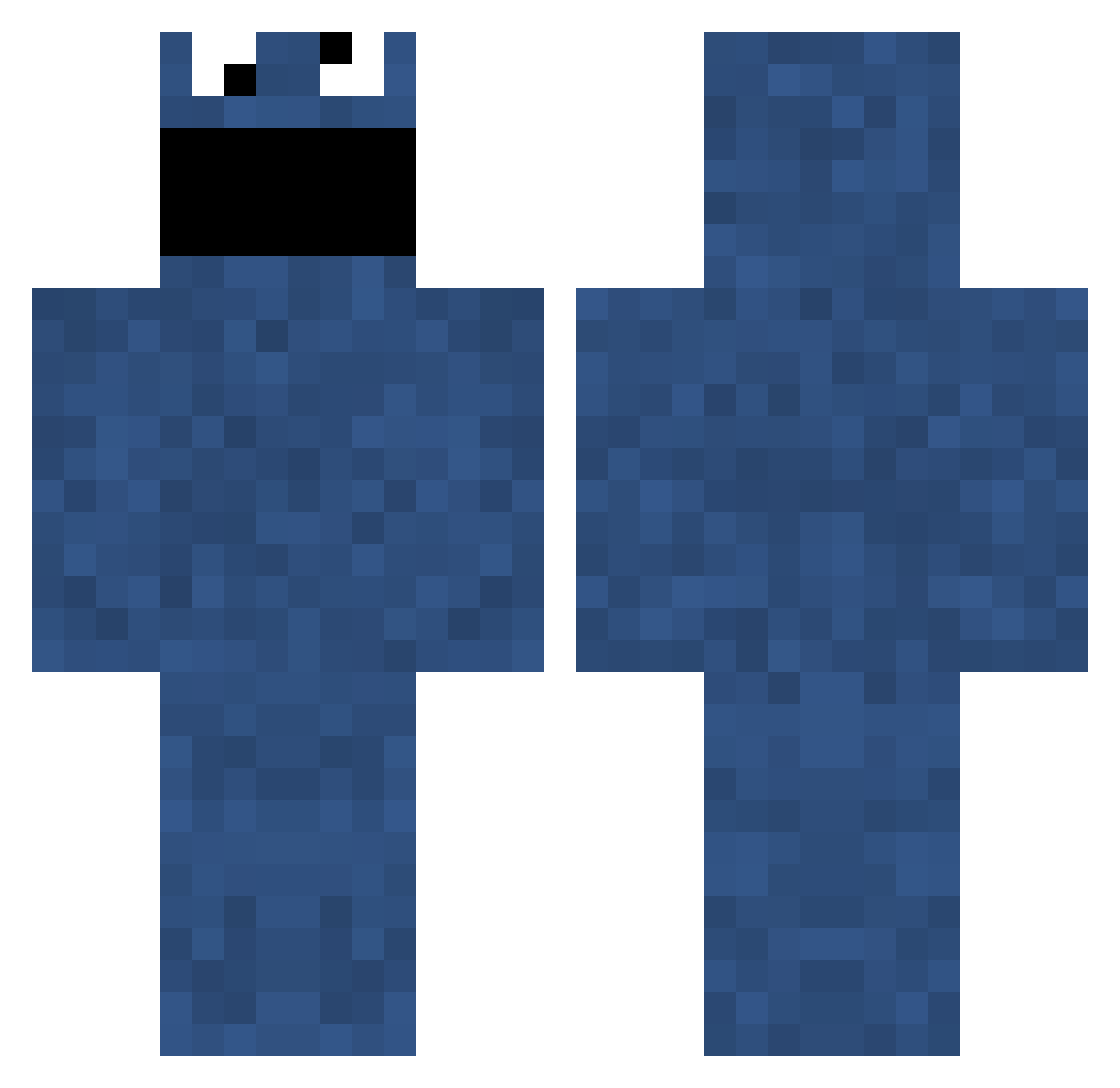
Current Minecraft skin of the player Jump__Man, loaded from the official Mojang API. Rotate the 3D model with your mouse or finger, then download the skin as a PNG file and use it in Minecraft: Bedrock Edition or Java Edition for free. When Jump__Man changes their skin, this page updates automatically and the old skin stays in the history below.
Other players with this skin (701)
Jump__Man was the 52nd player we have seen with this skin, first spotted on 30.07.2026. The same skin was seen on these players. Open a nickname to see their current skin and skin history.
 Athurus Qair SmokesFace Lethaldesign goombaloon rmay9853 Evertonianmb mattahoy BidenRaypesKids djwalker2001 BadSheep365 daverpengu shamumgriffin MyNameIsYak xPyRaMiD immabepie Joshy_y0 frank123_ hollisterdude NzRooman DeathDutchKiwi cnote123 Honeybadger534 BBcPSM Killah1309 Knusperkartoffel RayRayUSMC ImBinno Synthetically TheDarkCrafter97 Mjv95 Kartoffelo aQInstinctz korcana harrycooke1998 bubba1212 AssassinNL fortic rowgaming _Paybak_ xxiaofan DavidXXXD SublimeHippo Maher13 cameron_1029 superhockeydude FreddyM79 Dr_Zaius SNiiPERoR3COiiL stealthygreener vegarhalo2 Viltsu01 ConnorTodhunter InfinityPenis Hurrhest lawol RehabTheBeast drowsybutcher 2LeftHands Enix_Magnet
More Cookie Monster Minecraft skins
See all 241 Cookie Monster skins
How to install the Jump__Man skin
- Press the Download button above to save the skin as a PNG file.
- Minecraft: Bedrock Edition (PE): open the Dressing Room from the main menu (or tap your character → Edit Character), go to Classic Skins → Owned, press the + (new skin) button, choose the downloaded PNG and pick the Classic (Steve) model. Works on PC and mobile; consoles cannot import custom skins.
- Minecraft: Java Edition: open the Minecraft Launcher, go to the Skins tab, click New Skin, load the PNG, pick the Classic (Steve) model and press Save & Use. You can also upload it at minecraft.net → Profile → Change Skin.
The skin does not show up after import - what should I do?
Restart Minecraft and open the Dressing Room again - imported skins sometimes appear only after a restart. Also make sure you selected the imported skin and picked the Classic (Steve) model.
Which model should I choose, Classic or Slim?
This skin is designed for the Classic (Steve) model. If you pick the wrong model, the arms of the skin will look stretched or squeezed.
Is the skin of Jump__Man free to download?
Yes. Press Download, save the PNG file and use it in Minecraft: Bedrock Edition or Java Edition - no payment or registration needed. The skin also works on multiplayer servers and Realms.
More skins
Looking for more? Go back to all Minecraft skins and check the top skins of the week, month and all time, or find any player's skin by nickname.