
Julianc0m - Minecraft Skins & Skin History
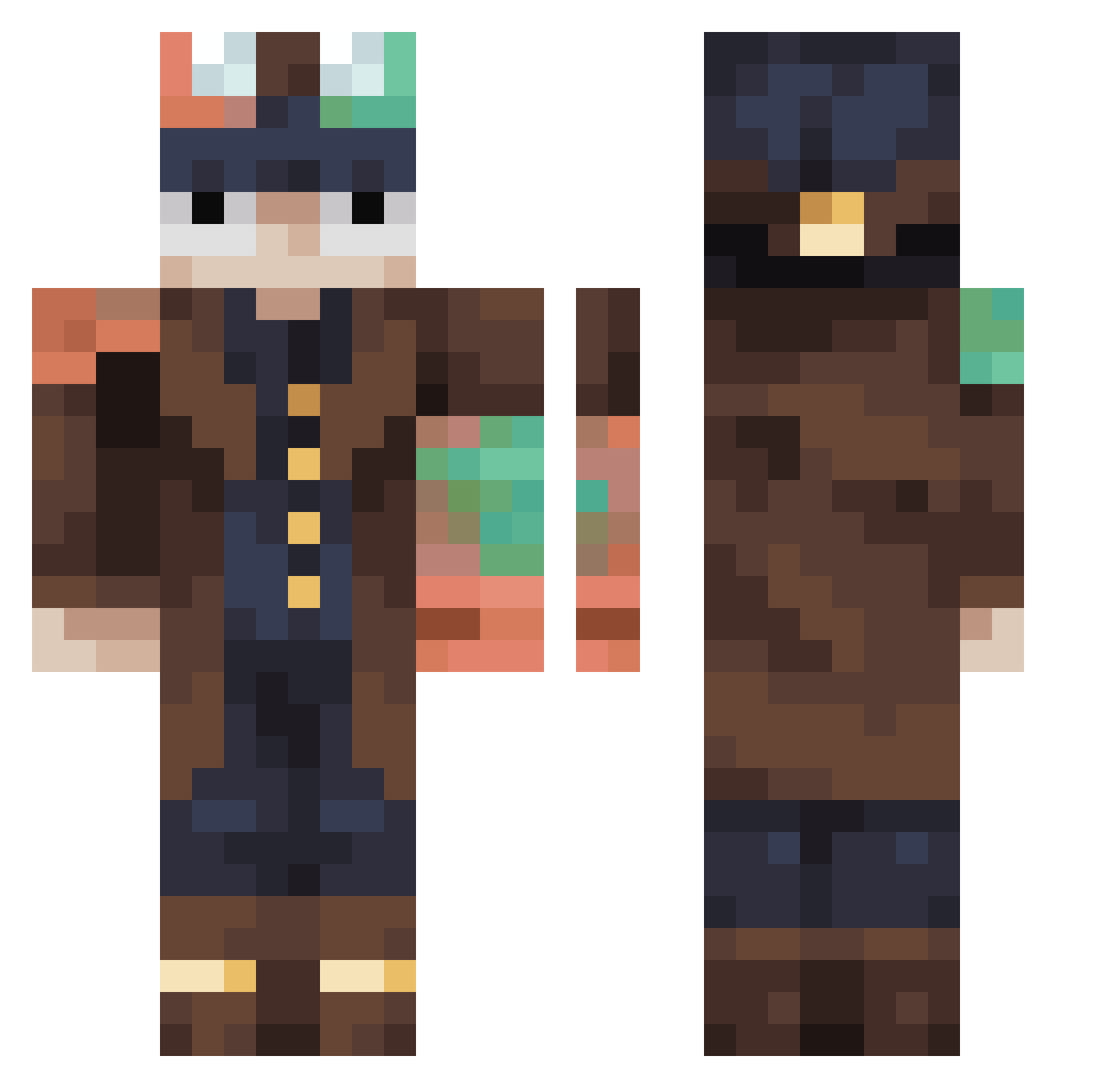
Current Minecraft skin of the player Julianc0m, loaded from the official Mojang API. Rotate the 3D model with your mouse or finger, then download the skin as a PNG file and use it in Minecraft: Bedrock Edition or Java Edition for free. When Julianc0m changes their skin, this page updates automatically and the old skin stays in the history below.
Other players with this skin (437)
Julianc0m was the 294th player we have seen with this skin, first spotted on 05.10.2026. The same skin was seen on these players. Open a nickname to see their current skin and skin history.
 Mr_Faucheur Josiah0828 metrobelt nugget15118 bob0709 Pickle_Rick_The1 squexes manstergaming123 Org_Lordofdarks Radusekhagisek Suncreeper04 ter364 MoonNemesis dedpo0l1 ponyfet123 Kholar HaruyaShira GenXdad80 CrZyMAX Randy35 Rysotope Emo2002 LilTurkey3768 Awoken_Hazard gamerglaser AAYAJa itzAulin Estegro Hasi3265 CommandPrompt_0 wert1234576 GordonBennett_13 BikeDad StrangeThrone0 efraddada galaxiscap Meniscus FmlDevonte ThirstyEmu2 SushisYummy estk2211 NpName Loadedspudds solo_tree_ VzVzee15 poisonsix Darth_Valle drdoomsday1116 Alerey345 Hyper_F1 Zathuraz Shadowmakers graypandaa Theodosian LuckySawFish edbertfelix bogdangfddfg noob17iz minul231 socramo0
More Steampunk Minecraft skins
How to install the Julianc0m skin
- Press the Download button above to save the skin as a PNG file.
- Minecraft: Bedrock Edition (PE): open the Dressing Room from the main menu (or tap your character → Edit Character), go to Classic Skins → Owned, press the + (new skin) button, choose the downloaded PNG and pick the Classic (Steve) model. Works on PC and mobile; consoles cannot import custom skins.
- Minecraft: Java Edition: open the Minecraft Launcher, go to the Skins tab, click New Skin, load the PNG, pick the Classic (Steve) model and press Save & Use. You can also upload it at minecraft.net → Profile → Change Skin.
The skin does not show up after import - what should I do?
Restart Minecraft and open the Dressing Room again - imported skins sometimes appear only after a restart. Also make sure you selected the imported skin and picked the Classic (Steve) model.
Which model should I choose, Classic or Slim?
This skin is designed for the Classic (Steve) model. If you pick the wrong model, the arms of the skin will look stretched or squeezed.
Is the skin of Julianc0m free to download?
Yes. Press Download, save the PNG file and use it in Minecraft: Bedrock Edition or Java Edition - no payment or registration needed. The skin also works on multiplayer servers and Realms.
More skins
Looking for more? Go back to all Minecraft skins and check the top skins of the week, month and all time, or find any player's skin by nickname.