
Jujuba_Evil - Minecraft Skins & Skin History
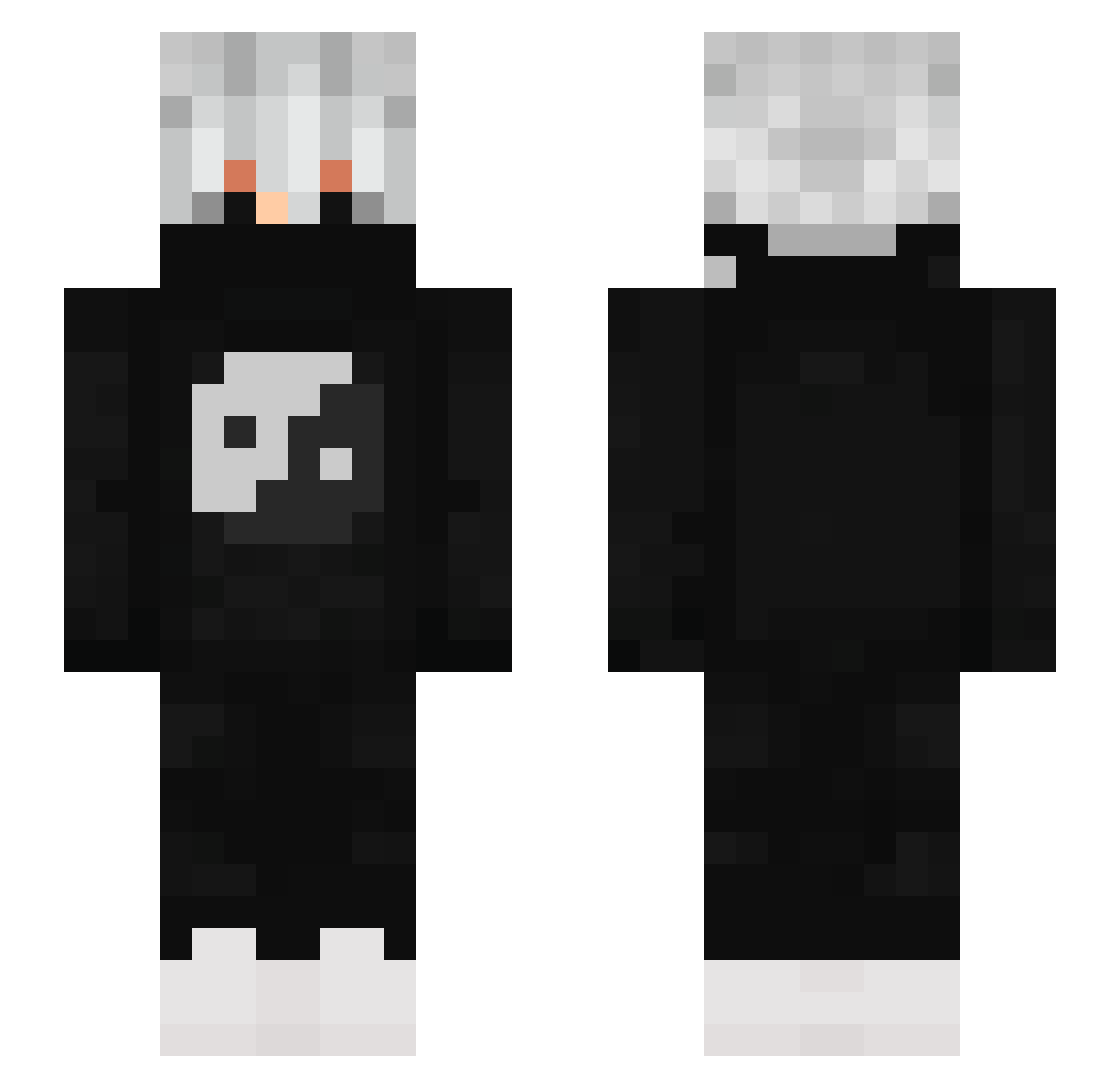
Current Minecraft skin of the player Jujuba_Evil, loaded from the official Mojang API. Rotate the 3D model with your mouse or finger, then download the skin as a PNG file and use it in Minecraft: Bedrock Edition or Java Edition for free. When Jujuba_Evil changes their skin, this page updates automatically and the old skin stays in the history below.
Other players with this skin (843)
Jujuba_Evil was the 570th player we have seen with this skin, first spotted on 06.10.2026. The same skin was seen on these players. Open a nickname to see their current skin and skin history.
 F0ORSz FOKAR_4563 UwuOski voyag3 CHAMPIFFIONS Sr_CarlosREC jonskupeli shisanupong vibxyo SlimJim205 MrOrzech MJ292 hanimetve Sousou551 Hen_S0L0 _reapxr_ innz123 fnXiter RamonKna Crew_Me Jan4K jessyester Ca65assiie_x_ LzBR_ Remiyade nathanael2002 zEstiveN_Org TMPJ1418 Skycron_Wild_p7h Tizzyy_ TheoEnderman09 NIMESH_OP Aether40 PEK1234 Scheidt05 JoySt1ck12 zMaxBDT TDark50 Kapitaniec Mast3r15 Mountaindew_69 Emanuel09S ExtanMoon OndysYT drasteer Earth4G RaphaelJr9 Jpedro777x biggerbootybroad LuiBui19 Flametalker MelloXX1 AndradeTheGod21 jackkiller14 wrxxlez Trax2023 Shad0wsLegacy sasamka12 Yuuto_YT Horse_55TR
More Yin Yang Minecraft skins
How to install the Jujuba_Evil skin
- Press the Download button above to save the skin as a PNG file.
- Minecraft: Bedrock Edition (PE): open the Dressing Room from the main menu (or tap your character → Edit Character), go to Classic Skins → Owned, press the + (new skin) button, choose the downloaded PNG and pick the Slim (Alex) model. Works on PC and mobile; consoles cannot import custom skins.
- Minecraft: Java Edition: open the Minecraft Launcher, go to the Skins tab, click New Skin, load the PNG, pick the Slim (Alex) model and press Save & Use. You can also upload it at minecraft.net → Profile → Change Skin.
The skin does not show up after import - what should I do?
Restart Minecraft and open the Dressing Room again - imported skins sometimes appear only after a restart. Also make sure you selected the imported skin and picked the Slim (Alex) model.
Which model should I choose, Classic or Slim?
This skin is designed for the Slim (Alex) model. If you pick the wrong model, the arms of the skin will look stretched or squeezed.
Is the skin of Jujuba_Evil free to download?
Yes. Press Download, save the PNG file and use it in Minecraft: Bedrock Edition or Java Edition - no payment or registration needed. The skin also works on multiplayer servers and Realms.
More skins
Looking for more? Go back to all Minecraft skins and check the top skins of the week, month and all time, or find any player's skin by nickname.