
Joryb - Minecraft Skins & Skin History
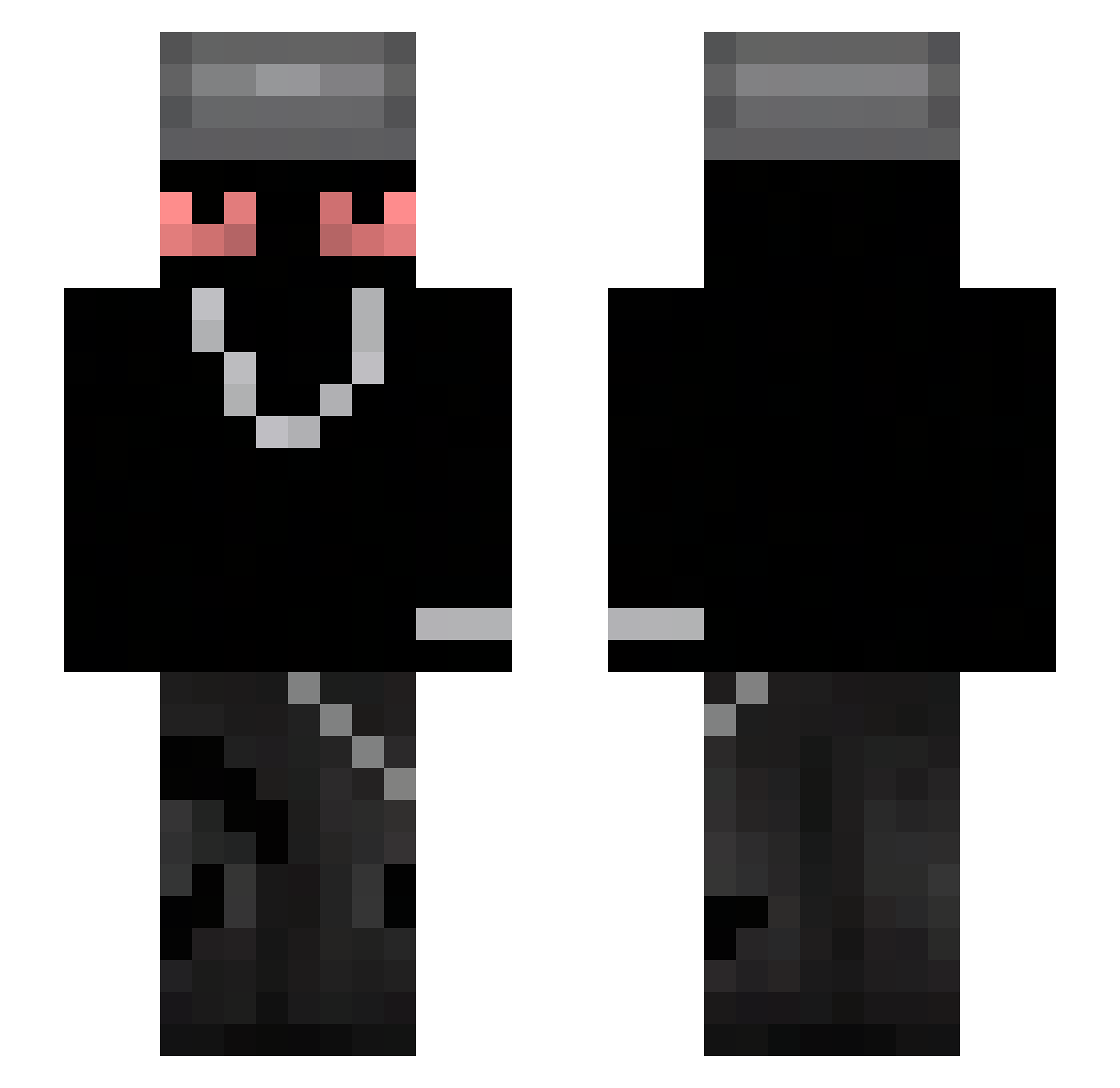
Current Minecraft skin of the player Joryb, loaded from the official Mojang API. Rotate the 3D model with your mouse or finger, then download the skin as a PNG file and use it in Minecraft: Bedrock Edition or Java Edition for free. When Joryb changes their skin, this page updates automatically and the old skin stays in the history below.
Other players with this skin (53)
Joryb was the 52nd player we have seen with this skin, first spotted on 27.10.2026. The same skin was seen on these players. Open a nickname to see their current skin and skin history.
 Thu1hu Sannguiine Kacper839 l0v1rrr perry_theplat elasere squigstired novleex 93Hq patudotopi122 Patz_26 Furry_Protection BartoszFM _Calamity PlsGiveMeAim Outburnt T3jiu grz3g0rz_2137 lowkeyslug Cylo_MC AimBunny Devanss M4ttia5 FoxyConfusion _vex1q zvki Drogadicciones_ MisterSheep123 Kukuy0 vzimt jxlii7 _CNR__ teodor285 OMYYT qrxk Geekist Silent737 Z4chBtw palacz_ gaavi14 devilsining 7fw DuraVelocity_ DerbyAzul _XV_L Lix0_ BEAN_GUY1 rawhen David07CZ_ xyz_id0ol_ Nowinzul
 Niko2202
 tffffftj
More Chain Minecraft skins
How to install the Joryb skin
- Press the Download button above to save the skin as a PNG file.
- Minecraft: Bedrock Edition (PE): open the Dressing Room from the main menu (or tap your character → Edit Character), go to Classic Skins → Owned, press the + (new skin) button, choose the downloaded PNG and pick the Slim (Alex) model. Works on PC and mobile; consoles cannot import custom skins.
- Minecraft: Java Edition: open the Minecraft Launcher, go to the Skins tab, click New Skin, load the PNG, pick the Slim (Alex) model and press Save & Use. You can also upload it at minecraft.net → Profile → Change Skin.
The skin does not show up after import - what should I do?
Restart Minecraft and open the Dressing Room again - imported skins sometimes appear only after a restart. Also make sure you selected the imported skin and picked the Slim (Alex) model.
Which model should I choose, Classic or Slim?
This skin is designed for the Slim (Alex) model. If you pick the wrong model, the arms of the skin will look stretched or squeezed.
Is the skin of Joryb free to download?
Yes. Press Download, save the PNG file and use it in Minecraft: Bedrock Edition or Java Edition - no payment or registration needed. The skin also works on multiplayer servers and Realms.
More skins
Looking for more? Go back to all Minecraft skins and check the top skins of the week, month and all time, or find any player's skin by nickname.