
Jomu777 - Minecraft Skins & Skin History
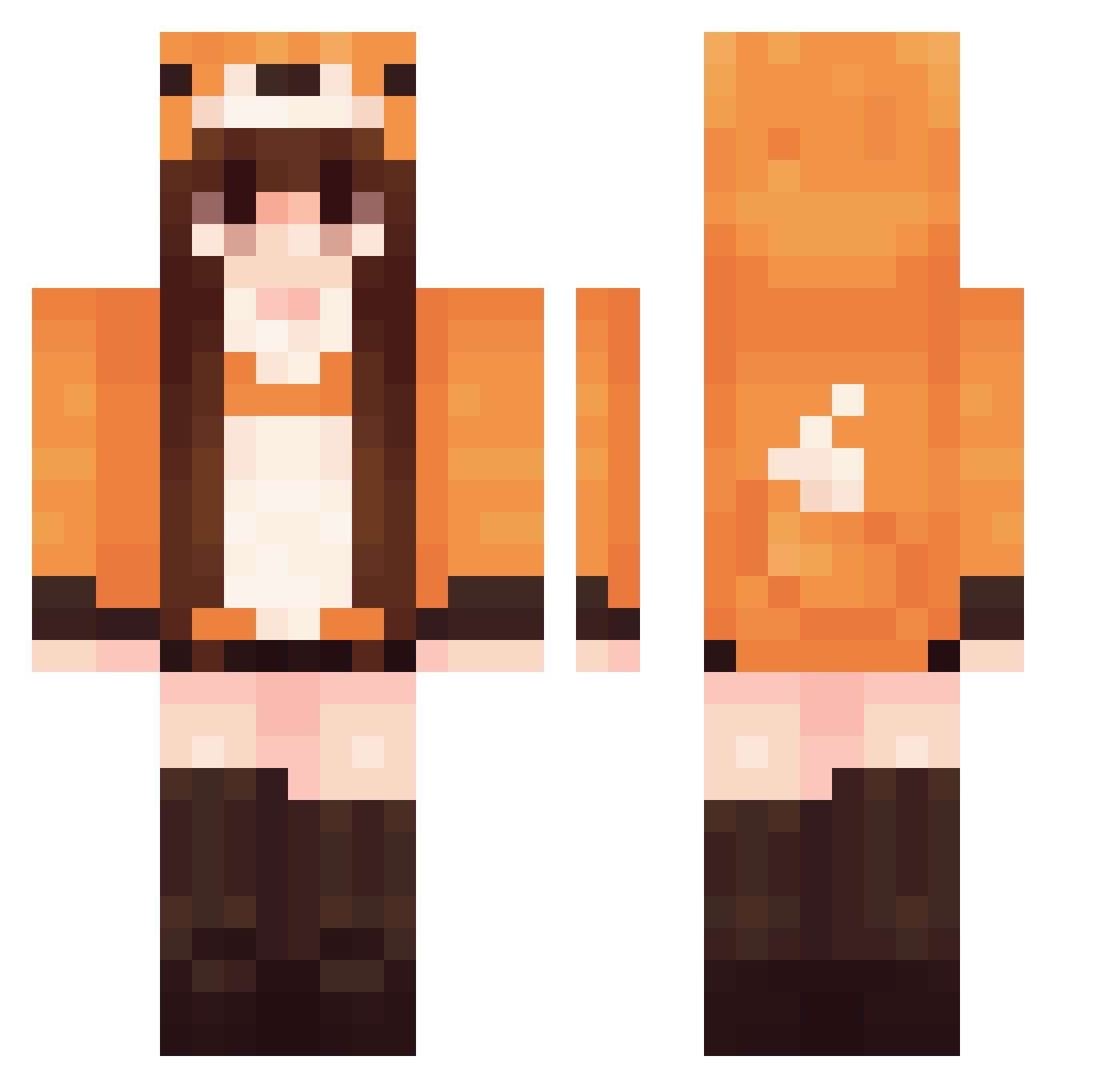
Current Minecraft skin of the player Jomu777, loaded from the official Mojang API. Rotate the 3D model with your mouse or finger, then download the skin as a PNG file and use it in Minecraft: Bedrock Edition or Java Edition for free. When Jomu777 changes their skin, this page updates automatically and the old skin stays in the history below.
Other players with this skin (670)
Jomu777 was the 641st player we have seen with this skin, first spotted on 15.11.2026. The same skin was seen on these players. Open a nickname to see their current skin and skin history.
 SrRunrunn Nanas34 SlytherinPoet19 beysu Chlac jukzz1 changchang2012 JosueLeal Aguczee Smoochy02 _E4R s00mbra MiraFang Jiwoom Lula137 Dragonfly_cap Lonieget quartzars 0palie Billiep lonelyzante lfox02 Sl_fox Asuka9107 EvelineRed IfritaKowaldi TheNoodleArms Claimyck raiecx FriendlyDino342 honnouzi Chelyns slow310 MissCaityyyy Chouchoumao GalFawkes Pokollo SamySab Foxy2465 coco5005 wtmdz xKitsune47 l0SAO YKichiro Yksln Zovrin oneofthesaras norte0 iNikoT CeceCat22 ovoxia SweatyFoxGirl Alyssa_148 himatane LunaLooLoo Looking4Waifu emjaybp Codestoo Neva00 Meggy007
More Fox Tail Minecraft skins
How to install the Jomu777 skin
- Press the Download button above to save the skin as a PNG file.
- Minecraft: Bedrock Edition (PE): open the Dressing Room from the main menu (or tap your character → Edit Character), go to Classic Skins → Owned, press the + (new skin) button, choose the downloaded PNG and pick the Classic (Steve) model. Works on PC and mobile; consoles cannot import custom skins.
- Minecraft: Java Edition: open the Minecraft Launcher, go to the Skins tab, click New Skin, load the PNG, pick the Classic (Steve) model and press Save & Use. You can also upload it at minecraft.net → Profile → Change Skin.
The skin does not show up after import - what should I do?
Restart Minecraft and open the Dressing Room again - imported skins sometimes appear only after a restart. Also make sure you selected the imported skin and picked the Classic (Steve) model.
Which model should I choose, Classic or Slim?
This skin is designed for the Classic (Steve) model. If you pick the wrong model, the arms of the skin will look stretched or squeezed.
Is the skin of Jomu777 free to download?
Yes. Press Download, save the PNG file and use it in Minecraft: Bedrock Edition or Java Edition - no payment or registration needed. The skin also works on multiplayer servers and Realms.
More skins
Looking for more? Go back to all Minecraft skins and check the top skins of the week, month and all time, or find any player's skin by nickname.