
Joltaarn - Minecraft Skins & Skin History
Current Minecraft skin of the player Joltaarn, loaded from the official Mojang API. Rotate the 3D model with your mouse or finger, then download the skin as a PNG file and use it in Minecraft: Bedrock Edition or Java Edition for free. When Joltaarn changes their skin, this page updates automatically and the old skin stays in the history below.
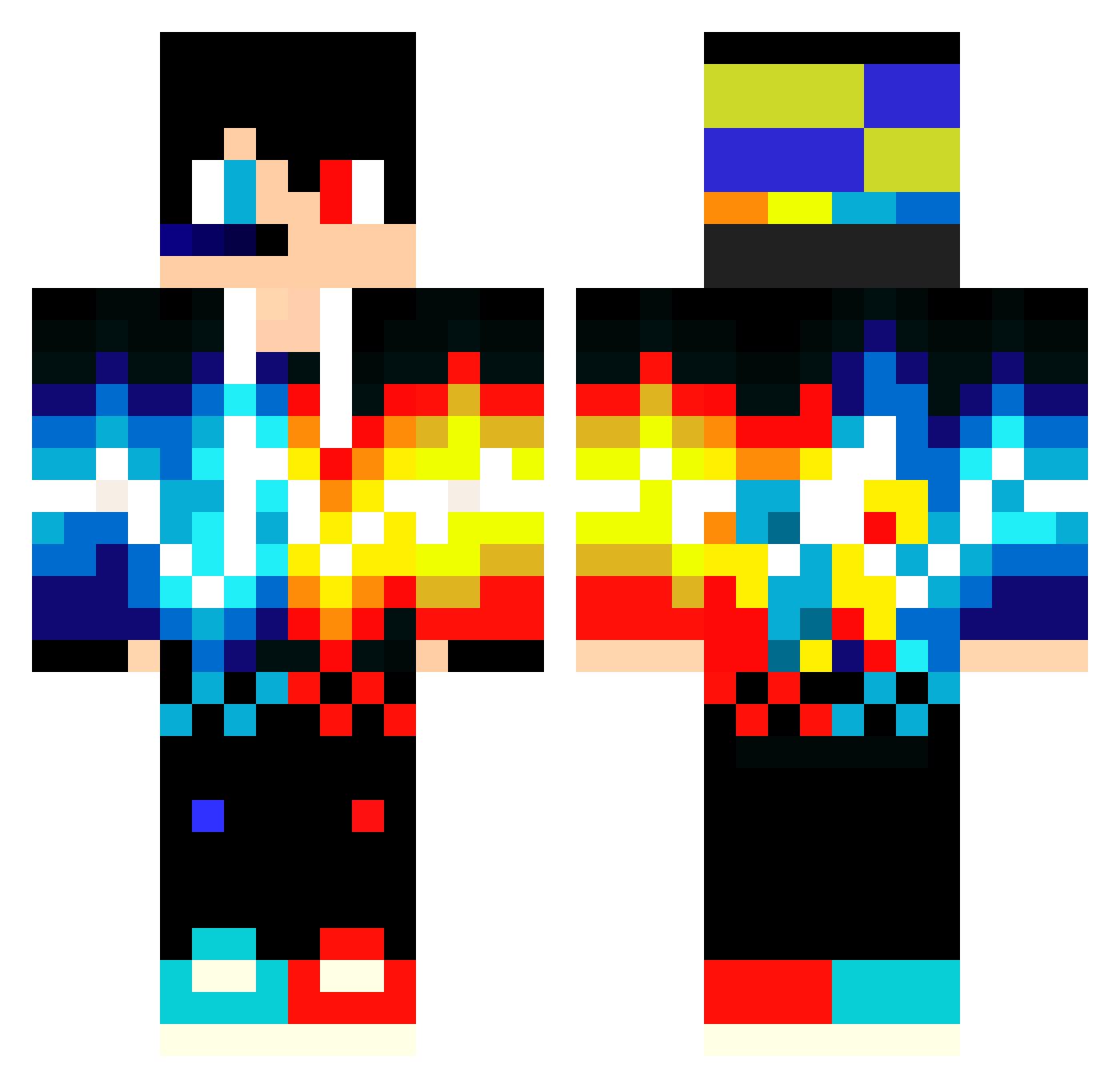
Other players with this skin (550)
Joltaarn was the 148th player we have seen with this skin, first spotted on 21.08.2026. The same skin was seen on these players. Open a nickname to see their current skin and skin history.
 123Diamond321 joaoVitor444 xxXEMPERORXxx Muhammad58 Salensis gaju001 furiousbackward LesZirg Moo992 killer_mano TianXDXD NAWilson GodlyPotato227 Herobrine_Slayed Fluffixx Mounten wldjfl KaijiLight1212 RafaJuli JeSuisLegits bsngod BASTI1__ zombiejaeger2019 TheDiamondCl0ck_ kasramj gukbindie WelpenSecuritie
 Jaimecitoprooo sunshinepai Saft_GH0ST therealstaram siruba_Ag OffCat123 Turrican74 Mattl3y izzybusy IceJuicee FroggerMC junghacker1 ClaymoreDaddy
 DDUDDU550 fireb964 Minefoxxi Markusmaxl Parzival994 CreonC AntoN_2012 ThunderCrack756 schroedies_hase coolkings3 PrefixIQ M8973 small_maloy souei2023 edy225200 ivout_game KutsaCI Woidda jmj_net achen1026
More Fire And Ice Minecraft skins
See all 697 Fire And Ice skins
How to install the Joltaarn skin
- Press the Download button above to save the skin as a PNG file.
- Minecraft: Bedrock Edition (PE): open the Dressing Room from the main menu (or tap your character → Edit Character), go to Classic Skins → Owned, press the + (new skin) button, choose the downloaded PNG and pick the Classic (Steve) model. Works on PC and mobile; consoles cannot import custom skins.
- Minecraft: Java Edition: open the Minecraft Launcher, go to the Skins tab, click New Skin, load the PNG, pick the Classic (Steve) model and press Save & Use. You can also upload it at minecraft.net → Profile → Change Skin.
The skin does not show up after import - what should I do?
Restart Minecraft and open the Dressing Room again - imported skins sometimes appear only after a restart. Also make sure you selected the imported skin and picked the Classic (Steve) model.
Which model should I choose, Classic or Slim?
This skin is designed for the Classic (Steve) model. If you pick the wrong model, the arms of the skin will look stretched or squeezed.
Is the skin of Joltaarn free to download?
Yes. Press Download, save the PNG file and use it in Minecraft: Bedrock Edition or Java Edition - no payment or registration needed. The skin also works on multiplayer servers and Realms.
More skins
Looking for more? Go back to all Minecraft skins and check the top skins of the week, month and all time, or find any player's skin by nickname.