
John_Shovel - Minecraft Skins & Skin History
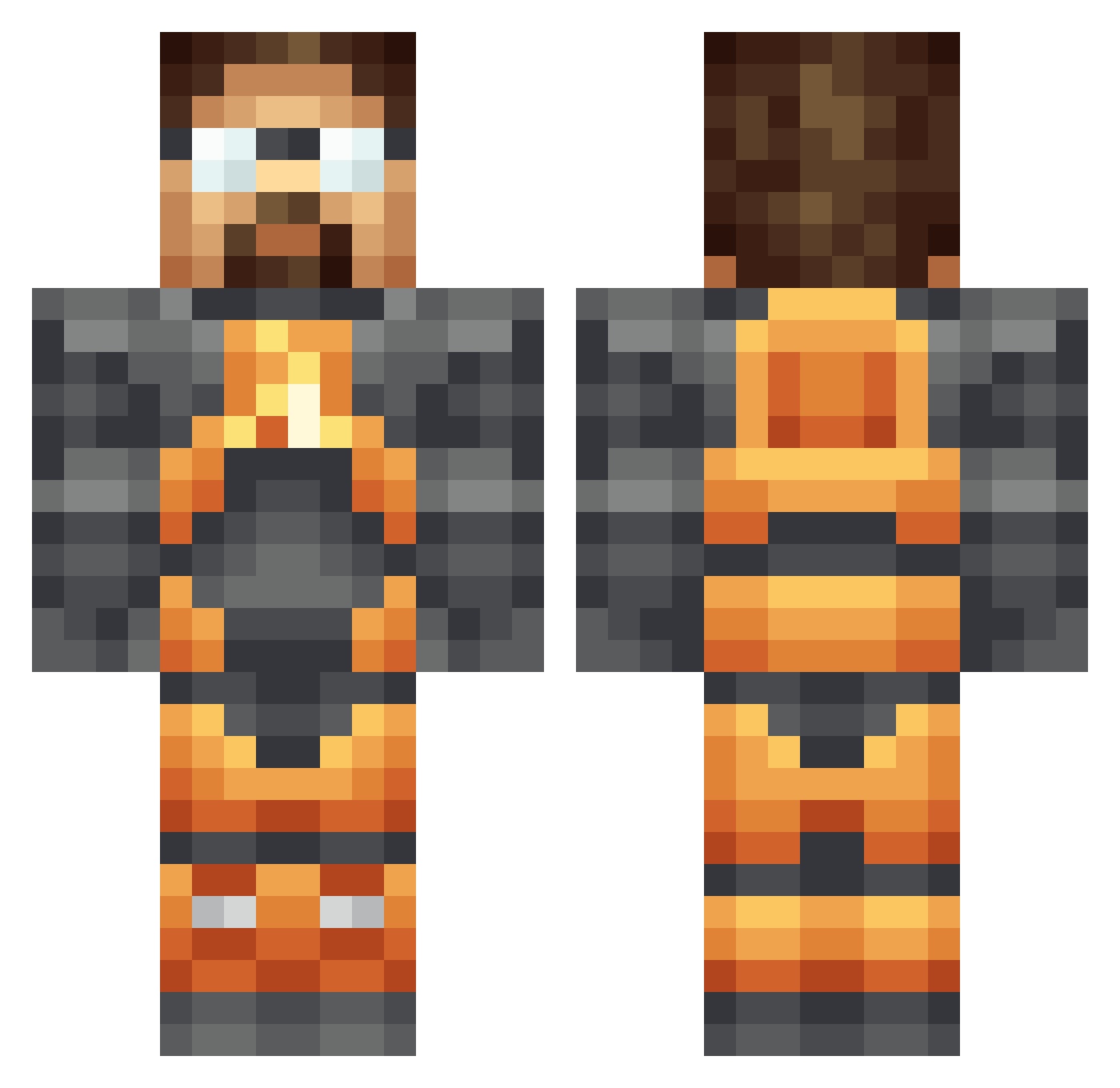
Current Minecraft skin of the player John_Shovel, loaded from the official Mojang API. Rotate the 3D model with your mouse or finger, then download the skin as a PNG file and use it in Minecraft: Bedrock Edition or Java Edition for free. When John_Shovel changes their skin, this page updates automatically and the old skin stays in the history below.
Other players with this skin (341)
John_Shovel was the 304th player we have seen with this skin, first spotted on 23.10.2026. The same skin was seen on these players. Open a nickname to see their current skin and skin history.
 rotax01 willpick72 McEagle76 helgestrichen borealis1234 TheBrinx Karl_Fisburne PKJamoo dctravis Rainstorm2 leminence TaPs96 jacknifed47 Tristrom PoMy_ bifftannentho Lord_Seta Tiddyz WeDontFw12https rkamp MrGrease whateverboi ExodiiaK MiesNL Nucleariuss SilverWolf600114 BreakingBane esker100 CalmCallLink mattatomic92 C_stat TheDrunkenLlama ditchstick PamigaVincent kulski666 shadow80 xmallysaurusx Givan TheMrZip Sheep3 Gulf917 rival0 SuudoXR Spions xF_Snow prplecake Firulete RS_Guy Hanniballoo Idix o_Bambi_o Nemiskay Seplow DCTyphoon Viper_Euphoria angryheadcrab ballonzeus ZedNet FATRAMA TriangleTodd
More Gordon Freeman Minecraft skins
See all 331 Gordon Freeman skins
How to install the John_Shovel skin
- Press the Download button above to save the skin as a PNG file.
- Minecraft: Bedrock Edition (PE): open the Dressing Room from the main menu (or tap your character → Edit Character), go to Classic Skins → Owned, press the + (new skin) button, choose the downloaded PNG and pick the Classic (Steve) model. Works on PC and mobile; consoles cannot import custom skins.
- Minecraft: Java Edition: open the Minecraft Launcher, go to the Skins tab, click New Skin, load the PNG, pick the Classic (Steve) model and press Save & Use. You can also upload it at minecraft.net → Profile → Change Skin.
The skin does not show up after import - what should I do?
Restart Minecraft and open the Dressing Room again - imported skins sometimes appear only after a restart. Also make sure you selected the imported skin and picked the Classic (Steve) model.
Which model should I choose, Classic or Slim?
This skin is designed for the Classic (Steve) model. If you pick the wrong model, the arms of the skin will look stretched or squeezed.
Is the skin of John_Shovel free to download?
Yes. Press Download, save the PNG file and use it in Minecraft: Bedrock Edition or Java Edition - no payment or registration needed. The skin also works on multiplayer servers and Realms.
More skins
Looking for more? Go back to all Minecraft skins and check the top skins of the week, month and all time, or find any player's skin by nickname.